
Working Copy campusM June 2023 Release Notes
Developments
No developments match your criteria.
(CAM-21544) Creative Studio - Draft Page Workflow
June 2023CAM-21544
For users with the assigned permission Content item : Can manage drafts in Creative Studio(App Manager > Users/Permissions > Users > User permissions), we added the ability to publish new Creative Studio pages when saving without needing to first create the page as a draft by disabling the Draft toggle when creating the new page.
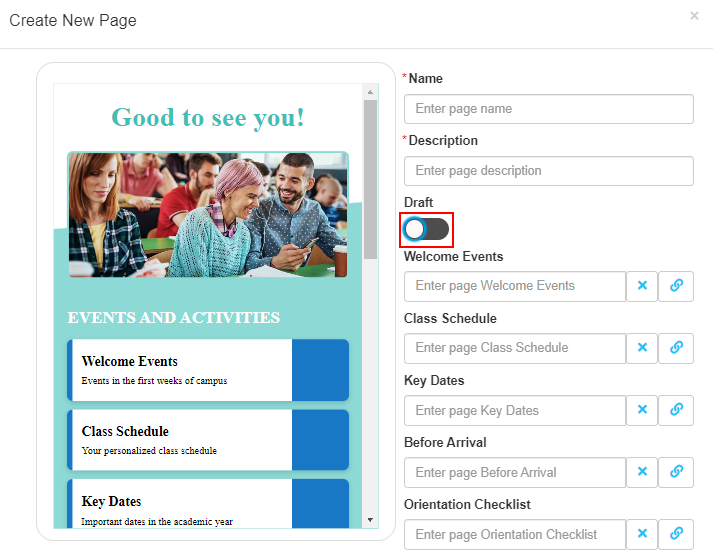
For more information, see Creative Studio.
(CAM-21271) New Unique Identifier for Person Record
June 2023SF: 06613888CAM-21271
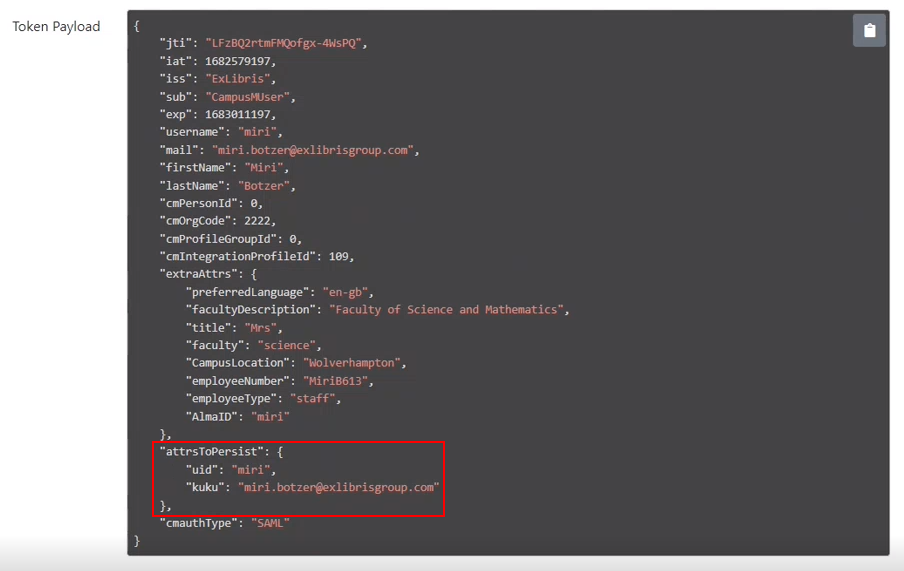
We now include the student's user ID in the data we maintain for that user which is subsequently outputted in our reporting APIs.
The App Manager > App Settings > Integration Profiles now includes a field for identifiers where you can define multiple keys to be maintained in the database or map those attributes with a different name that are mapped once the information is in the database. You can either use the API to get the data or you can search the Check In report for users using Person Attributes and not just search using user email addresses.
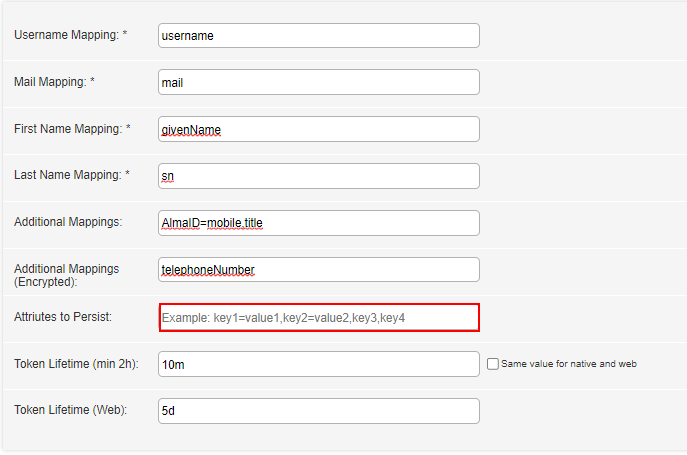
For more information, see Developer Network.
(CAM-17429) Last Login Date for Registered Users
June 2023CAM-17429
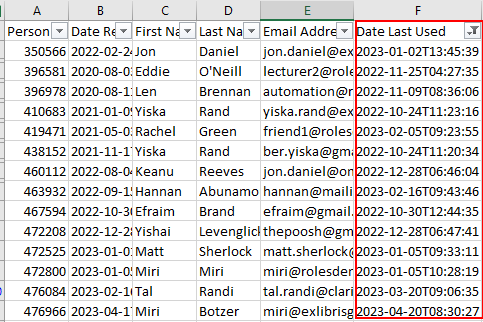
To better manage your users and their app usage, we added a Date Last Used column to App Manager > App Settings > User Management > Registered Users and to the CSV file to identify when users last used the app.
Null values appear for users whose last usage date was prior to September 2022.

For more information, see Registered Users.
(CAM-17800) Attendance – Undo Lecturer Check-in
June 2023SF: 06546565 05306250 05307185 06331212 06465925 06572827 06575593CAM-17800
If a student is marked as absent, and the student is now present, you can now use the Undo Check-in button to remove the absent mark for that student.
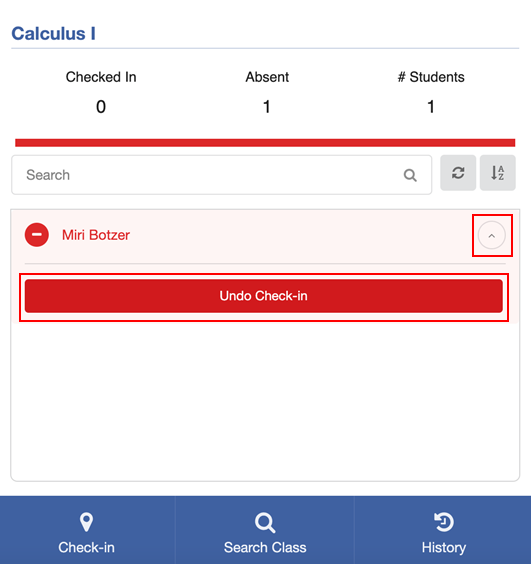
For more information, see Undo Check-in.
(CAM-20195) Events Product Integration – Tags Order
June 2023CAM-20195
Events tags are now listed in alphabetical order.
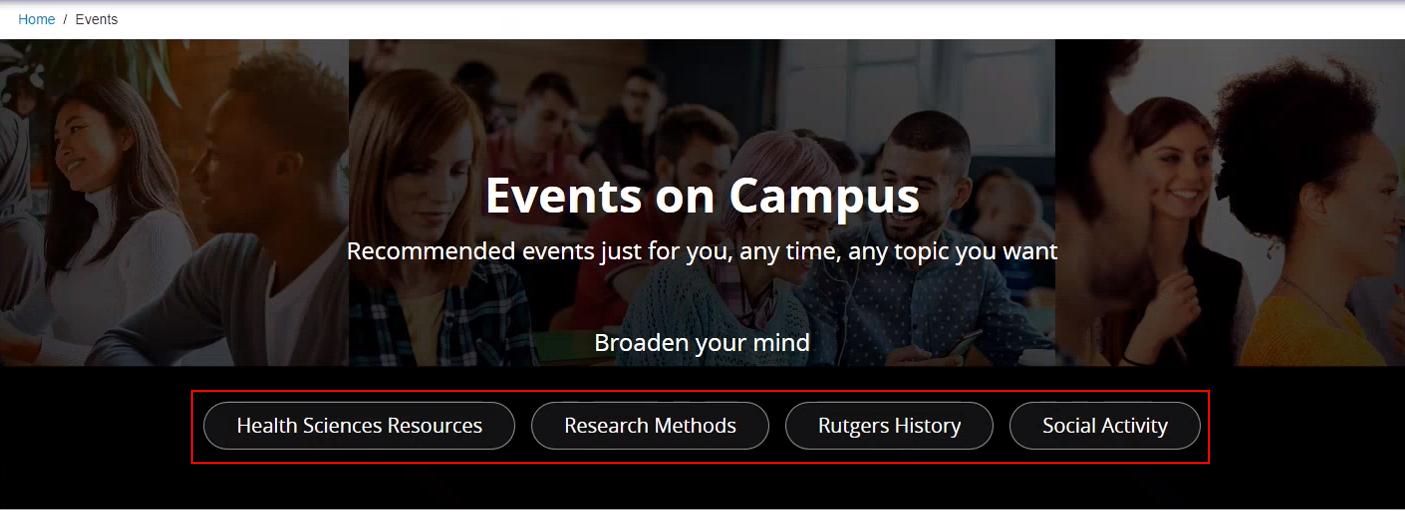
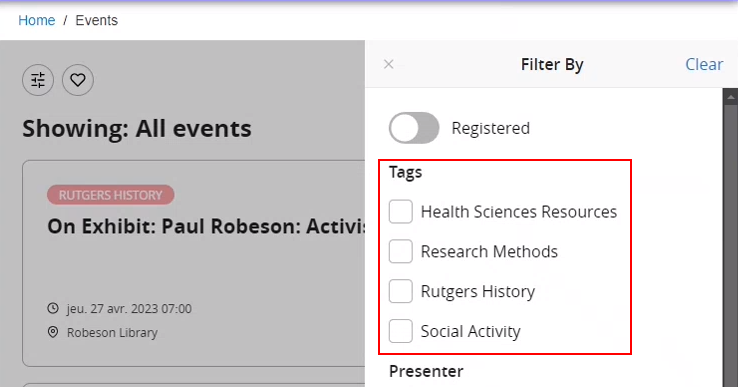
For more information, see Events.
(CAM-20286) Events Product Integration – Hiding the Duration Field
June 2023SF: 06479282CAM-20286
You can now hide the DURATION section from the event details by unchecking Display Event Duration in App Manager > Product Integration > Events > Event Details.
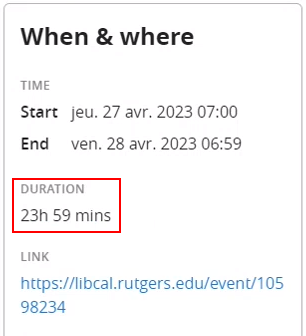
For more information, see Events Configuration.
(CAM-21156) Greeting Product Integration – Background Image
June 2023SF: 06706317CAM-21156
To enhance the Greeting tile, you can now add a background image to the Greeting tile from the Tile Config section of the App Manager > App Builder.
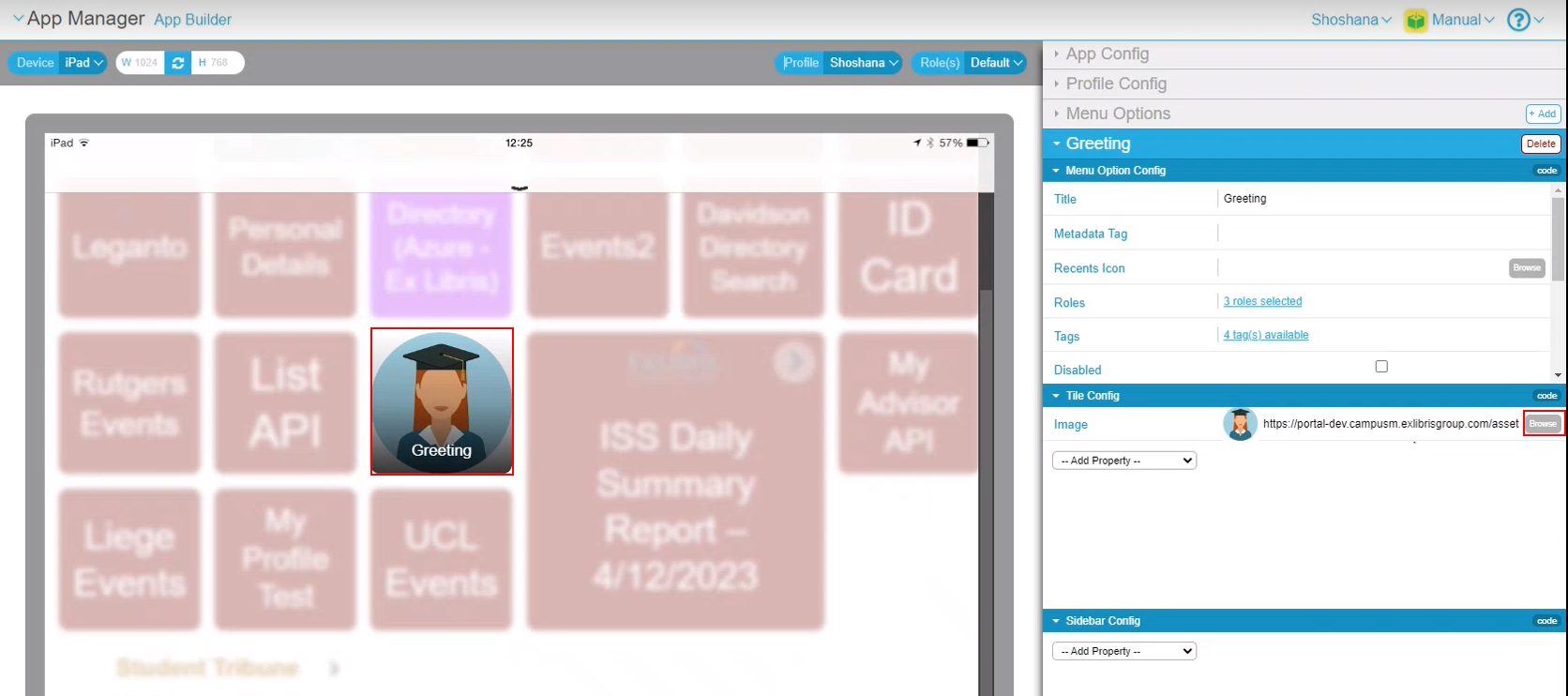
For more information, see Greeting Configuration.
Resolved Issues
No resolved issues match your criteria.
- June 2023 PlatformSF: 06695456 06706843 06708485 06710308 06713860CAM-21861 Attendance — Previously, when selecting buttons on the Student Attendance tile, the buttons would flip. This was fixed.
- June 2023 iOS App Android AppSF: 06565664CAM-20742 Previously, users were unable to log in to campusM from an embedded view using an out-of-date browser.
Page tags: product:alma_specto
