
Working Copy campusM March 2023 Release Notes
Developments
No developments match your criteria.
(CAM-21132) Notification Text Alignment (HOTFIX FOR FEBRUARY 2023)
March 2023CAM-21132
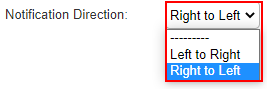
We now support text alignment for Right to Left languages for Notifications. To control the text alignment, select your desired text alignment direction from the Notification Direction drop-down list (App Manager > App Settings > Enterprise Roles > App Profiles).
For more information, see Sending Notification to End Users.
(CAM-20889) Task Board Product Integration – User Created Tasks
March 2023CAM-20889
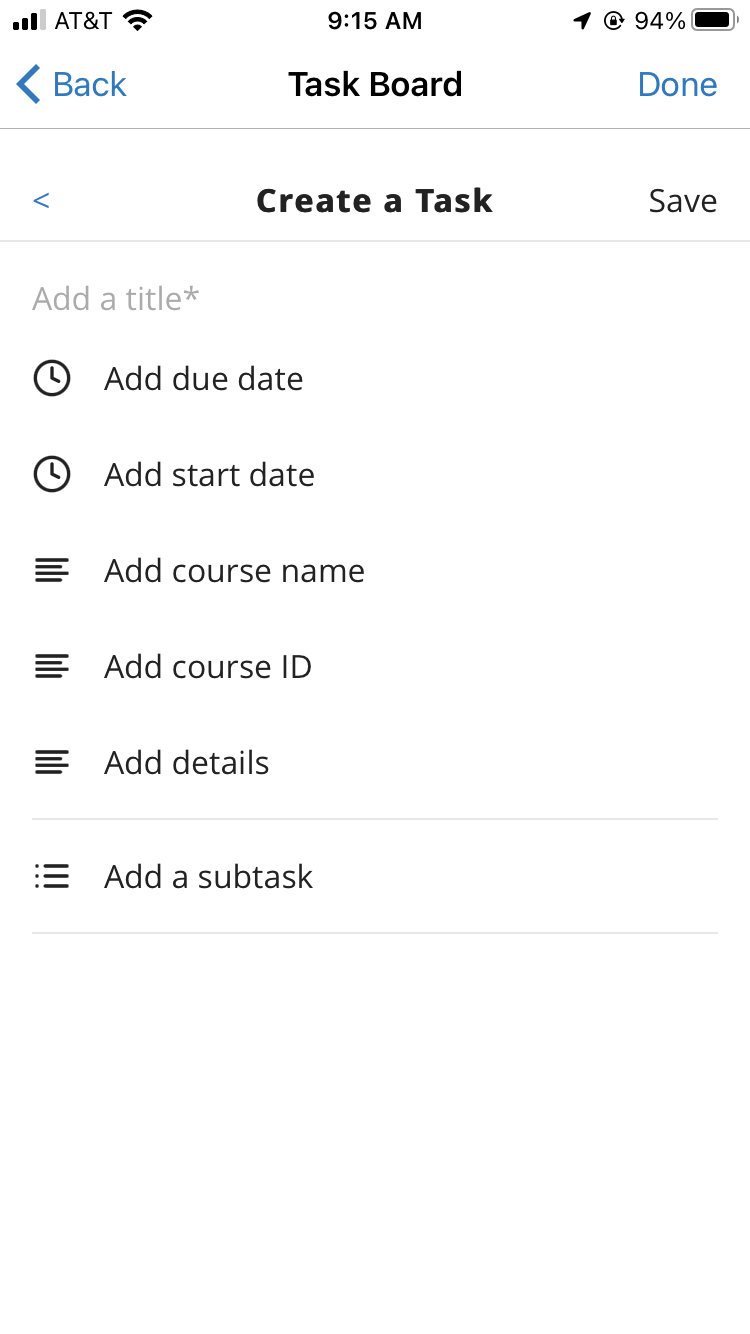
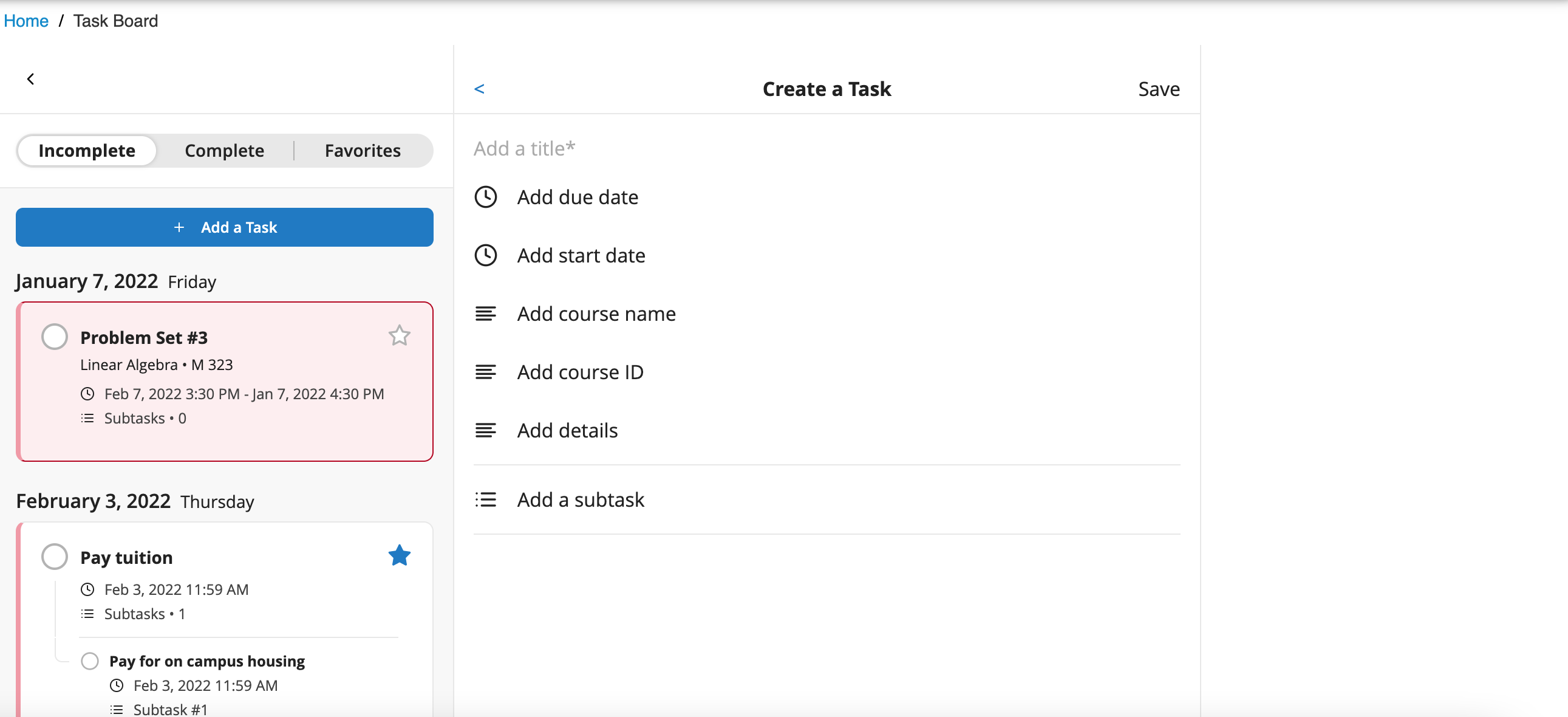
We added the ability for users to create their own tasks within the Task Board, enabling the product integration to merge both customer (through the API) and user-defined tasks within the Task Board. This feature is available to students when Enable User Created Tasks(App Manager > Product Integrations > Task Board > User Created Tasks) is enabled.
For more information, see Task Board.
(CAM-20382) Moodle Product Integration – HTML Rendering
March 2023SF: 05309518CAM-20382
We revised and improved how HTML sanitization is handled to align it with our other products to prevent HTML rich text from displaying poorly.
For more information, see Moodle.
(CAM-20384) Moodle Product Integration – Dashboard Prioritizing and Live Tile Forum Posts
March 2023SF: 05309518CAM-20384
We added the ability to prioritize the order in which live tiles appear. From the Prioritize Live Tile Items(App Manager > Product Integrations > Moodle), use the up/down arrows to prioritize the order in which live tiles appear from left to right.
Only the first four prioritized live tile items are displayed on the dashboard.
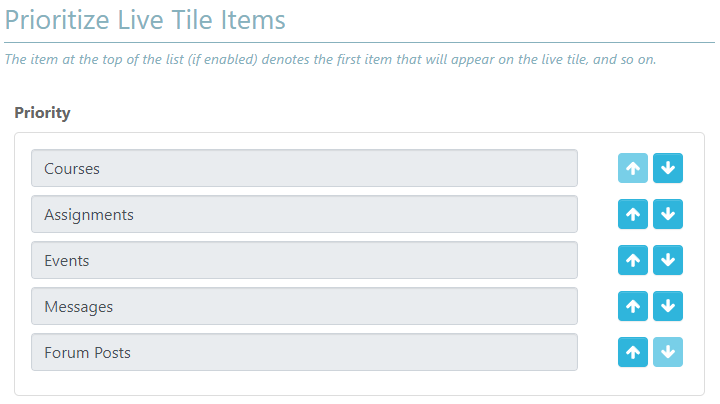
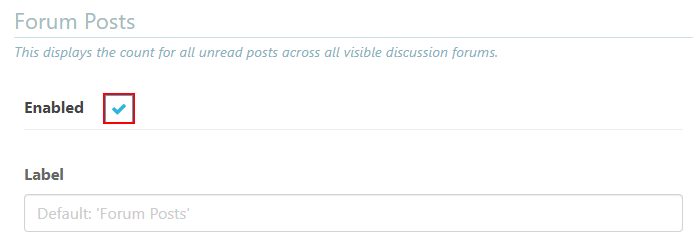
We also added the ability to display Forum Posts on a live tile. To enable Forum Posts to appear on live tiles, select Enabled in the Form Posts section (App Manager > Product Integrations > Moodle).
The Forum Posts must be prioritized as one of the first four live tiles to be displayed.
For more information, see Moodle.
(CAM-21264) Moodle Product Integration – Nested Content
March 2023SF: 05309518CAM-21264
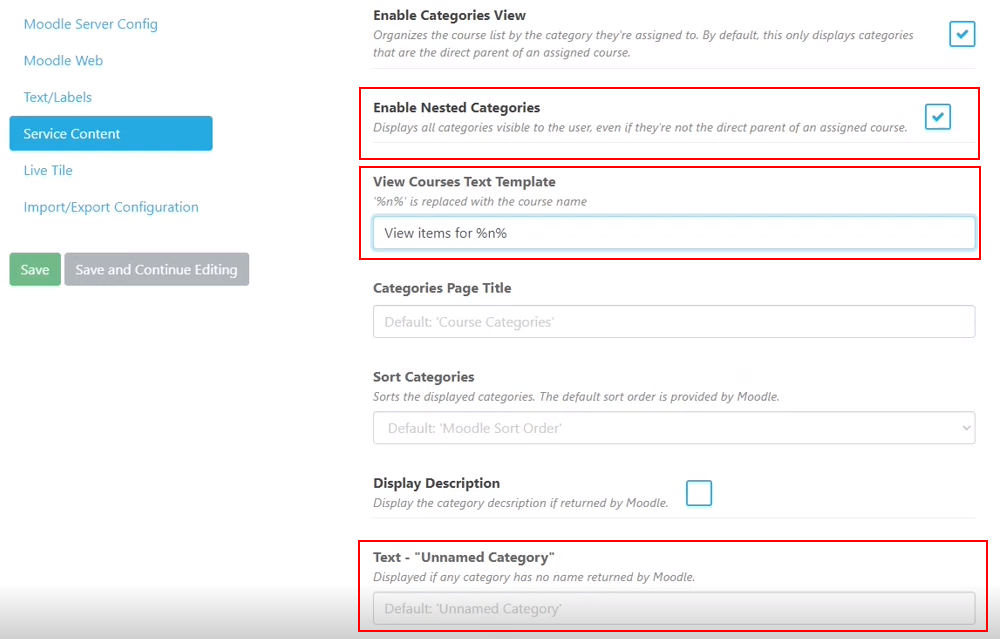
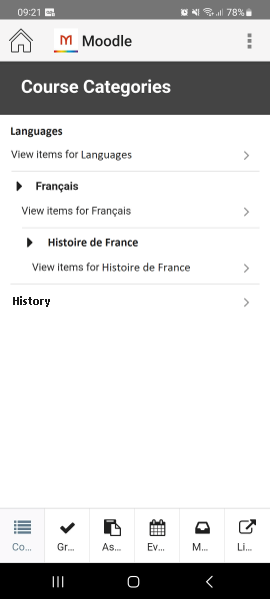
We added the ability to display all templates that belong to a category in a nested structure to indicate when a category is under another category by selecting Enable Nested Categories(App Manager > Product Integrations > Moodle). The View Courses Text Template shows the category text template and the Text - "No categories to show" outputs the text even when there are no categories.
For more information, see Moodle.
(CAM-19997) Attendance Product Integration – Configurable Absence Reasons Increase
March 2023SF: 06573997CAM-19997
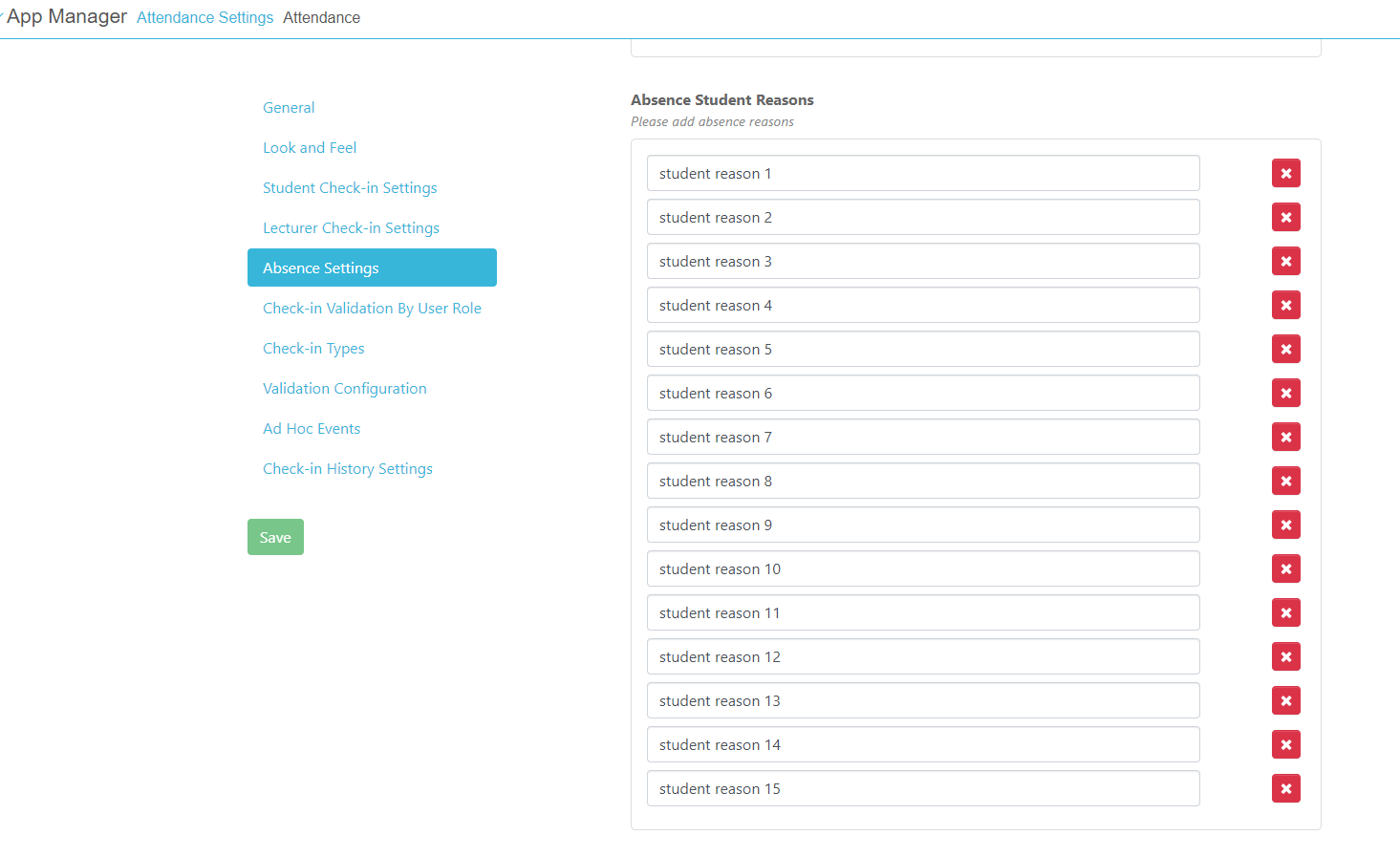
We added the ability for students to provide up to 15 absence reasons. To enable students to enter additional absence reasons, add additional Absence Student Reasons fields to your Absence Settings(App Manager > Product Integrations > Attendance).
For more information, see Managing campusM Attendance.
Resolved Issues
No resolved issues match your criteria.
- March 2023 Android AppSF: 06612009CAM-21225 When the token was about to expire, on the force logout process the OK button on the Logout Required prompt was not visible, leaving the app in an unresponsive state.HOTFIX FOR FEBRUARY 2023
- March 2023 Android AppSF: 0662789506627935CAM-21279 Push notifications were received indicating that a new message was sent; however, the message was not delivered.HOTFIX FOR JANUARY 2023
- March 2023 Android AppCAM-17534 Accessibility — Upon signing in, the screen reader did not announce the screen locking icon for the app. The screen reader now announces the screen locking icon.
- March 2023 iOS AppSF: 06521859CAM-20637 Timetable — When two users shared a device with the same profile and the first user logged out and the second user logged in, the first user's timetable events appeared for the second user. Now the second user only sees their own events.
- March 2023 iOS AppSF: 06544924CAM-20475 In some cases, students were unable to check in when the check-in was logged prior to the student's location being verified, resulting in the check-in status displaying a Location not verified message rather than showing the location check-in location. Now, the check-in is not logged until the location is verified.
- March 2023 PlatformSF: 06617777 06623071CAM-21308 Banner Timetable — There was a bug within the Banner Timetable product integration where events that occurred on the first day of the term were not being shown. This was fixed and the events are no longer incorrectly filtered.HOTFIX FOR JANUARY 2023
- March 2023 PlatformCAM-21218 Moodle Product Integration — The Filter By Start And End Dates(App Manager > Product Integrations > Moodle) continued filtering even when the setting was disabled, resulting in the filter always being enabled (default). The app now correctly acknowledges when the setting is disabled.HOTFIX FOR FEBRUARY 2023
- March 2023 iOS App Android AppCAM-21243 When data that was missing information that normally required validation was passed through the API, the check-in history did not populate correctly, causing the check-in status to be displayed incorrectly. We now no longer accept data with missing information that normally requires validation.HOTFIX FOR FEBRUARY 2023
- March 2023 PlatformCAM-21148 Roles Product Integration — (App Manager > Enterprise Roles > App Roles) Exports did not work for roles with more than 1000 users. This was fixed.
Page tags: product:alma_specto
