
campusM 2026 June Release Notes
Developments
Landscape Mode Popup
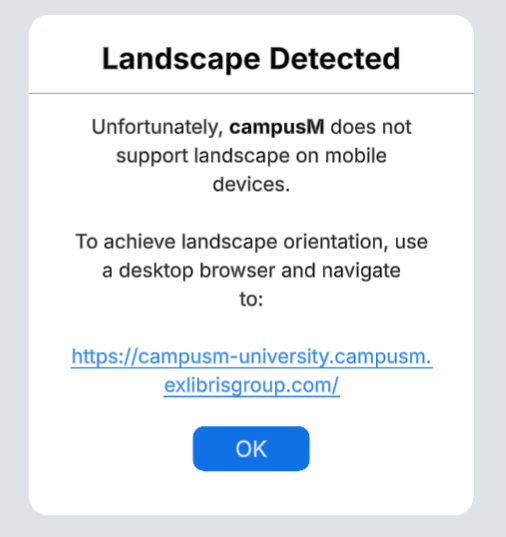
In an effort to be more transparent about campusM's accessibility compliance, a pop-up was added when a user attempts view the app in Landscape Mode on a mobile phone. This popup informs the user that the app does not support Landscape mode on the device they are using, and refers them to the web app, where landscape is fully supported on all devices.
Sending Notification to All Active Users
A new option has been added to the Send Group Notification screen in the Notification Center to send a notification to All Active Users. The new All Active Users option allows admins to send a notification to all users who were active up to a year before the notification was sent.
While sending to the ALL group is still possible, this option attempts to send notifications to all users in the organisation, some of which may no longer be active. This, in turn, artificially inflates the number of Recipients, and lowers Engagement rates. By using the All Active Users option, admins will have the added benefit of more precise idea of how big their notifications' audience is, and a truer (and higher!) overall Engagement rate.
For more information, see Working with the Notification Center.
Sending Multi-Language Advanced Role Notifications
A new option has been added to the Notification Center, allowing admins to send up to 3 versions of an Advanced-Role Notification from the same screen. This is ideal for institutions with a multi-lingual student body, as it allows for easy comparison between translations, and targeting notifications by Role at the same time.
Bug Fixes
| SF number | Platform | Description |
|---|---|---|
| N/A | All | The Weather Product Integration did not behave as expected when using the National Weather Service (Weather.gov) vendor. This was fixed. |
| 08386879 | Mobile | When using non-CMAuth authentication (such as LDAP), users who failed to log in due to an incorrect password did see an error message indicating the reason for the login failure. This was fixed. |
| 08273751 | Mobile | Previously, when using Floor Plan images in Maps, it was only possible to zoom in to the center of the floor plan by double-tapping, obfuscating the image corners. Now, double-tapping to zoom will zoom on the area that was tapped instead of the center of the image, and Floor Plans will support pinch and drag gestures, making the whole floor plan easier to navigate. |
| N/A | Web | A label was added to the Map Selection dropdown on the Web App to improve accessibility. |
| N/A | All | When using a screen reader, Tasks in the Task Board Product Integration did not indicate if they were favorited or not when announced. This was fixed. |
| 0838733 | Web | The Newsfeed Product Integration did not behave as expected when using the JSON API vendor. This was fixed. |
| N/A | Mobile | When arranging the home page on a mobile device, some tiles displayed with a favorite button when they were not expected to. This was fixed. |
| 08261084 | Android | In some cases, the Maps feature was slow to load on Android devices. This was fixed. |
| N/A | All | Previously, when using a screen reader, Leganto Live Tiles were not announced correctly when put in a container. This was fixed. |
| 07713181, 07729902 | Android | In some cases, it was not possible to download linked files when using iOS devices. This was fixed. |
