
campusM 2026 February Release Notes
Developments
Favorites Container
A new type of tile container has been introduced to campusM: a Favorites Container. Unlike the regular type containers that are controlled by the administrator, when personalization is enabled for an App Profile, campusM end-users are fully in control of their Favorites Container.
Favorites Containers enable campusM users to keep their favorite tiles in a single tile container. Once users select a tile as one of their favorites, the tile automatically disappears from its original place and moves to the Favorites Container for easy access.
- At time of release, any existing App Profiles will have a Favorites Container added, and it will be hidden by default - but still accessible to the end-user via the Arrange function if Personalization is enabled.
- New App Profiles added after the release will have the Favorites Container added and displayed to end-users by default.
- For more details on how to configure the Favorites Container, see Configuring Tile Containers.
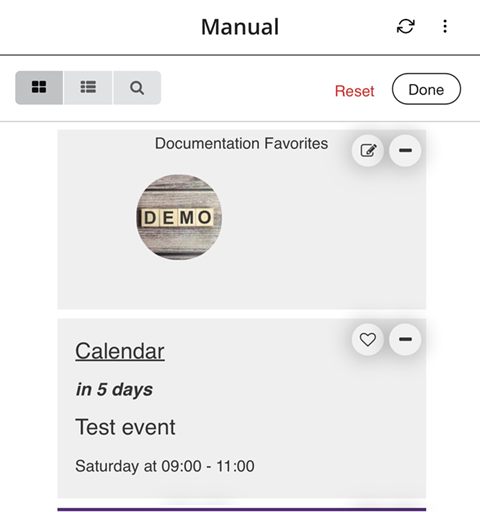
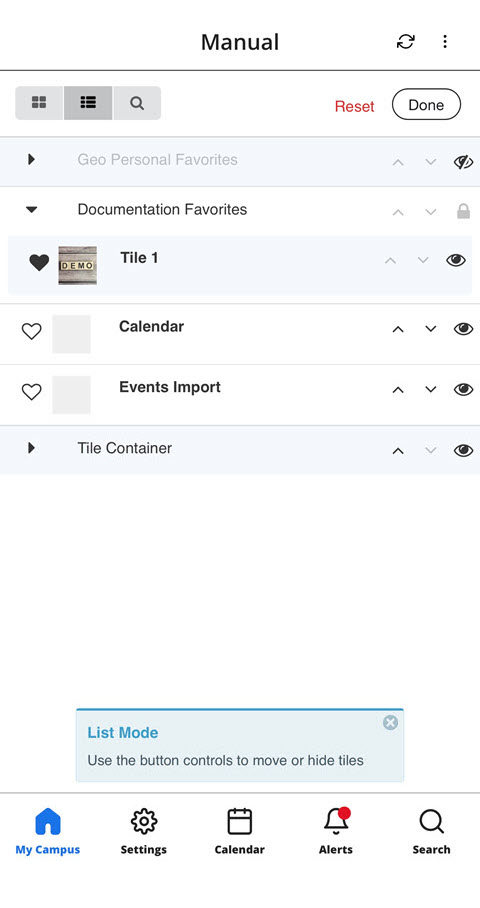
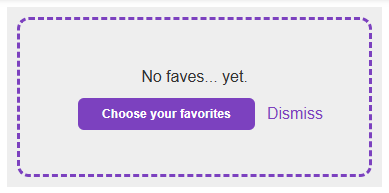
For more information and configuration options, see Configuring Tile Containers.
Due Dates from Blackboard Assignments are Available in campusM Calendar
Due Dates for assignments from the Blackboard Product Integration are now imported straight into the campusM calendar. The Blackboard Due Dates are shown as all-day events with the exact time of the Due Date event specified in the event description. These events also include a link to the assignment in the Blackboard application.
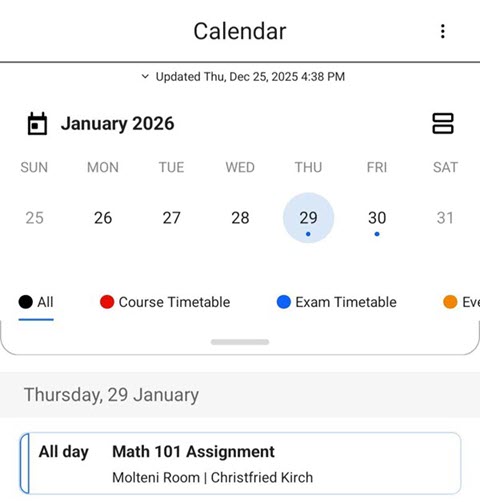
campusM users must log in to the Blackboard Product Integration in campusM to see the assignments' Due Dates in the campusM Calendar.
For more information and configuration options, see Blackboard - Due Dates Calendar.
Due Dates from Canvas Assignments are Available in campusM Calendar
Due Dates for assignments from the Canvas Product Integration are now imported straight into the campusM calendar. The Canvas Due Dates are shown as all day events with the exact time of the Due Date event specified in the event description. These events also include a link to the assignment in the Canvas application.
CampusM users must log in to the Canvas Product Integration in campusM to see the assignments' Due Dates in the campusM Calendar.
For more information and configuration options, see Canvas - Due Dates Calendar.
Terms of Use Removed from the App Manager
In order to comply with legal requirements, Clarivate's "Terms of Use" document can no longer be edited from the App Manager > General Settings, and the Terms of Use field was removed. To have the "Terms of Use" text updated for your application, open a Clarivate support ticket.
AEK Framework Updated to Support Node.js 20
Our AEK (Application Extension Kit) framework has been updated to support Node.js 20 in order to improve the security and stability of AEK screens and tiles. This also improves support for Node.js 18. For more details please refer to the campusM Slack channel (which you can join by requesting an invite link via a support case).
Bug Fixes
| SF number | Platform | Description |
|---|---|---|
| N/A | App Manager | In some cases, previously sent notifications did not appear as expected in the Notification Center in App manager when filtering by date. This was fixed. |
| N/A | All | When choosing dates in various parts of the app, the color of the current date, and the selected date were identical. This was fixed. |
| 08009294 | Web | Previously, Analytics for Generic Live Tiles were not collected as expected. This was fixed, and they should now generate the same analytics as all other tiles. |
| N/A | iOS | In some cases, when using the Maps feature on iOS devices, Google Maps did not appear as expected. This was fixed. |
| N/A | Mobile | In some cases, the red badge on the Alerts icon in the bottom Navigation bar remained visible, despite all alerts being marked as read. This was fixed. |
| 08264466 | Web | In the app settings, navigation to the Manage Notification Channels page was unavailable in from the Setting page. This was fixed. |
| N/A | iOS | In some cases, using the Search function on the Events PI caused the screen to zoom in unexpectedly on iOS. This was fixed. |
| N/A | iOS | In some cases, using the Search function on the Newsfeed PI caused the screen to zoom in unexpectedly on iOS. This was fixed. |
| 08262544, 08275215 | All | In some cases, students using the Attendance feature were able to check into class outside the defined check-in window by changing the date and time settings on their device. Additional validations to the check-in time were added, and check-ins outside the defined check-in window will not be validated. |
| 08130870 | Web | In some cases, in App manager, the "Test API" button that appears in several Product Integration configuration pages did not function as expected. This was fixed. |
| 08196885 | Android | Additional improvements were added to insure proper user authentication in AEK screens, which will reduce errors for users. |
