
campusM 2026 July Release Notes
Developments
Enhanced Banner Tiles
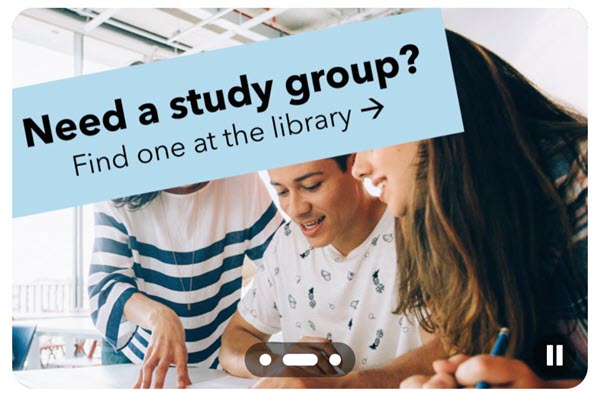
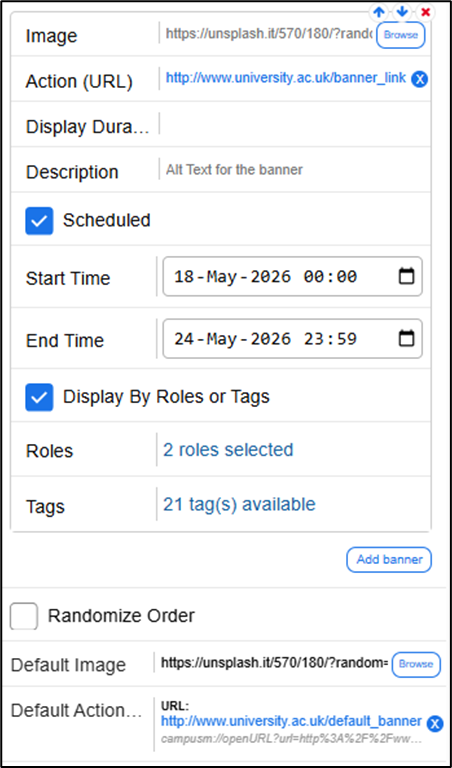
Banner tiles have been updated to support more effective implementation and better user experience. Administrators can now show banner items in random order, associate each banner item with specific roles, and pre-configure scheduled banner tile campaigns. Additionally, users can now browse through banners by swiping left and right.
For more information, see Configuring Services.
New Outlook Product Integration
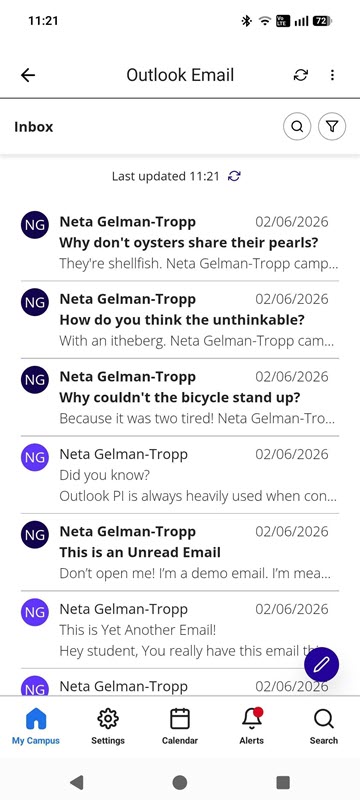
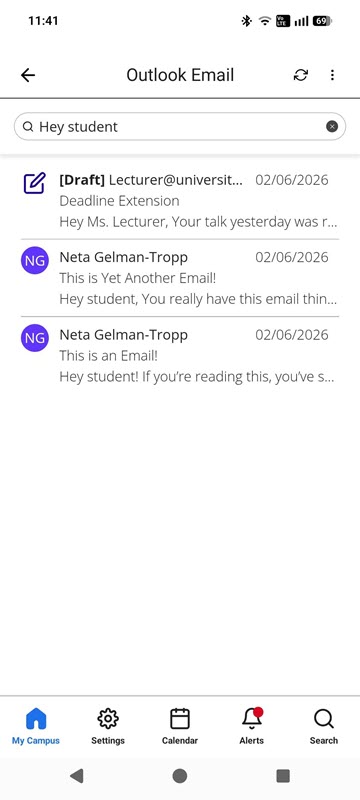
A new Outlook Product Integration has been implemented to provide a sleeker user interface and a more stable user experience. The new Outlook Product Integration also allows users to create and update drafts. While this release introduces a new Outlook integration, the configuration remains largely consistent with the previous setup, with changes primarily limited to updated user interface elements.
For more information, please see Outlook in Managing Product Integrations.
Bug Fixes
| SF number | Platform | Description |
|---|---|---|
| 08273083 | All | In some cases, Page Descriptions in Page Hit Analytics were showing as "No page description", because the title of the page failed to be captured. This was fixed, and Page Hit Analytics collected from July 2026 onward should always have Page Descriptions. |
| 08325263 | All | In some cases, Events in the campusM calendar which originated from the Events PI appeared incorrectly as All-Day events. This was fixed. |
| N/A | All | In the Attendance screens, the navigation tabs at the bottom of the screen did not meet accessibility standards, as it was not clear enough which of the tabs was selected. This was fixed by altering the design to invert the colors for the selected tab, which meets accessibility standards. |
| N/A | All | When using a screen reader, focus was not handled correctly in part of the Alma Self-Checkout Product Integration workflow. This was fixed. |
| N/A | All | The Time Picker component, currently only used in the app in the Task Board Product Integration, had accessibility defects. It was replaced, and the Time Picker component is now accessible and easier to use. |
| 08297112 | All | In some cases, institutions could not edit their "About" page in Creative Studio. This was fixed. |
| 08209902 | All | Tile-click analytics were not being sent for List PI Live Tiles. This was fixed, and tile-click analytics are now collected as expected for this type of tile. |
| 08242352 | All | In some cases, deeplinks did not redirect to the App Store/Google Play Store as expected when the app isn't installed. This was fixed. |
| N/A | Web | Previously the "Test API" functionality in App Manager did not work as expected when configuring a Microsoft Graph API vendor in Timetable PI. This was fixed. |
| N/A | Mobile | Accessibility improvements were made to the Arrange Functionality in List View. |
| N/A | Mobile | Attendance screens did not support pinch-to-zoom behavior. This was fixed. |
| N/A | Web | All modals on the web app now trap focus, in accordance with WCAG 2.2 A and AA standards. |
| 08430570, 08435944 | All | Improvements were made to App Builder code, which should provide a more stable experience for campusM Administrators. |
| N/A | Mobile | Accessibility improvements were made to the Task Board Product Integration. |
