
Checking Out and Renewing Items for a Patron
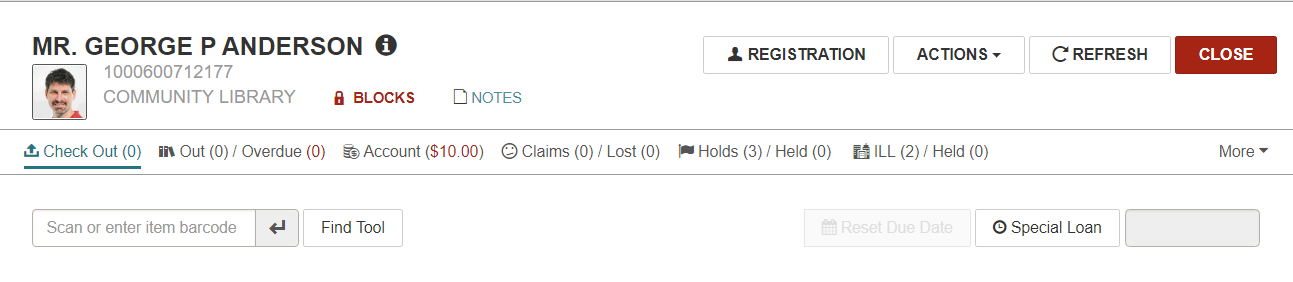
When you open a patron record, the Check Out view appears, and the cursor is in the box where you can scan a barcode to check out an item. To renew an item already checked out to a patron, see Renew an Item.
If your library has enabled charging for checkouts and/or renewals in Polaris Administration (staff client), you can manage these charges in Leap by paying, waiving, or charging the amount.
Note:
If your library has enabled EnvisionWare or Comprise as the eCommerce payment gateway, and a credit card reader is attached to the workstation, you can accept credit card payments in Leap.
The permissions required to manage charges in Leap and the Polaris staff client are the same. For example, managing fines in Leap requires the Fines: Pay fines at circ and Fines: Waive fines at circ permissions.
If configured in Polaris Administration, a prompt appears in Leap when a charge has been enabled for the item's assigned branch, and that charge applies to: the action (check out or renewal), the item's material type, and the patron code. The charges for check-out and renewals are set for the item's assigned branch using the Check-out: Charge Options dialog in Polaris Administration.
If circulation has been enabled for a media dispenser, DVDs can be queued from Leap, and receipts can be printed. See the Polaris staff client help for information on setting up media dispensers.
Note:
For more information on Polaris permissions and parameters, see the Polaris staff client help.
If a patron is allowed to check out items held for an associated patron, you can scan the item's barcode and check it out to the primary patron.
See also:
- Check Out Items
- Using Age-Related Loan Policies
- Set a Special Due Date/Loan Period During Check Out
- Set a Special Loan Period for the Logged-in Session
- End-of-Term Due Dates
- Reset the Due Date/Loan Period
- Messages and Blocks During Check-Outs and Renewals
- Manage Charges for Check-outs/Renewals
- Resolve Charges for Renewal and Overdue Fines
- Check Out an Item Held for an Associated Patron
- Circulate Quick Circ Items
- Leap Offline
- For information about how the system calculates due dates, search for "Calculating Due Dates" in the Polaris staff client help.
