
Advanced Export Profiles
Instead of setting an export query manually, you can create a predefined export profile.
To create an export profile:
- From the Export Tool window, select the Advanced Export Profiles tab. The following window opens:
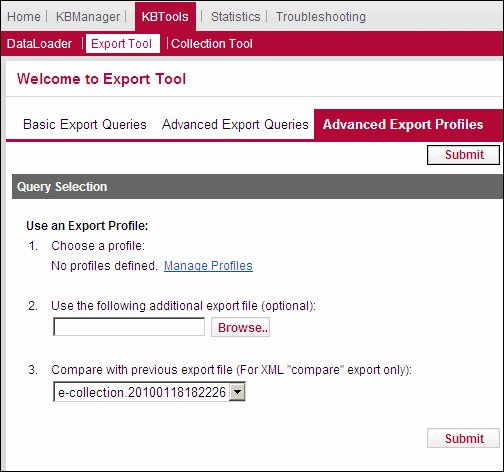
Advanced Export Profiles
- Click Manage Profiles.
- Click Add Profile.
- Fill in the fields as described in Manual Export.
- Click Save Profile.
To use an export profile:
- From the Export Tool window, select the Advanced Export Profiles tab.
- Select an export profile.
- (Optional) In the Use the following additional export file (optional) field, specify an additional .txt file to be used when generating the export file in a form other than .txt.
- (Optional) Select a file with which to compare the export file from the Compare with previous export field. This option exports and compares the export file with a previously created export file.
- Click Submit.
