
Displaying Book Jackets and Cover Art in Sierra
You can display a book jacket or cover art image associated with a target resource in the Sierra Desktop Application. The image can act as a hyperlink to the target resource. See Linking Book Jacket Images to Resources.
If the following steps do not enable the display of book jackets or cover art in the Sierra Desktop Application, contact Innovative for assistance.
To display images in Sierra:
- Access the WebBridge Management menu by either:
- entering http://your_library_[domain]/webbridge/edit in the browser address window
- choosing Admin | WB Edit in an application
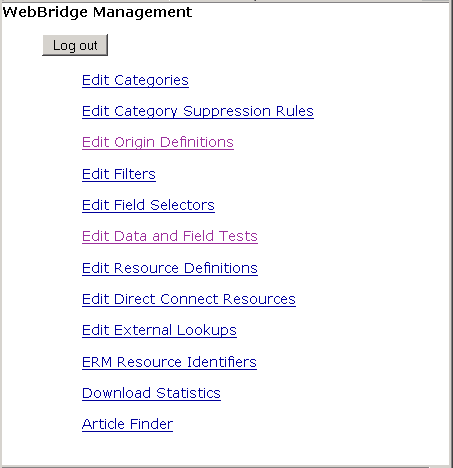
The WebBridge Management menu appears:
NOTE
Only one user can be logged in to the WebBridge Management menu's edit function. Other users can access the menus in View Only Mode.
If there is no activity by a login within the timeout period, the user is automatically logged out.
- Define an origin for the Sierra application.
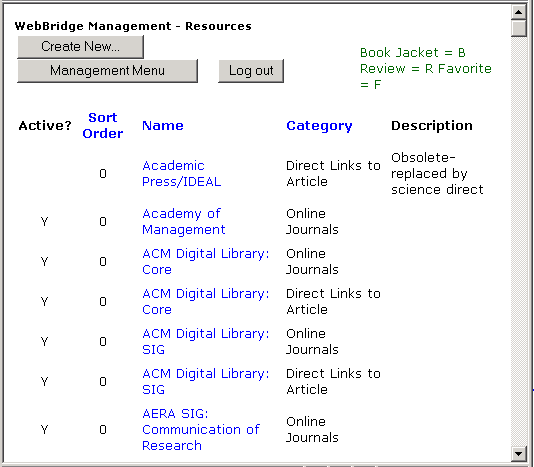
- Choose Edit Resource Definitions. The WebBridge Management - Resources menu appears:
- Choose a resource definition. The WebBridge Management - Resource menu appears:
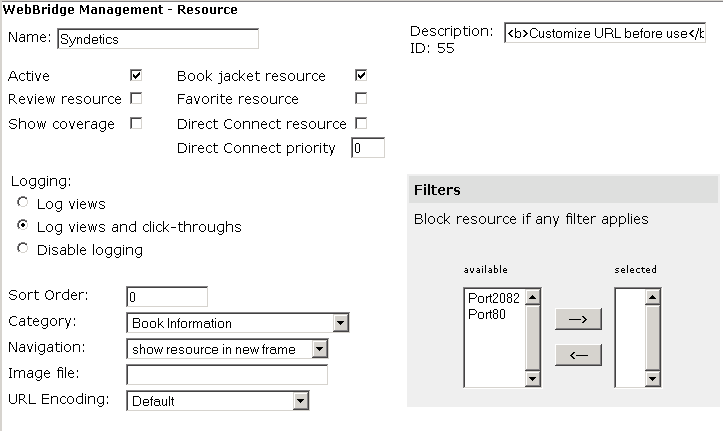
- Select the Book jacket resource check box.
- Select the Active check box.
- Assign the resource to a Category by choosing a category from the drop-down menu.
The origin must be assigned to the same category. For a resource to display from an origin, they must be assigned to the same category.
- Scroll to the Bibliographic Record Linking section of the WebBridge Management - Resource page:
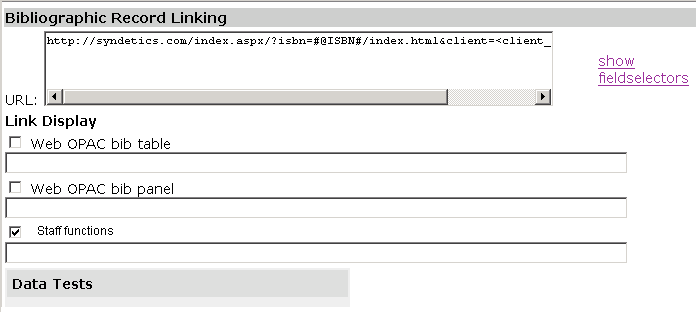
- Enter the book jacket or cover art image's URL in the URL text box.
For dynamic content, insert a field selector variable in the URL. Variables are indicated by the pound (#) sign. For example:
http://contentcafe2.btol.com/ContentCafe/Jacket.aspx?Userid=<user_id>&Password=<password>&Return=1&Type=S&Value=#@ISBN#&erroroverride=1
- Select the Staff function check box. Leave the text box under it blank.
- Choose Save.
- Customize the Sierra login to display book jackets:
- In Sierra, choose Admin | Settings.
- Choose the Record Display tab.
- Select the Display Book Jacket check box.
- See also:
- Content Cafe on CSDirect
