
Displaying LIB HAS Fields with Resources
You can display coverage from the LIB HAS field in a resource display pop-up window, if the incoming data (either OpenURL or a bibliographic record with an ISSN, EISSN or title) has a date match in the coverage database.
NOTE
You can edit the LIB HAS field label with Advanced System Access & Administration.
- Access the WebBridge Management menu by either:
- entering http://your_library_[domain]/webbridge/edit in the browser address window
- choosing Admin | WB Edit in an application
The WebBridge Management menu displays: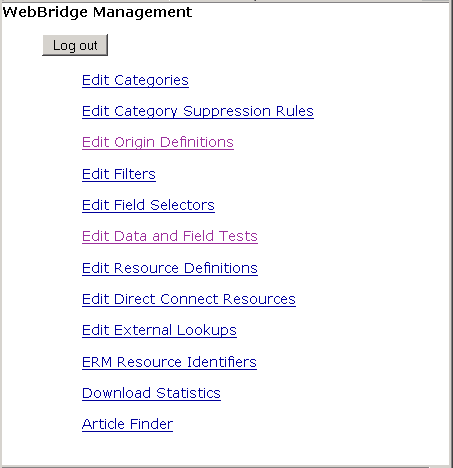
NOTE
Only one user can be logged in to the WebBridge Management menu's edit function. Other users can access the menus in View Only Mode.
If there is no activity by a login within the timeout period, the user is automatically logged out.
- Choose Edit Resource Definitions.
The WebBridge Management - Resources menu displays: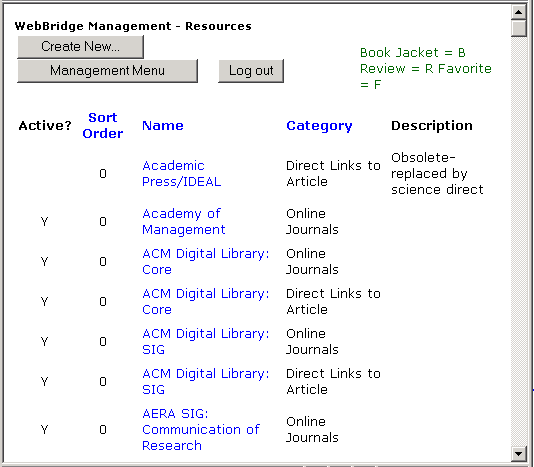
- Choose a resource definition. The WebBridge Management - Resource menu displays:
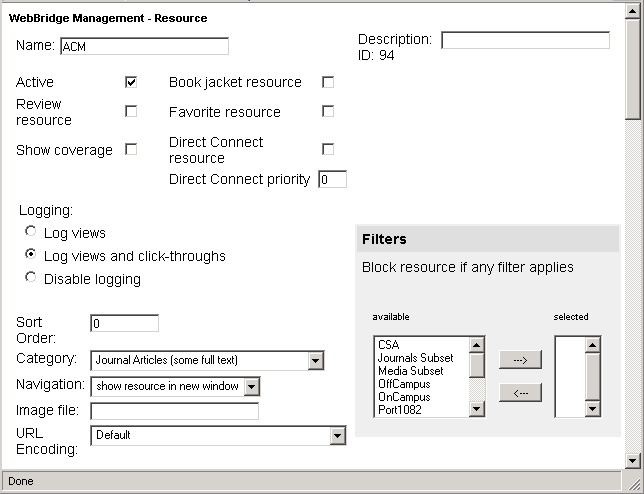
- Select the Show coverage check box.
- Choose Save.
