Release date: September 8, 2026
Features
Beamafilm Integration (Australia Customers): We’re excited to launch the new Beamafilm integration, making it easier for patrons to discover and access Beamafilm’s collection of films through the Vega Mobile App. When patrons find a Beamafilm title in search results, they can select it to quickly access the film through the Beamafilm app
Fixes
Sierra Customers: Hide Suppressed Orders: Suppressed orders are now excluded from search results and the Item Details Display, helping prevent unavailable or suppressed items from being shown to patrons
UAT Update
Coming the week of September 21, 2026 to your UAT app
As part of the Vega Mobile App improvements, Clarivate will push some Search UI changes for you to review and test.
These are only UI changes with Vega Mobile. The search results API has not changed. That enhancement to the search API is targeted for release in Q4 2026.
Here are the changes you can expect to see:
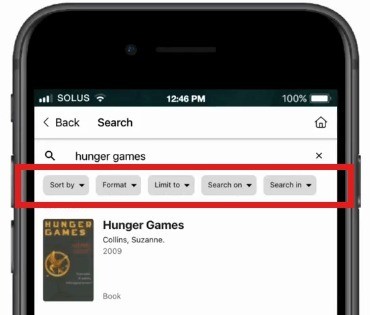
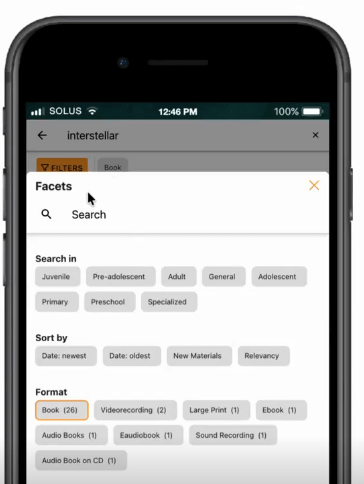
Filtering options will no longer appear immediately below the search results. It will now appear as a single option called ‘Filters’ which will then display an overlay of filtering options to choose from called ‘Facets’. The most recently used filters will also appear next to ‘Filters’ under the Search bar.
Current Search Results Filtering
Updated Search Results Filtering
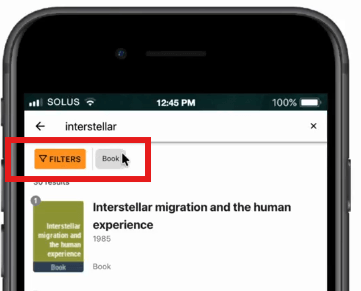
Facets
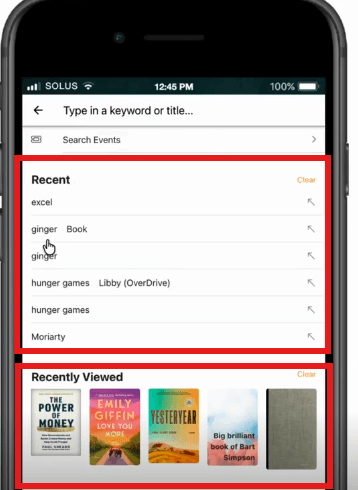
In addition to the filtering change, the updated Search will show what was recently searched as well as recently viewed with both having the option to clear what is shown. For those who have Vega Programs configured, patrons will also be able to search directly for events.
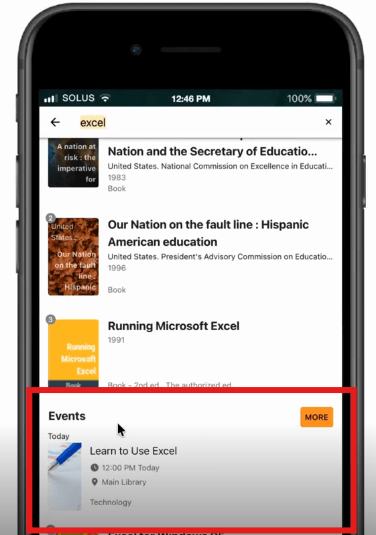
Finally, if you have Vega Programs configured, patrons will also be able to see events listed within the Search results. Events from Vega Program will automatically be added to the search results.
What Patrons Will See
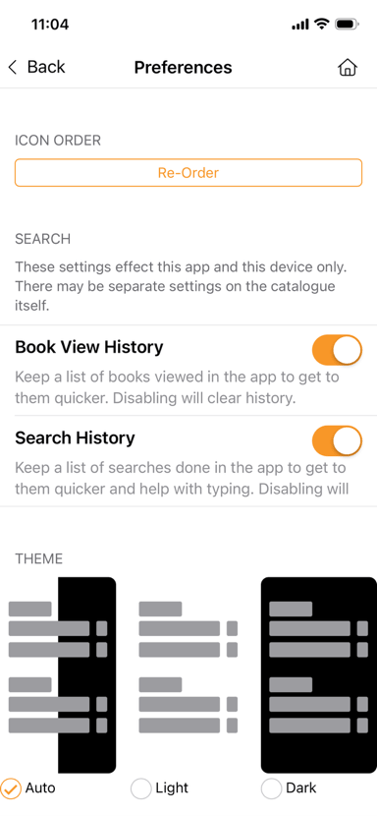
Within the Preferences Menu under My Account, patrons will be able to select if they want Book View History as well as Search History enabled.
These options only become available when these search UI changes are configured within the CMS for your active app. The labels can be modified via translation string to align with the library’s vernacular.