
Release Date: January 8, 2026 - 2501.3.8
Scheduled Statistics
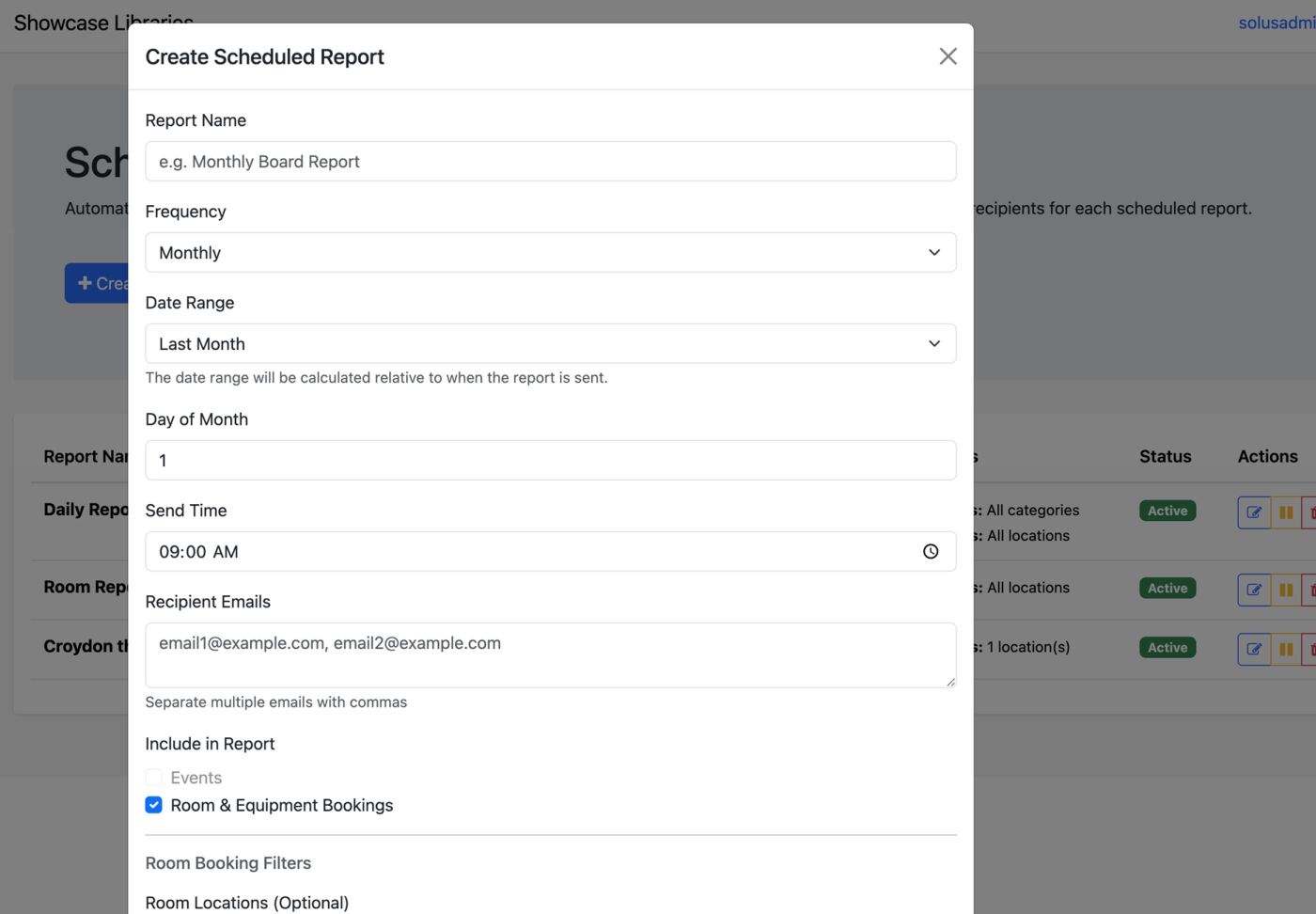
The feature completes an Idea Exchange Request. Streamline your monthly statistics reporting with scheduled reports. From the Stats page, choose the Scheduled Reports button to create a new schedule.
-
Daily, weekly, monthly, or quarterly reports
-
Historical and upcoming time ranges
-
Send time
-
Recipient emails
-
Events
-
Room & equipment Bookings
-
Limit to specific rooms
Once created, you can edit, pause, and delete scheduled reports.
More Granular Statistics View
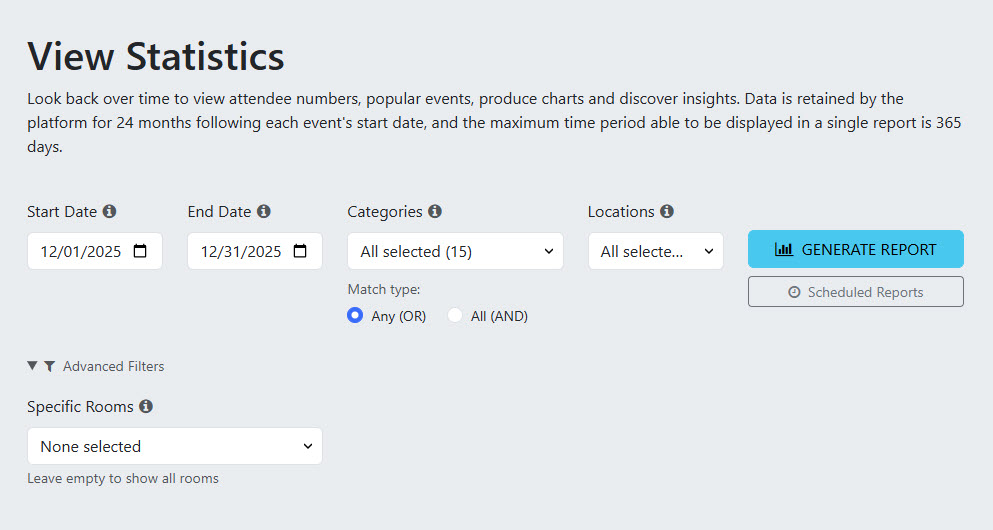
The feature completes an Idea Exchange Request. When generating a report, use new controls to drill down into the event data you need to see.
-
Under Categories, select
-
Any (OR) if you want to see events that have been assigned at least one of the selected categories.
-
All (AND) if you want to see events that have all of the selected categories.
-
-
Locations
-
Choose a specific location(s)
-
-
Advanced Filters (optional)
Drill down even further into a report focused on specific rooms in a location.
Bulk Session Generator for Multi-Session Events
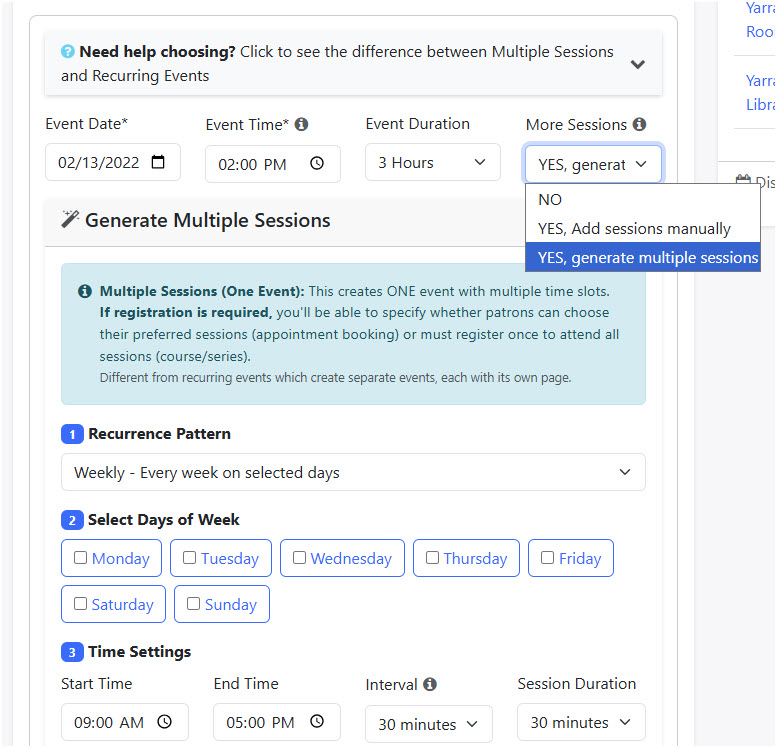
The feature completes an Idea Exchange Request and allows staff to create multi-session events with support for weekly, bi-weekly, and monthly recurrence patterns.
Multiple Sessions (One Event)
What it creates: ONE event with multiple time slots displayed on the same page
How patrons see it: ONE event page showing all available sessions
Use it for:
-
Appointment bookings (library tours, consultations)
-
Mult-session courses (4-week workshop series)
-
Office hours with multiple time slots
-
Drop-in events with various times.
Registration options: If registration is required, you can choose whether patrons:
-
Book individual sessions - pick specific time slot(s)
-
Register once for all - sign up to attend every session
Recurring Events (Separate Events)
What it creates: MULTIPLE separate events, each with its own page
How patrons see it: Each occurrence appears as a separate event listing
Use it for:
-
Weekly story time series
-
Monthly book club meetings
-
Quarterly board meetings
-
Annual celebrations
Registration options: Patrons must register separately for each event occurrence. For example, this creates a separate page for each story time in the series, and each date can have different attendance.
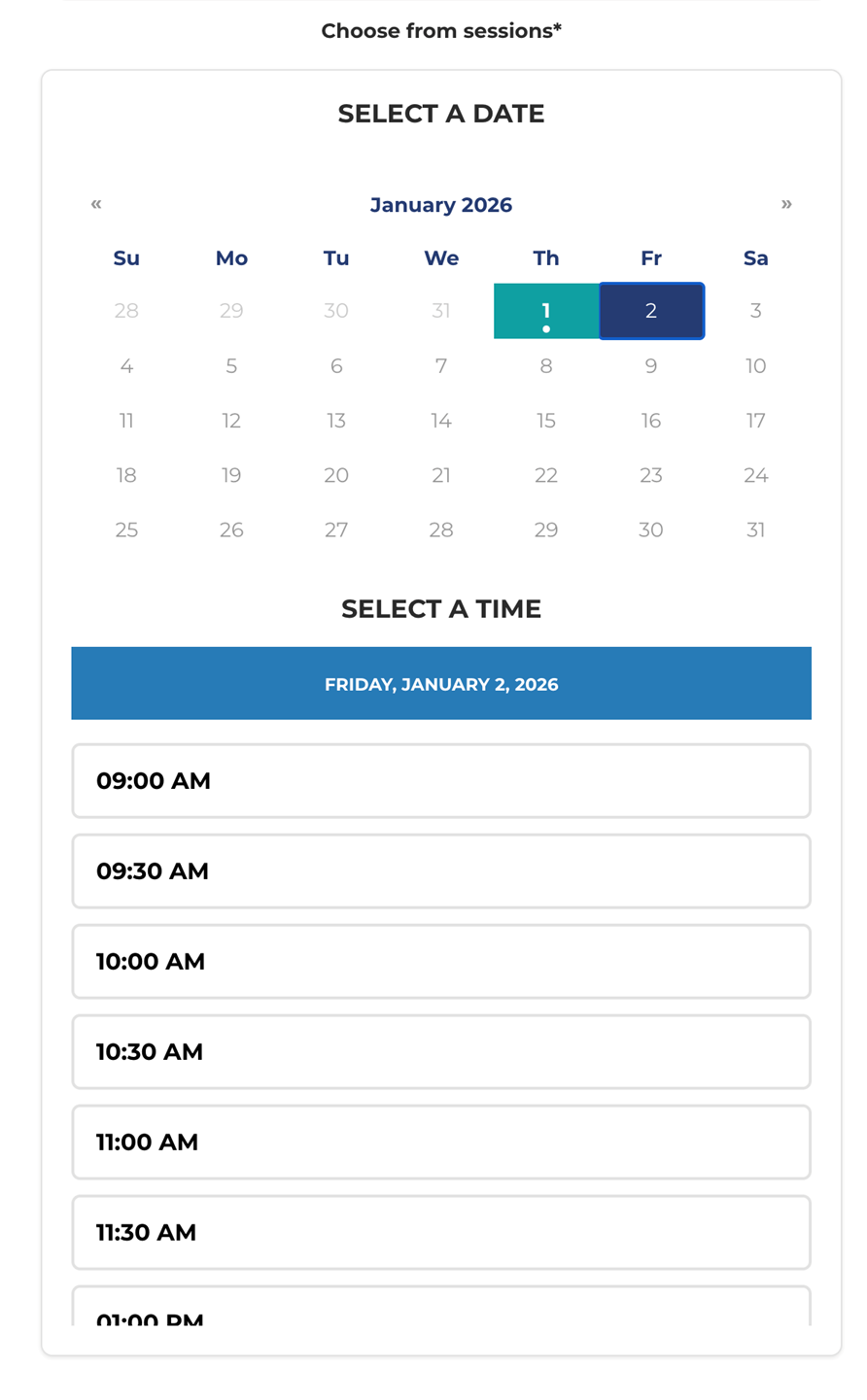
Appointment-Style Calendar for Events with More Than 8 Options
This improves the patron experience by making it easier to see the dates and times available to register for an event.
Room Booking Notifications for Staff
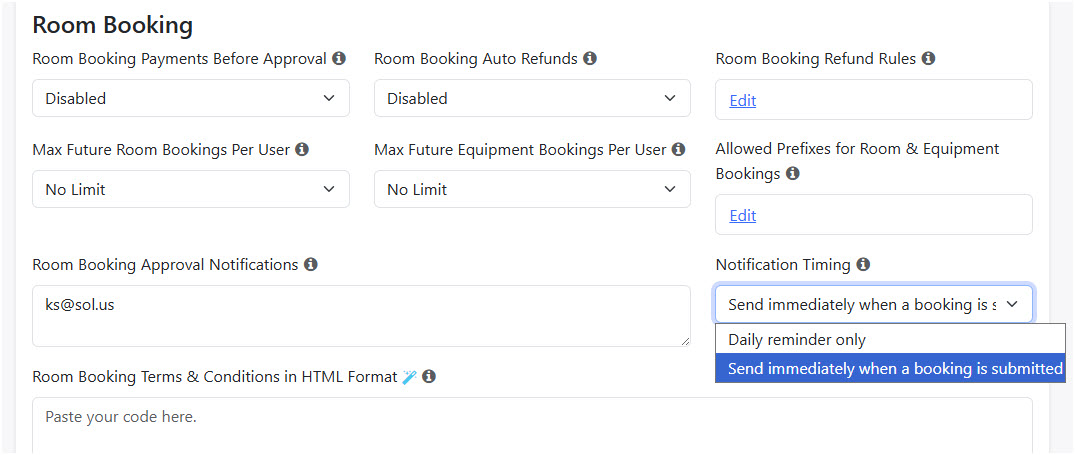
Previously, library staff configured as room reviewers received a daily reminder to review bookings. To better support library workflows, Admins can change the Notification Timing setting so they are sent a notification when a booking request is submitted. This field is found on the Advanced page in the Room Booking settings section.
Improvements
-
Added support for staff to override maximum room and resource booking limits.
-
Improved accessibility and keyboard navigation across event management and booking forms.
-
Added direct iframe embed option for widgets to support platforms like Wix and Squarespace that have JavaScript restrictions.
-
Add filtering options for staff to search events.
-
Submitter, use the search term box and search by email
-
Publishing level, use the status filter
-
