Release Date June 9, 2026
Features
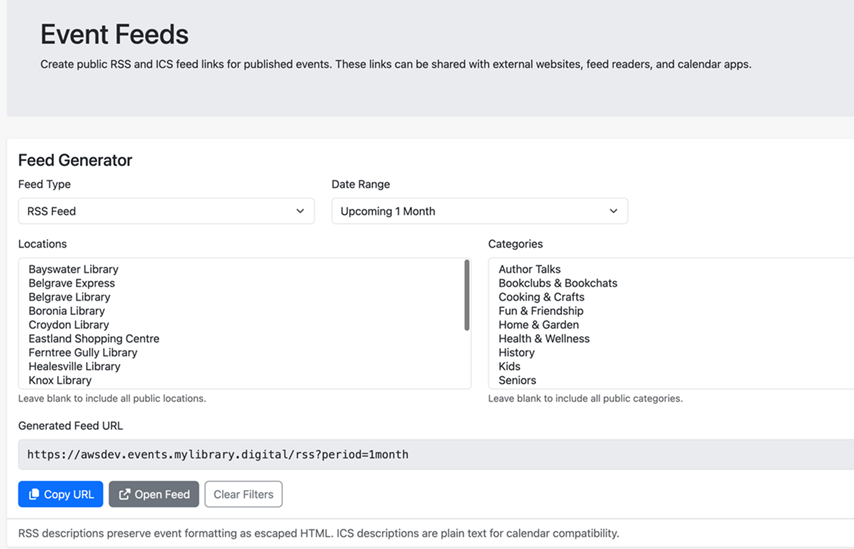
RSS and ICS event feeds for public, published events, with support for filtering by location, category, and rolling date ranges.
Staff users can now generate RSS or ICS feeds with a fixed or ongoing date range for use in external settings. The default is to include all locations and categories, but the user can also ctrl-click (Windows) or command-click (Mac OS) to select a specific combination.
Staff and trusted 3rd parties can use these feeds as a simple, standardized alternative to the Program API, allowing libraries to automatically display event information without the need for custom API work.
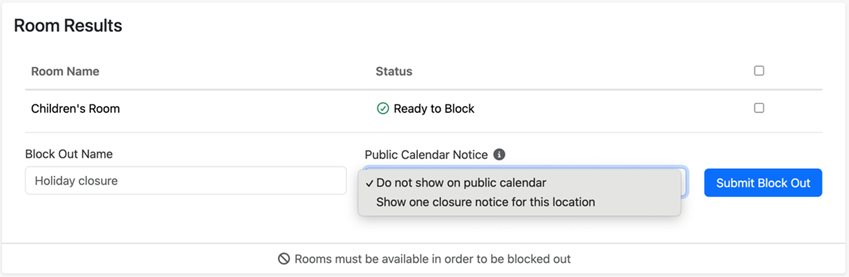
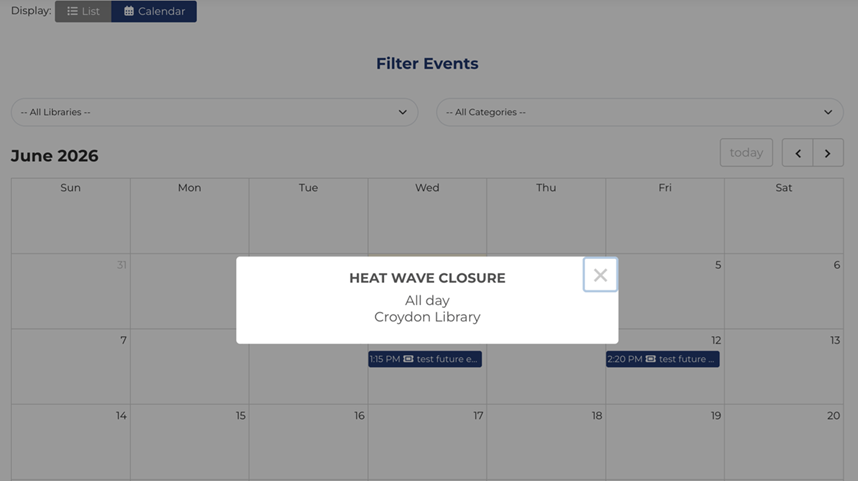
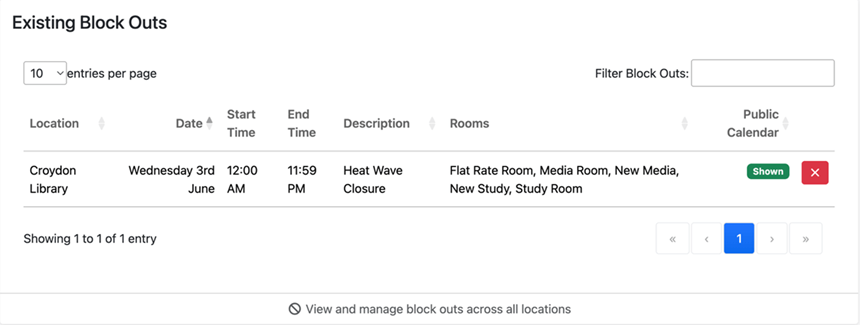
Support for named room and equipment block outs, including an option to show selected room block outs on the public calendar as a single location-level closure notice.
In the “Block Out” section of the Bookings settings, libraries will continue to create block outs as they did previously. However, this new functionality will allow the library to name the block out and display it on the calendar without needing to use a workaround like creating a separate event.
Prior to this update, location/room block outs were not easily displayed on the public calendar. This will save staff time and make the displayed closures for locations and/or rooms more streamlined and consistent for the public.
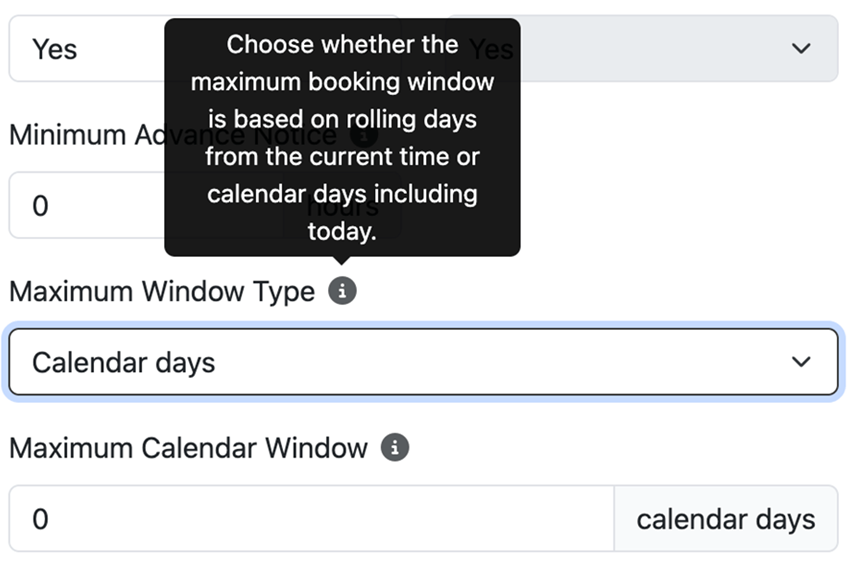
Added calendar-day booking windows for room and equipment bookings, allowing staff to configure options such as today-only or today-and-tomorrow booking availability.
There are now 2 types of maximum windows for booking, “rolling days” and “calendar days”.
Each rolling day adds 24 hours from the moment the user is trying to book. It updates by theminute.
Example: if it is Monday 3pm and the limit is 1 rolling day, patrons can book until Tuesday 2:59pm.
Each calendar day adds another full day to be bookable, in the library’s own time zone.
Example: if it is Monday at 3pm and the limit is 1 calendar day, patrons can book only for Monday. If the limit is 2 calendar days, they can book Monday or Tuesday, up to Tuesday 11:59pm.
Libraries have asked for this distinction to be made so they can more flexibly manage the expectations of users. Also, the “calendar day” option now allows the library to restrict users to same-day bookings, which was not possible prior to the update.
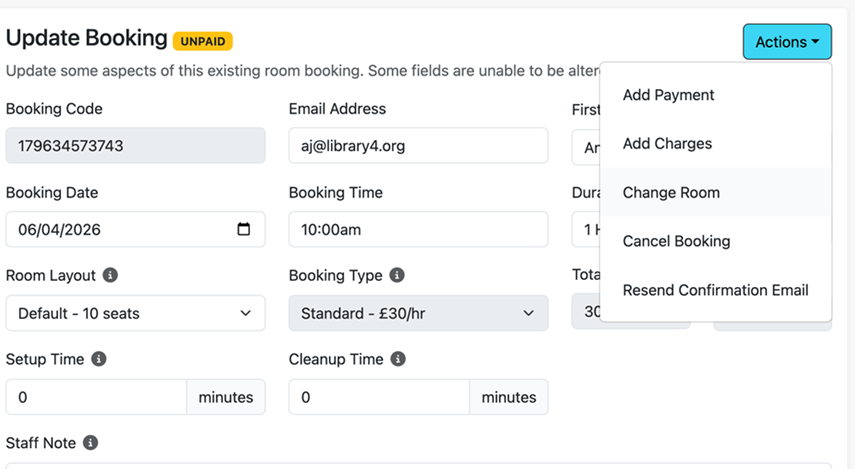
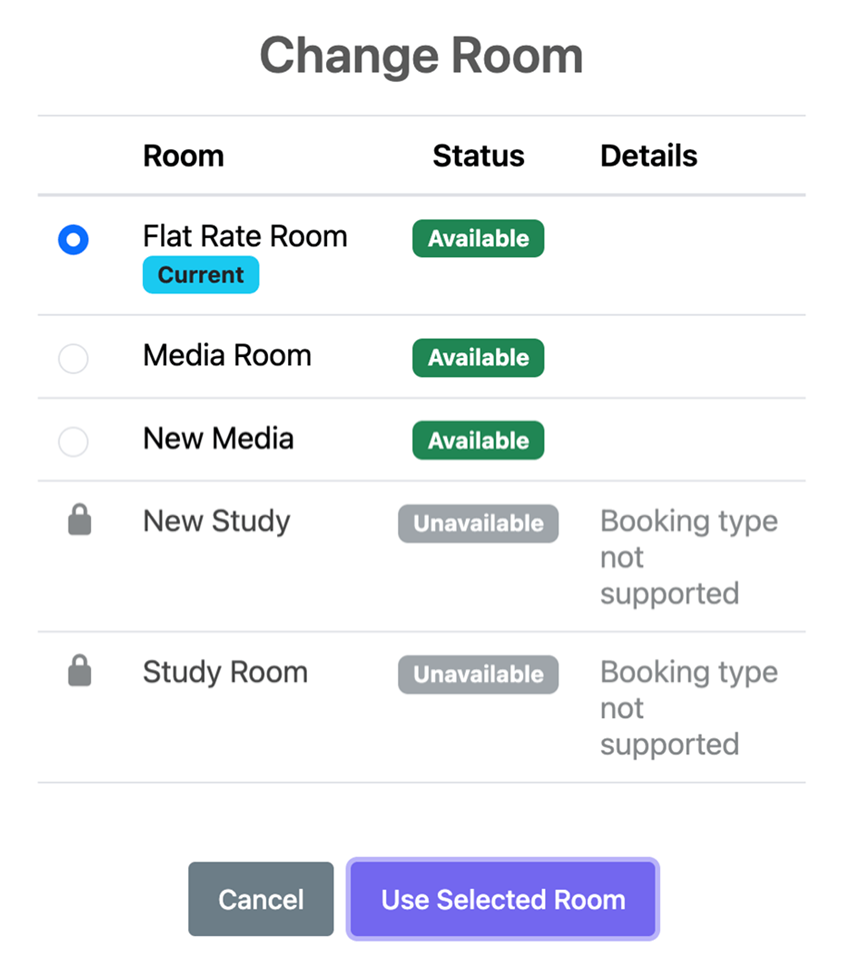
Added the ability for staff to move future room bookings to another compatible room from the booking Actions menu, with availability and compatibility checks shown before selection.
When a library needs to move a room booking from one room to another, they no longer need to cancel and then recreate the booking. The new “Change Room” option under “Actions” now allows staff to select a new room for the booking. Note that the new rooms must have a compatible booking type to make the switch.
This update will save a significant amount of time for library staff who often move bookings to maximize patron use of space.
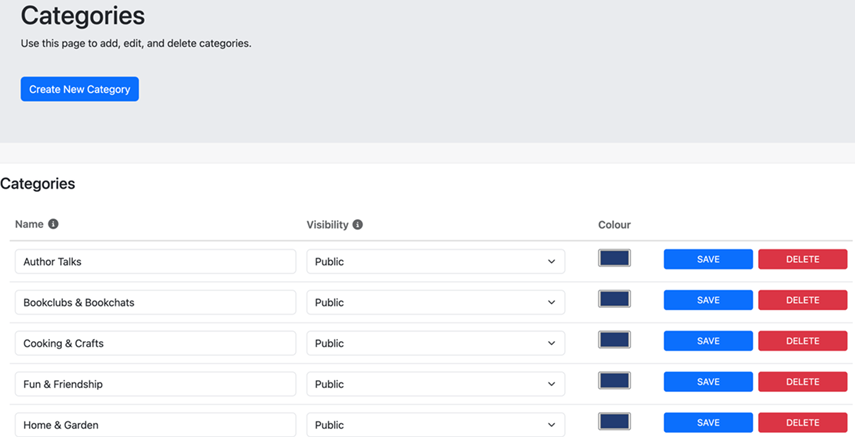
Added delete options for event categories and staff accounts.
Library admins can now delete staff users and event categories
This housekeeping update will allow the library to keep their instance of the platform more organized by eliminating (rather than hiding) elements that are no longer used.