
Configurar reglas para la autorización de facturas
- Administrador de adquisiciones
- Administrador general del sistema
Las reglas de autorización de facturas determinan si una factura requiere autorización manual. See Approving Invoices. Las reglas se aplican a todas las bibliotecas en la institución.
Watch the Configure Purchasing and Invoice Rules video.
You configure invoice approval rules from the Invoice Approval Rules page (Configuration Menu > Acquisitions > Invoices > Invoice Approval Rules). For more information about rules tables, see Rules Tables.
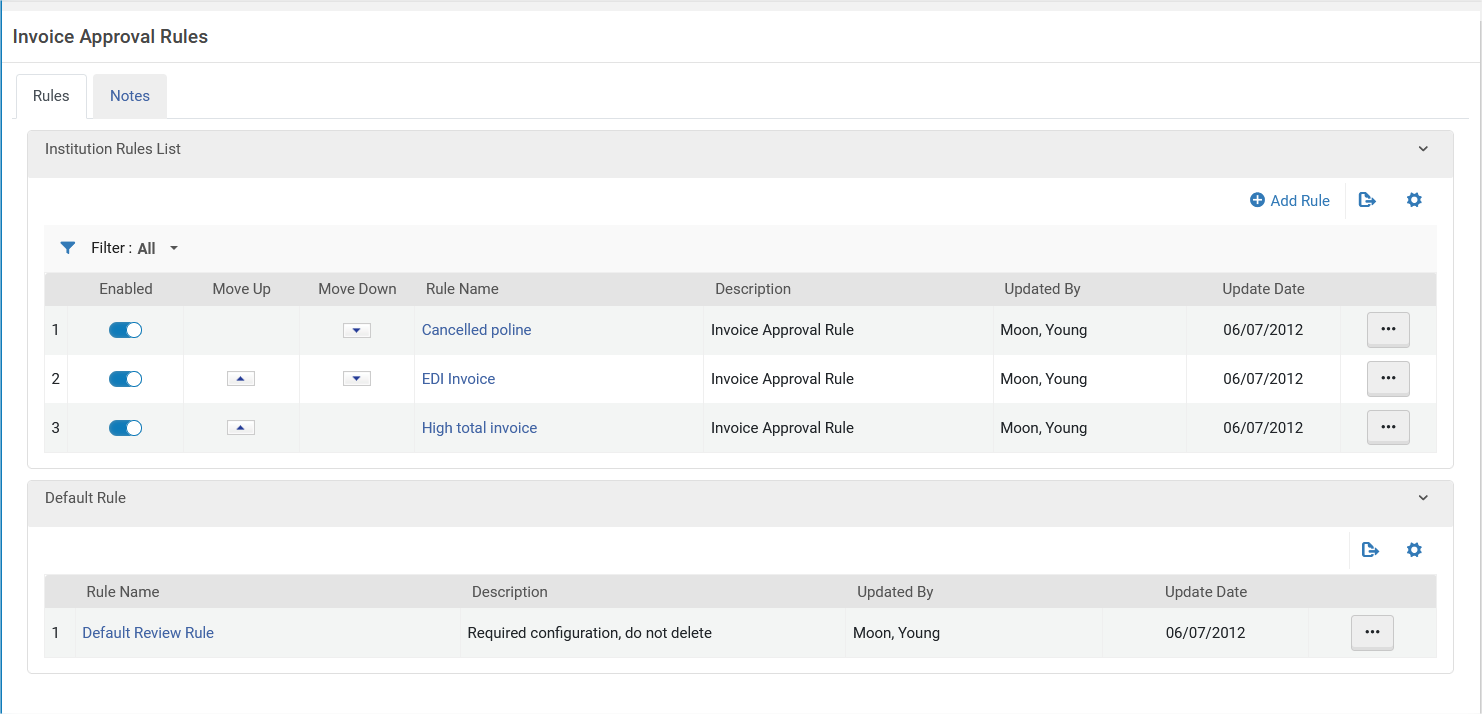
This default rule has no configuration parameters and can only be set to True or False, as follows:
- True – Sent for approval.
- False – Don't send for approval. La factura está en espera para ser pagada y pasa a la etapa de pago del flujo de trabajo.
Add or edit rules on the Invoice Approval Rules page (select Add Rule or select Edit in the row actions list).
Cada regla de autorización de facturas se puede habilitar o deshabilitar. Por defecto, toda regla nueva está activada.
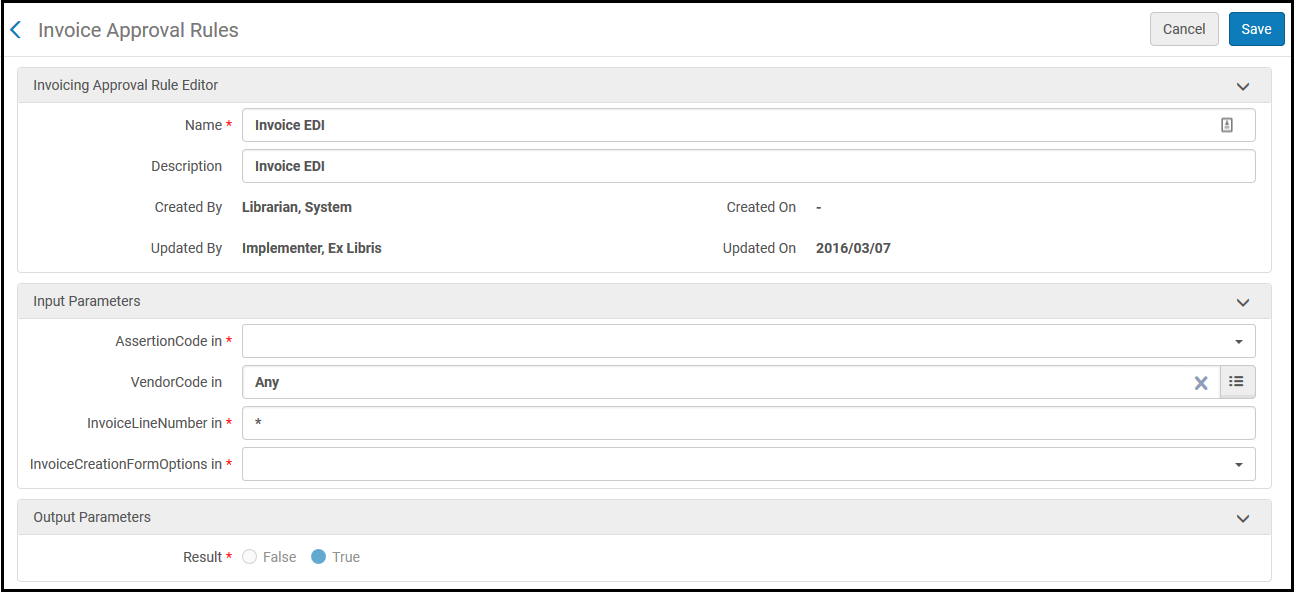
Ver la siguiente tabla para conocer los criterios (parámetros de entrada). For Result,True indicates that the invoice is sent for approval.False indicates that the invoice is not sent for approval and is sent for payment or closure, depending on the configuration (whether or not to send to ERP).
| Parámetro | Descripción |
|---|---|
| AssertionCode | El tipo de alerta generada. For a list of possible values, see Invoice Review Rules Input Parameters. |
| Código Vendedor | El vendedor. |
| InvoiceLineNumber | El número de línea de factura. |
| InvoiceCreationFormOptions | El proceso que creó la factura. Las opciones son:
|
Page tags: article:topicproduct:almacontent:Documentationlang:englishautomatic invoice processingautomatic invoice approvalinvoice approval ruleadd invoice approval ruleedit invoice approval rule
