
Gestionar Modelos de Acceso
- Administrador de adquisiciones
- Administrador general del sistema
El modelo de acceso describe la disponibilidad de recursos para el uso simultáneo. The internal access model is the information presented within the PO line's Access Model field. El modelo de acceso público es el modelo de acceso orientado al usuario que se presenta al usuario en el sistema de Descubrimiento. This information is presented on the portfolio's Acquisition tab. Institutions can decide whether or not to present the public access model in the Discovery system. For more information, see Managing Electronic Resources. The out-of-the-box information is populated with values that are sent by OASIS and GOBI when creating orders via the Real-Time Ordering workflow. The Public Access Model field on the Acquisition tab of the portfolio editor inherits this information from the PO line that created the portfolio. Se puede editar este campo para cambiar el modelo de acceso del portafolio. See Editing a Portfolio Using the Electronic Portfolio Editor.
Los códigos para el Modelo de acceso deben ser suministrados por el proveedor.
Since the vendors have different codes for the same internal access model, for instance, Unlimited Access (BU) and Unlimited Access (EA), some access models might have a different code but are otherwise identical, with the same meaning. Thus also PUR-XX and XX are identical; for example, PUR-1U is identical to 1U, and both have the internal access value of 'One concurrent user'.
The Manage Access Model page (Configuration Menu > Acquisitions > Licenses > Access Model) enables you to add, edit, or delete access models, and to configure the description that will be displayed in the Public Access Model field of the portfolio. See also Enable Display of Access Model.
Al editar el Modelo de acceso, las tablas muestran el mismo idioma para que los cambios se guarden correctamente.
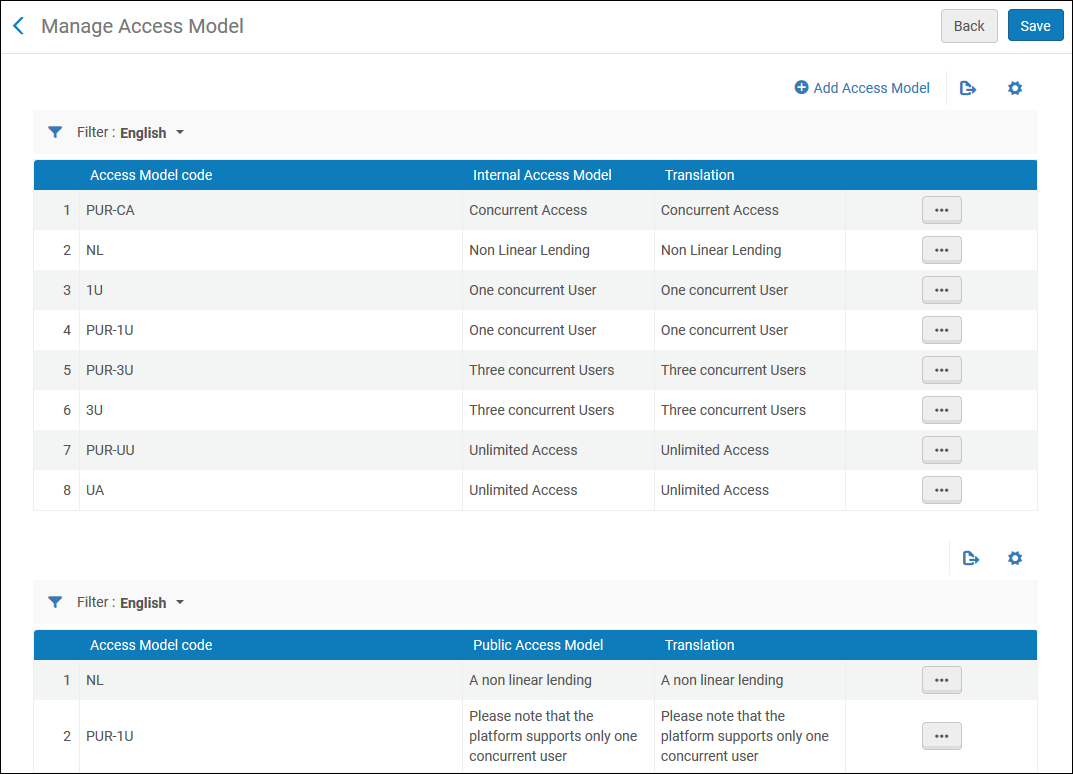
To add a new access model:
- Select +Add Access Model action.
- A pop-up window opens to enable the user to add an access model code as well as the description of the Internal Access Model(which appears on the PO Line) and the description of Public Access Model (which appears within the portfolio's Acquisitions tab) – when selecting Add and Close, the Internal Access Model and the Public Access Model will be added to the relevant tables in the screen.
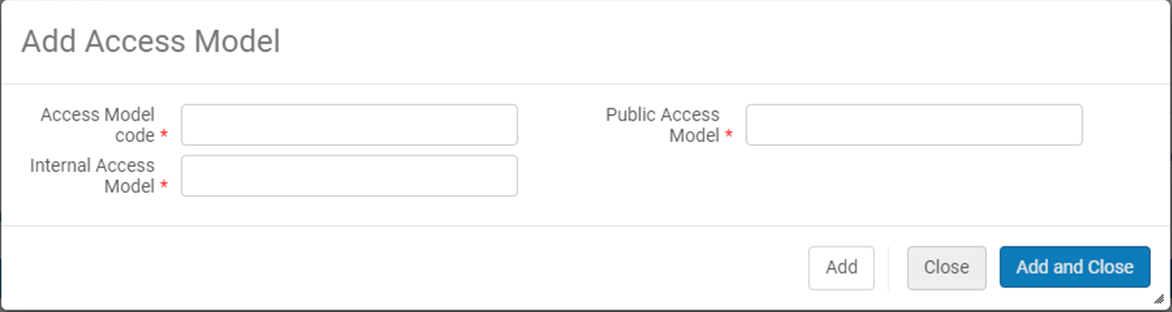
When choosing to delete one of the access model codes, the code and description is removed from both the Internal Access Model and the Public Access Model.
Las instituciones pueden decidir si desean o no presentar el modelo de acceso público a los usuarios en el sistema de descubrimiento como información orientada al usuario.
For more information on access models, see Real-Time Ordering.
Page tags: article:topicproduct:almacontent:Documentationlang:englishlicense storage locationadd license storage locationedit license storage location
