
Localizador de citas
Describes the usage of the Primo's Citation Linker.
If you are working with Primo VE, see Configuring Fetch Item for Primo VE for more details.
El Localizador de citas Lightbox permite a los usuarios buscar citas de artículos, libros y revistas mediante un formulario para ver el texto completo o solicitar servicios adicionales (como ILL).
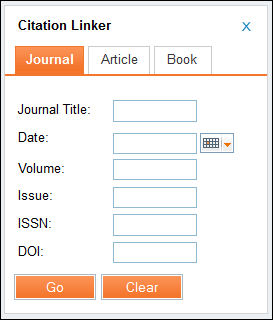
For information on configuring the Citation Linker, see Configuring the Citation Linker.
Note that in order to be able to search by Digital Object Identifier (DOI) in the Citation Linker you must have a Resolver Augmentation integration profile. Esta integración permite consultar la base de datos CrossRef utilizando un DOI para obtener metadatos completos a nivel de artículo. For information on configuring this integration profile, see Ampliación del resolvedor de Alma.
-
Select Citation Linker in the Primo Front End.
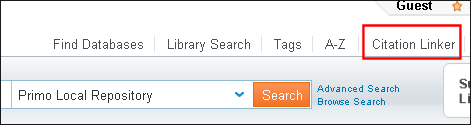 Botón de Localizador de Citas
El Localizador de Citas lightbox se abre.
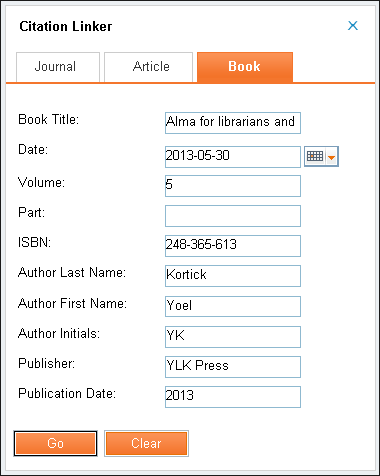 Localizador de Citas Lightbox
-
Enter the search information and select Go.
Los resultados de la visualización de la posición seleccionada.
-
In the item's results, select the Get It tab.
Los enlaces de solicitud disponibles se muestran en la pestaña Obtener.
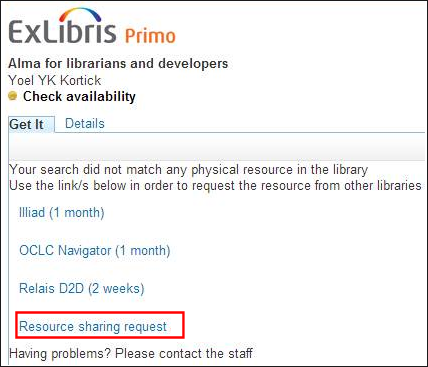 Enlaces de solicitud de la pestaña ObtenerEstos enlaces son mostrados u ocultados según las reglas de visualización. For more information, see Ajustes relacionados de Primo.
-
Select the Resource sharing request link to display the Resource Sharing Request form in Primo.
Para información adicional relacionada con recursos compartidos, véase los siguientes temas:
-
Fill in the Resource Information and Delivery Information sections and select Request.
Aparece un reconocimiento en la pestaña Obtener.
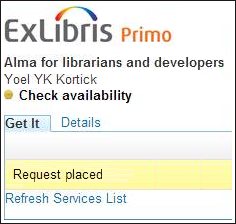 Mensaje de confirmación de la solicitud
Page tags: article:topicproduct:almacontent:Documentationlang:english
