
Fulfillment Networks
This page describes fulfillment networks including viewing network activity, the pickup anywhere workflow (item belonging to another institution in the fulfillment network to be picked up at yet a third institution in the fulfillment network) and Get It at other institutions. For information on automated fulfillment networks see Automated Fulfillment Network Requests (AFN). For more information on the various workflows for resource sharing, including broker and peer to peer based, managing resource sharing partners, borrowing/lending requests and contributing to the resource sharing directory, see Resource Sharing.
For working with the Managing Patron Services page (working with patrons, loans, returns, etc.) see Managing Patron Services at a Circulation Desk.
Una red de servicios al usuario es un grupo de instituciones de Alma que poseen un acuerdo predefinido para proporcionar servicios a los usuarios de las otras instituciones de la red. Los usuarios pueden buscar en las colecciones de miembros de red y solicitar directamente recursos a las instituciones dentro del grupo. Los ejemplares solicitados pueden circular en cualquier institución de la red. Esto disminuye la participación de la biblioteca en la configuración, el mantenimiento de las listas de proveedores y la mediación del personal en las solicitudes. The fulfillment network can be set up regardless of whether the fulfillment network partners work with a Network Zone.
Unlike the classic resource sharing model, in which a patron's home library serves as an intermediary in providing access to resources it does not own, fulfillment networks allow for direct interaction between patrons of one library and another library in the fulfillment network. Las redes de servicios al usuario brindan apoyo para los siguientes escenarios:
- Préstamos al momento
- Solicitudes directas
- Devolución en cualquier lugar de la red
- Recogida en cualquier lugar de la red
- Un carnet de usuario de red en Primo
In a fulfillment network, the resource owning library is the patron's service provider. The resource owning library directly manages all aspects of the loan cycle with the requesting patron, including loan management (overdue, lost, renew etc.) and fine/fee related issues. El usuario solicita el recurso directamente a la biblioteca que es propietaria del recurso. Es posible que el usuario solicite que el recurso sea recogido en la institución de origen del usuario, la biblioteca propietaria del recurso u otra biblioteca dentro de la red de servicios al usuario.
Se puede requerir la configuración de Primo, si una única instalación de PDS no es compartida por las instituciones miembro que desean permitir las solicitudes directas.
Una red de servicios al usuario tiene los siguientes atributos:
- Se comparte información limitada sobre los usuarios entre las instituciones de la red.
- The inventory of each fulfillment network member institution is discoverable by patrons of all fulfillment network members.
Watch the Fulfillment Networks Resource Sharing video series (7 sessions).
For information on configuring a fulfillment network or Pickup Anywhere/Return Anywhere, see Configuring Fulfillment Networks.
Las relaciones de servicios al usuario definen los servicios que una biblioteca puede brindarle a otra biblioteca dentro de la misma institución. For more information see Configuring Fulfillment Services Between Libraries Within an Institution.
Viewing and Working with the Network Activity for a Patron
La actividad de todas las instituciones vinculadas puede ser vista desde la página de Servicios al usuario. The Network Activity tab contains the loan, request, and fines and fees balance data for the linked accounts for view purposes only. Las listas de préstamos y solicitudes también pueden exportarse.
The Network Activity tab is visible only from the patron's home institution, if the institution is part of a fulfillment network, and the staff operator has the consortialservices privilege as a part of the following roles:
- Gerente del mostrador de circulación
- Operador del mostrador de circulación
- Operador del mostrador de circulación - Limitado
- Gestor de usuarios
- Administrador de usuarios
If the patron is a linked user (see Require manual linked account registration), the Network Activity tab is only visible if cross consortia identifiers are enabled (see How to Setup and Test a Fulfillment Network).
Un filtro permite al usuario seleccionar una transacción para una institución específica o para todas las instituciones que tienen una cuenta vinculada para este usuario. Todos los préstamos y solicitudes activos serán mostrados automáticamente sin la opción de filtrar la vista solo durante esta sesión únicamente.
Watch the Tracking Patron Resource Sharing Activities video (2:00 min.).
Accessing the Network Activity Tab for a Patron
Desde la pestaña de red puede ver la actividad de todas las instituciones enlazadas.
-
On the Patron Identification page (Fulfillment > Checkout/Checkin > Manage Patron Services), enter the patron's name in the Scan patron's ID or search for patron field and select Go. Aparece la página de Servicios al usuario. También puede introducir un usuario proxy. For more details see Selecting a Patron.
-
On the left pane select the Network Activity tab icon.
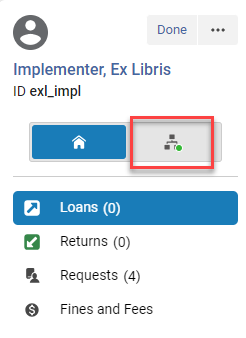
Note that a green dot on the tab indicates that actions (loans, requests, etc.) were done in the network.
-
The Network Activity tab appears with the Loans button selected.
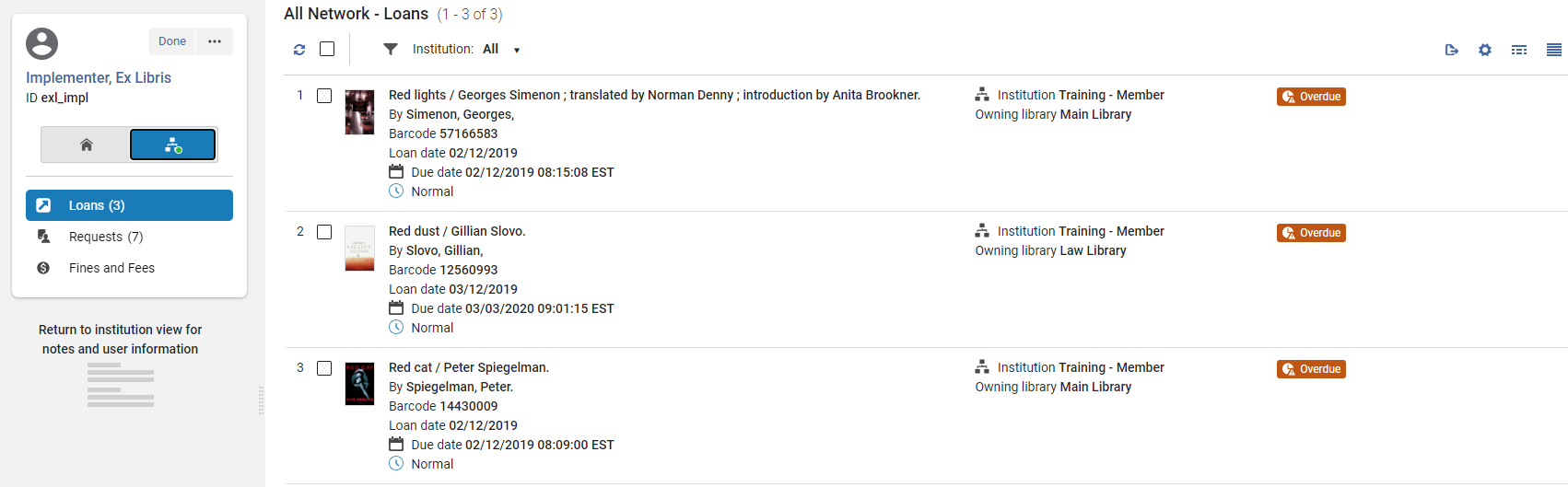 Only active tabs/activities appear, i.e., Returns are not diisplayed.
-
La información del usuario y las notas del sistema no se muestran en el panel izquierdo de la pestaña Actividad de red.
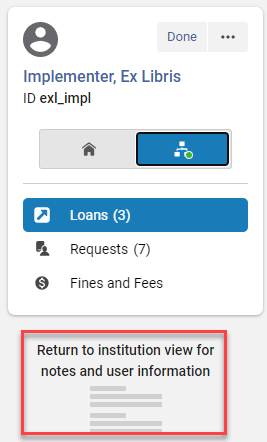
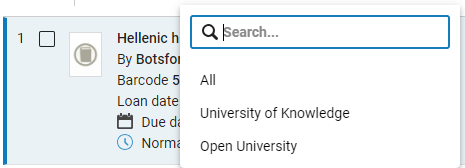
- By default, the All institutions are selected.
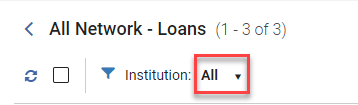
- Puede seleccionar de una lista de instituciones en las que el usuario tiene préstamos, solicitudes o cuotas activas. Selecting All displays all the loans, requests or fees from all institutions. This is the default.
Viewing Patron Loans in the Network Activity Tab
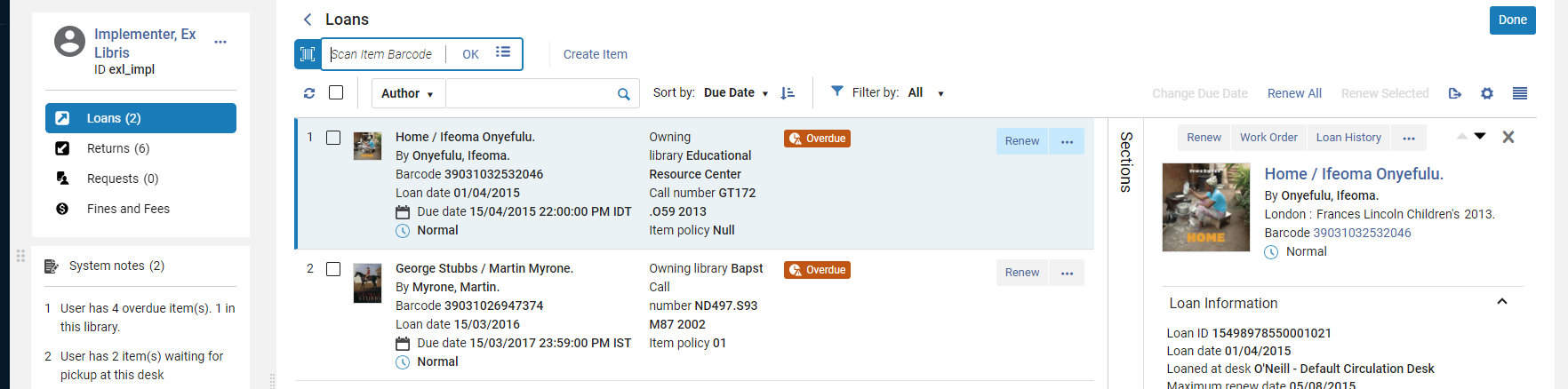
Los préstamos se seleccionan por defecto en la pestaña Actividad de red.
-
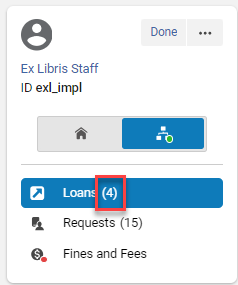
The number in the Loans button displays the number of loans in the selected institution or for All Networks if selected.
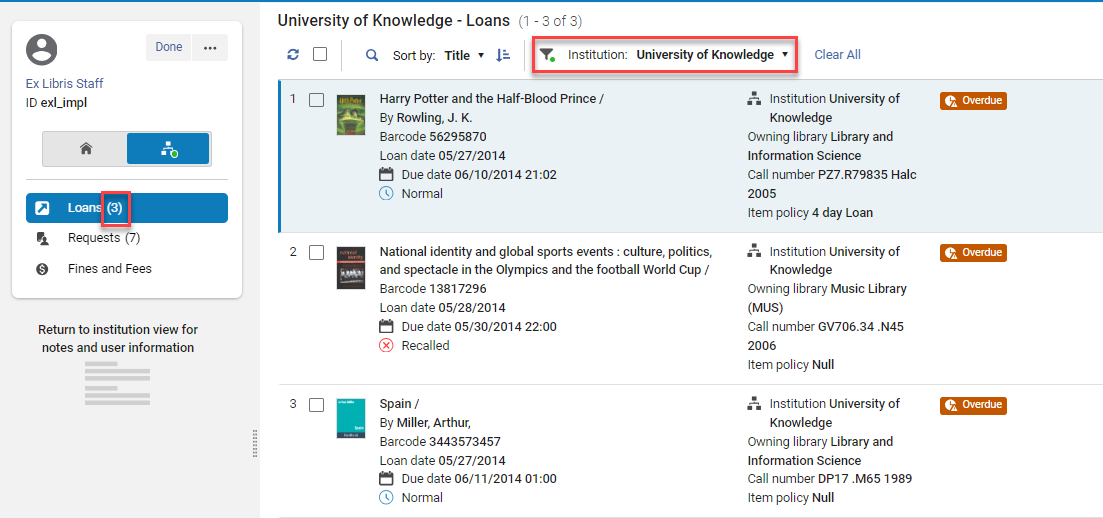
- Puede filtrar la lista por institución. Al hacerlo, el contador de los préstamos del panel izquierdo se actualiza para la entidad seleccionada.
-
An additional field with the institution name appears for each loan.
This field is customizable in the Record Customization menu (see Customizing the Display in Alma).
- When Loans is selected, the scan item bar does not appear and there is no Create item option or row actions.
Viewing Patron Requests in the Network Activity Tab
In the Network Activity tab, select the Requests button to view the patron's requests in the fulfillment network.
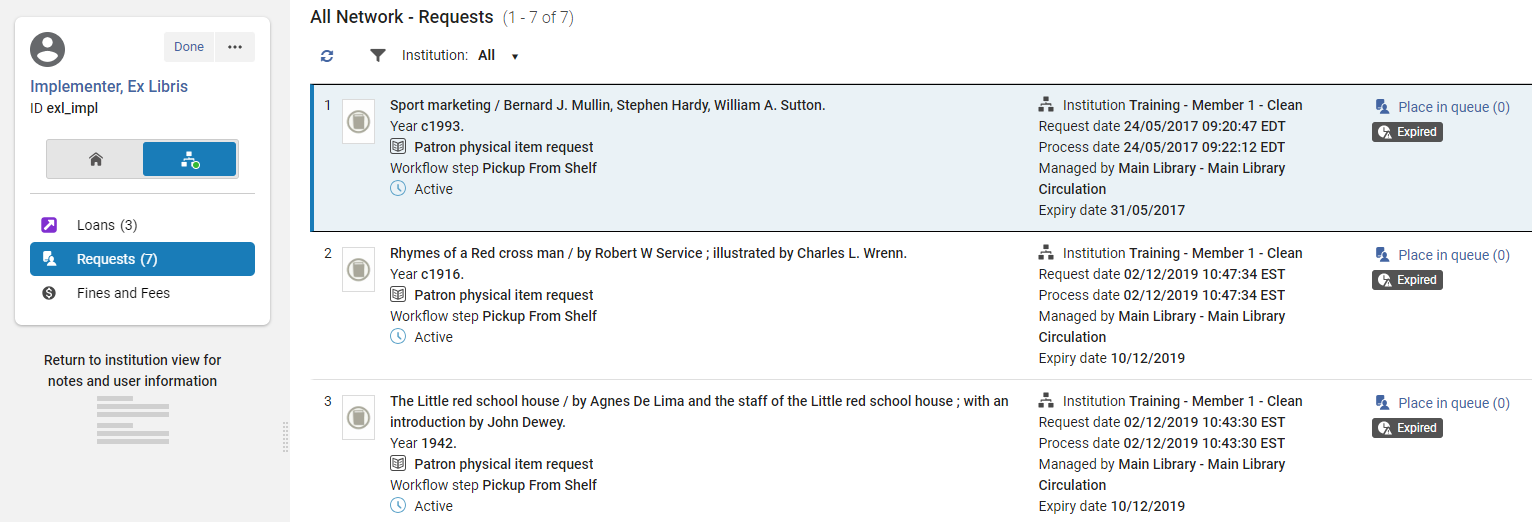
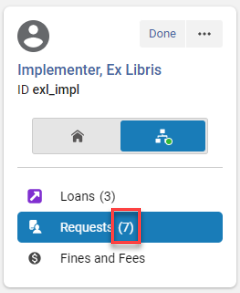
- The number in the Requests button displays the number of requests in the chosen institution or for All Networks if selected.
-
An additional field with the institution name appears for each request.

This field is customizable in the Record Customization menu (see Customizing the Display in Alma).
- When Requests is selected there is no Create item option or row actions.
-
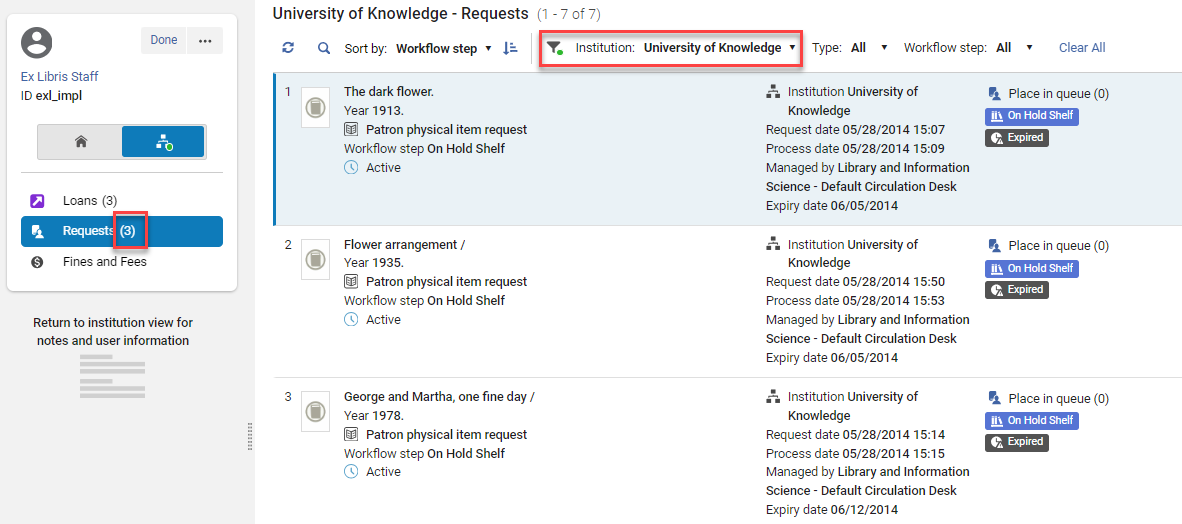
Puede filtrar la lista por institución. When doing so, the counter for the requests in the left hand pane is updated for the selected institution.
Viewing Fines and Fees in the Network Activity Tab
In the Network Activity tab, select the Fines and Fees button to view the fines and fees for the patron in the fulfillment network.
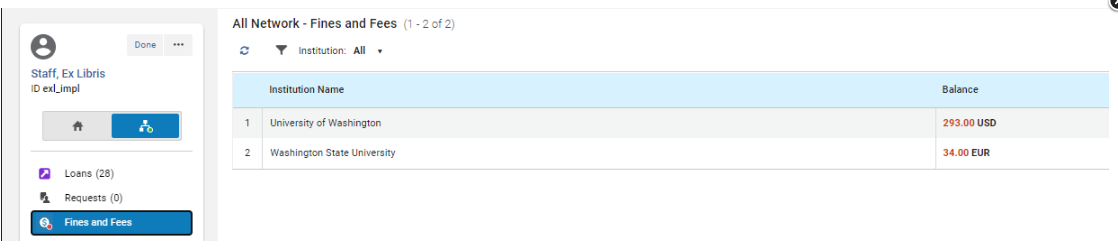
- The Fines and Fees button displays a content indicator if fines/fees exist for the patron.
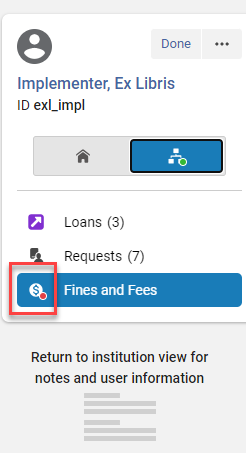
- When Fines and Fees is selected in the Network Activity tab, there is no Create item option or row action.
Customizing the Display on the Patron Network Activity Tab
For instructions on customizing the display see Customizing the Display in Alma.
La personalización de la pestaña Actividad de red no afecta ni se ve afectada por la personalización de la página principal de Servicios al usuario.
Switching Between Views on the Patron Network Activity Tab
For instructions see Views.
Exporting Records from the Network Activity Tab
For instructions see Exporting Records to Excel.
Walk-in Loans
Un préstamo al momento es aquel en el que un usuario de una institución diferente presta un ejemplar de la institución propietaria del recurso. For details see Registering Patrons from Other Institutions in the Fulfillment Network.
Pickup Anywhere Workflow
La creación de una solicitud dentro de la red de servicios al usuario, ya sea para recogida en la institución de origen del usuario, en la biblioteca propietaria o en otra biblioteca dentro de la red, es esencialmente el mismo proceso que un proceso de servicios al usuario normal. Las páginas involucradas en la creación y el cumplimiento de la solicitud permanecen igual, con solo una variación en las opciones ofrecidas en varias listas desplegables y casillas de verificación. The process may be just between the patron's home institution and the resource owning institution or the pickup of the requested resource may also take place at a third institution within the network. Todo esto es gestionado dentro del flujo de trabajo estándar. For information on configuring Pickup Anywhere, see Configuring Pickup Anywhere/Return Anywhere.
Requesting an Item for Pickup Anywhere in the Network
The scenario below describes the workflow where a patron from one institution in the fulfillment network requests an item belonging to another institution in the fulfillment network to be picked up at yet a third institution in the fulfillment network. Este flujo de trabajo demuestra la acción interinstitucional de solicitud, préstamo y devolución.
For more information about pickup anywhere in fulfillment networks, see the Enhancements to Fulfillment Network video (1:41 min.).
To request a pickup from a different institution, the patron signs in to Primo, searches for a resource, and selects from a list of institutions that have the resource available. El usuario realiza su selección desde la lista de instituciones de recogida permitidas y envía la solicitud.

La información del usuario y la solicitud del recurso se copian en la biblioteca propietaria del recurso. Staff operators at that library see the requested pickup library in their task lists and pick slips.
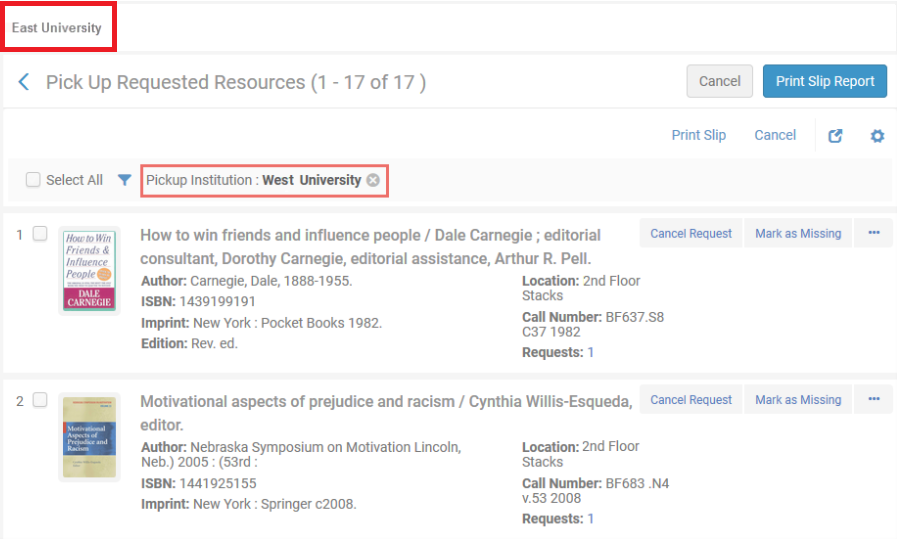

El artículo es digitalizado por la institución que posee el recurso, se muestra el destino de la recogida y el ejemplar se pone en tránsito desde la institución que posee el recurso a la institución de recogida.
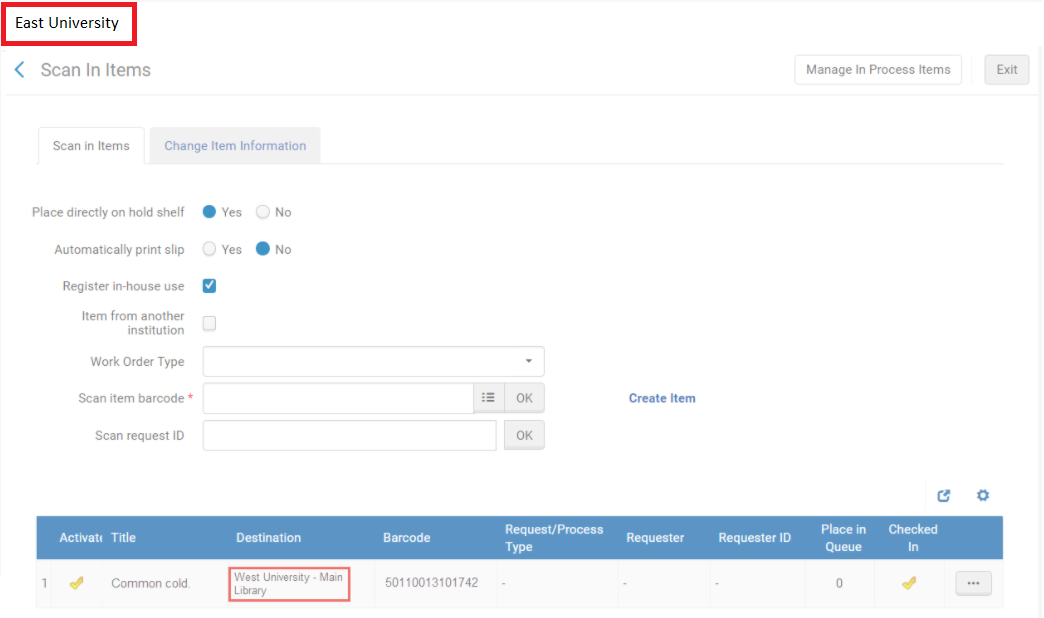
El ejemplar es recibido y digitalizado en la institución de recogida con la institución propietaria seleccionada.
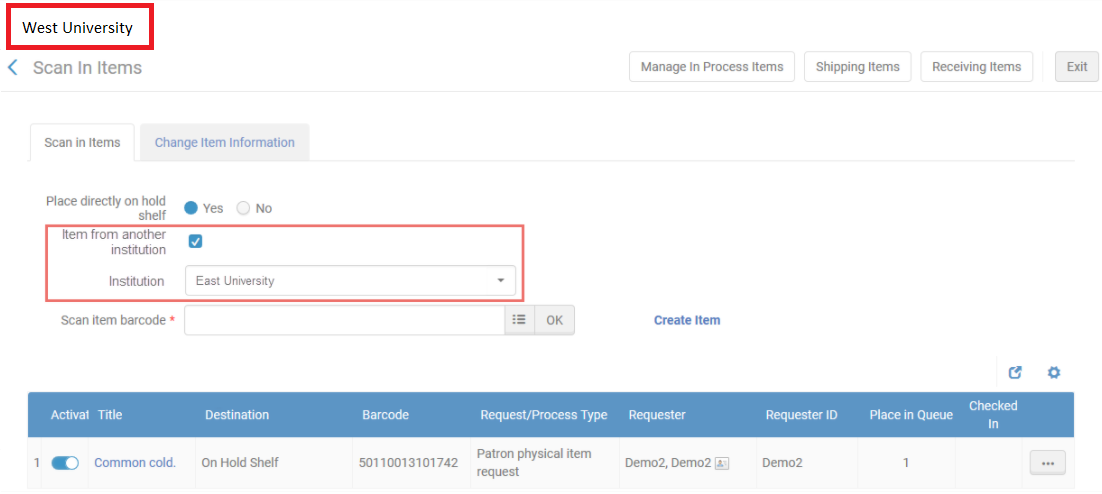
La información de usuario del cliente se recupera automáticamente por la institución de recogida y se informa al cliente que su solicitud está disponible para recogida. Al prestar el ejemplar al usuario, el operador del mostrador de circulación en el lugar de recogida selecciona la institución propietaria en la página de Servicios de usuario y entrega el ejemplar al usuario. Lo que resta del ciclo de vida del préstamo es un proceso estándar.

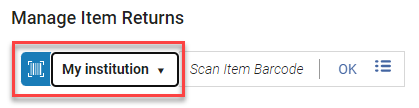
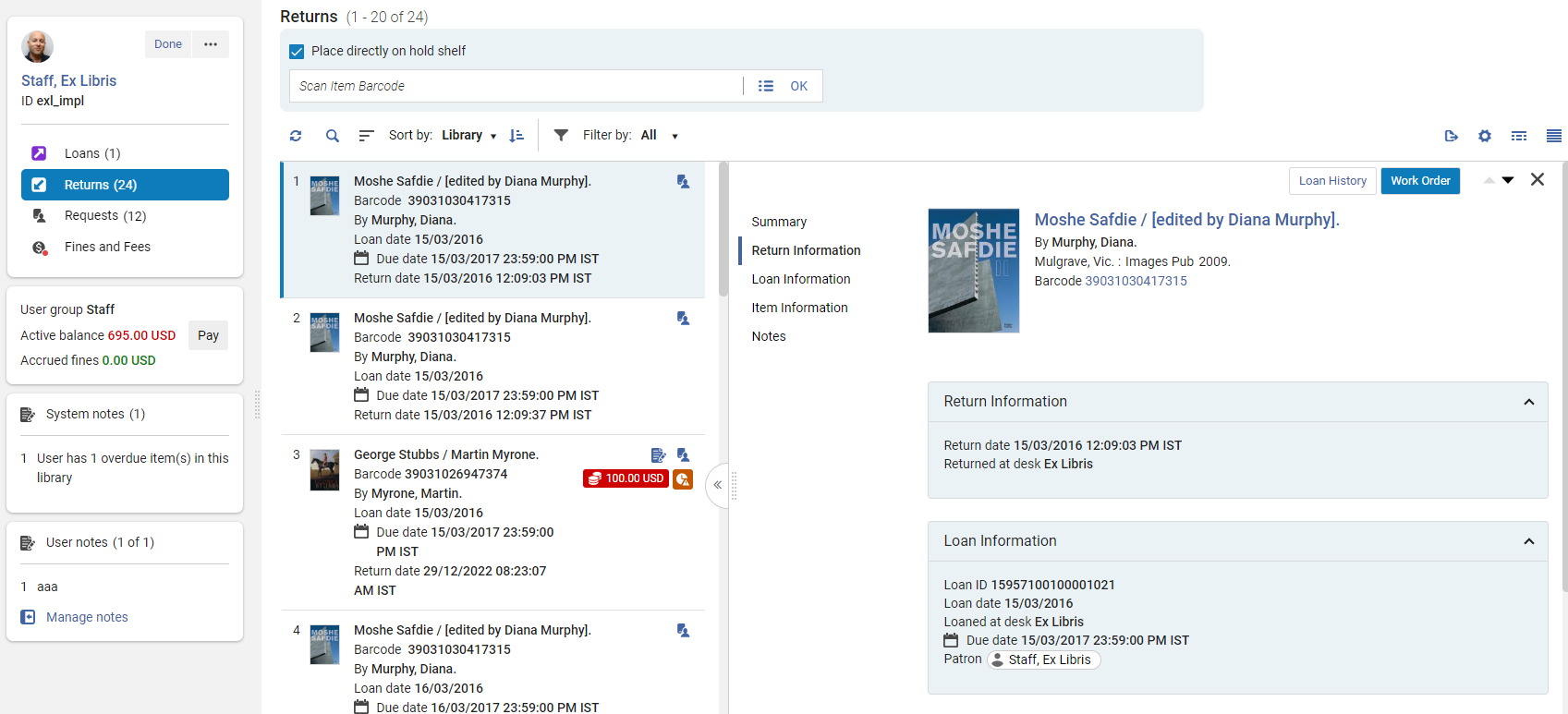
When the patron returns the resource to the pickup institution, the item is scanned as usual with the resource owning institution selected on the Manage Item Returns page. La interfaz Gestionar devoluciones de ejemplares indica que el siguiente paso para el ejemplar es retornar a su institución de origen.
Get It at Other Institutions
El despliegue del inventario de red se puede basar en una Zona de Red compartida en la que todas las instituciones participen, o en una red de descubrimiento que no utilice una Zona de Red. See Overview of Collaborative Networks with Primo VE for more information on the shared discovery options.
When the institution is part of a network, Primo will expose the discovered record's inventory at the patron's institution, as well as at other institutions of the network. The home institution's inventory and the network institutions' inventory are displayed in separate sections, as shown below.
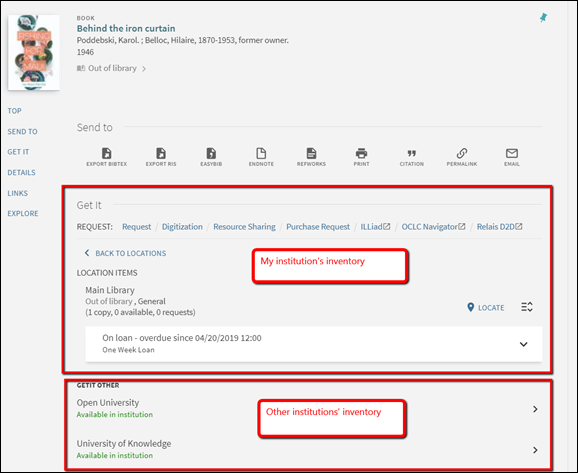
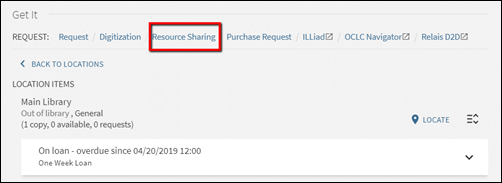
Other institutions' inventory may be displayed without allowing the patron to directly request the other institutions' resources. Por ejemplo, si la institución implementa una red de servicios al usuario de recursos compartidos o automatizada, las solicitudes de red se colocan a través del enlace para compartir recursos.
Alternatively, the institution may allow the patrons to navigate into the other network members' inventory information and directly place a request.
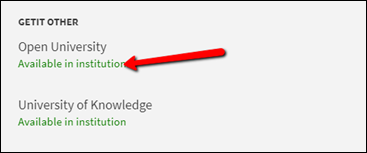
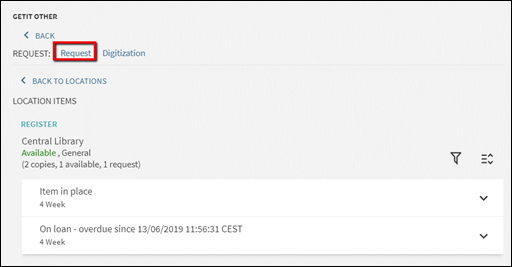
A continuación, hay algunos tipos de servicios que puede implementar una institución para las solicitudes de red.
Expose other institutions' availability only
En este modelo, la institución local puede decidir exponer solo información sobre qué institución tiene copias disponibles del recurso descubierto. The institution may decide not to allow the patrons to further navigate into every institution's holdings information. Esto tiene el beneficio de permitir menos navegación en la página de Vista Completa, lo que minimiza la posible confusión que pueden causar múltiples opciones. With this setup the patrons will only see that institutions do or do not own available copies, and will always use the same Resource Sharing Request link for requesting. The link for the Available in institution text can be deactivated. Please consult Primo configuration guides for achieving this type of set up.
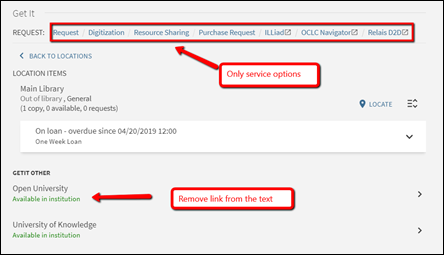
Expose other institutions' holdings
In this model the home institution may decide to expose, in addition to information about which institution holds available copies of the discovered resource, also where the inventory is found, but not allow directly requesting the remote institutions' items. This would be a classic setup where the institutions allow patrons of one another to walk into each other's library and use the on shelf items, but require that the requesting be done only using the Resource Sharing option from the local inventory display.
As is shown below, in this setup the Available in institution text does allow navigating into the network institutions' inventory, but the remote institution's Get It information is shown without the patron being automatically logged into that institution. Esto causa lo siguiente:
- El Get It remoto no tiene opciones de solicitud.
-
The loanability information is either loanable or not loanable, and is calculated using the same procedures that are used for determining potential loanability when the patron is not logged in.
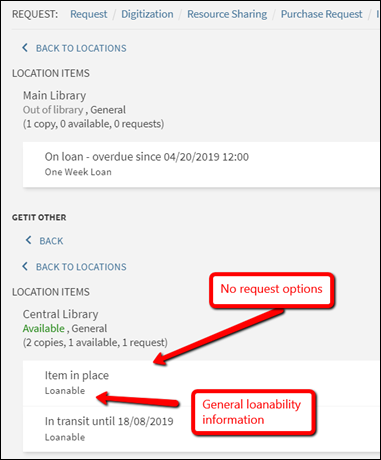
This is achieved by setting the uresolver_remote_register parameter to None in the Configuration Menu > Fulfillment > Other Settings page. Observe que este parámetro surte efecto para la institución remota (es decir, no la institución local del usuario).

Allow directly requesting other institutions' holdings
The institutions may decide to expose not only which institution holds available copies of the discovered resource and where the inventory is found, but also allow directly placing a request on the remote item. Esta sería una configuración estándar cuando las instituciones no utilizan una ruta basada en la red de servicios al usuario de recursos compartidos o automática, pero permite que los usuarios encuentren y soliciten ejemplares de otras instituciones directmamente.
Require manual linked account registration
It is possible to set Alma so that when the patron chooses to display a remote institution's Get It information, the default view will be as for a non-logged user. Alma no creará automáticamente una cuenta enlazada en la institución remota y, por lo tanto, no mostrará términos de uso detallados ni una opción de solicitud. A ‘Register' option will allow the patron to explicitly request to create a linked account.
Este tipo de configuración se puede realizar para asegurar que solo se creen las cuentas enlazadas, cuando el cliente solicite explícitamente crearlas. Esto puede servir para consideraciones de privacidad, así como evitar que se creen múltiples cuentas enlazadas a menos que el usuario en realidad quiera crear una solicitud local.
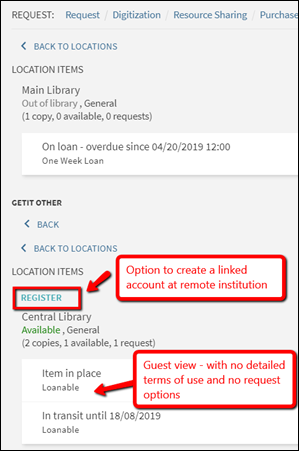
Using the ‘Register' option creates the linked account and reloads the remote Get It information with detailed terms of use and with request options, after having created the linked account.
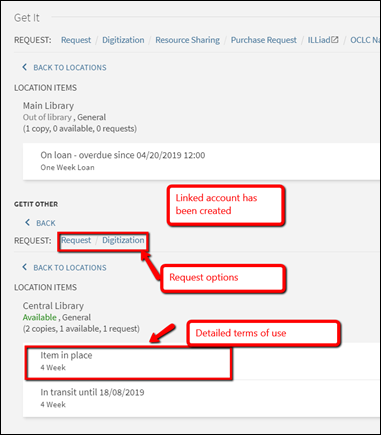
To do this, set the uresolver_remote_register parameter to Manual in the Configuration Menu > Fulfillment > Other Settings page. Observe que este parámetro afecta la institución remota (es decir, no la institución local del cliente).
Allow automatic linked account registration
Set the uresolver_remote_register parameter to Auto to skip the Register step and always automatically create the linked account at the remote institution. Esta configuración agiliza el proceso de solicitud y omite la necesidad de registrarse manualmente antes de obtener las opciones de solicitud, pero puede dar lugar a múltiples cuentas enlazadas en cada institución por la que el usuario ha navegado para ver las opciones de solicitud.
