
注文明細の通貨の変更
You can change the currency of PO lines that were packaged, in the in the following workflow steps:
- 準備完了
- 送信完了
- 手動リニューアル待ち
- 定期更新
- 請求書待ち
The Change Currency action is only available when viewing PO lines (not when editing).
通貨を変更するには:
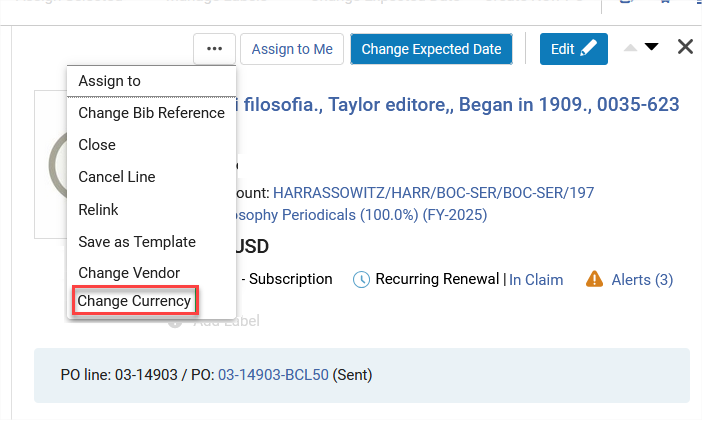
- Select the Change Currency action in the PO line.
- In the Currency field select the new currency.
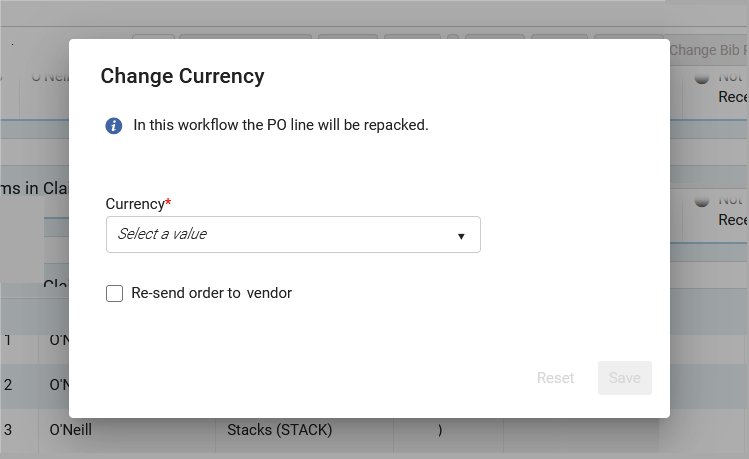
- Selecting Re-send order to vendor sends the new PO to the vendor.The Re-send order to vendor field will not display for PO lines with the workflow step "Ready", and when the Acquisitions method does not include sending the order to the vendor as part of the workflow (for example, "Purchase at Vendor System").
- [保存]を選択します。元の注文書から注文明細が削除されます。これが注文書の唯一の注文明細である場合、注文書は削除されます。Selecting Reset restores the currency to the original value.注文明細のステータスが手動パッケージング/自動パッケージングに変わり、購入ワークフローが進行します。
- 利用可能な通貨のリストは、注文明細の選択されたベンダーで利用可能な通貨と一致します。
- When Re-send order to vendor is not selected, the PO line will be moved to Manual Packaging or Auto Packaging, but when packaged into a PO it will not be sent to the vendor.
Page tags: article:topic product:alma content:Documentation lang:english
