
注文明細を延期
このページでは、延期された注文明細の確認、編集、再アクティブ化、再リンクなど、注文明細を延期する方法について説明します。また、延期された注文明細をキャンセルする方法、および延期された注文明細を注文書にパッケージ化するために送信する方法についても説明します。For the overall deferral workflow see Deferring PO Line Workflow.For information on the overall purchasing workflow see Purchasing Workflow.For an overview of working with acquisitions in Alma, including links to relevant sections such as Infrastructure, Invoicing, Configuration, etc., see Introduction to Acquisitions.
- 購入オペレーター
PO lines whose Workflow Step is In Review,Manual Packaging, or Ready(packaged into a PO that has not yet been approved) can be deferred (see Deferring PO Line Workflow).If its Workflow Step is Ready, you must remove it from its PO before you can defer it.If it is the only PO line in the order, the order is deleted when you remove the PO line from it.
注文明細の延期
承認プランまたはベンダーシステムで購入の受入方法のものを除き、すべての注文明細を延期することができます。
- In the Purchase Order Lines task list (Acquisitions > Purchase Order Lines > All PO Lines), locate the PO line; see Searching for PO Lines.
- 注文明細がすでに注文書にパッケージ化されている場合 (つまり、ワークフロー ステップが準備完了)、注文明細の行アクションから [注文から削除] を選択し、[注文から削除] ダイアログ ボックスで [確認] を選択します。注文明細のワークフロー ステップが [レビュー中] に変更され、注文から削除されます。
- In the row actions list for the PO line, select Defer.注文明細の延期ダイアログボックスが開きます。
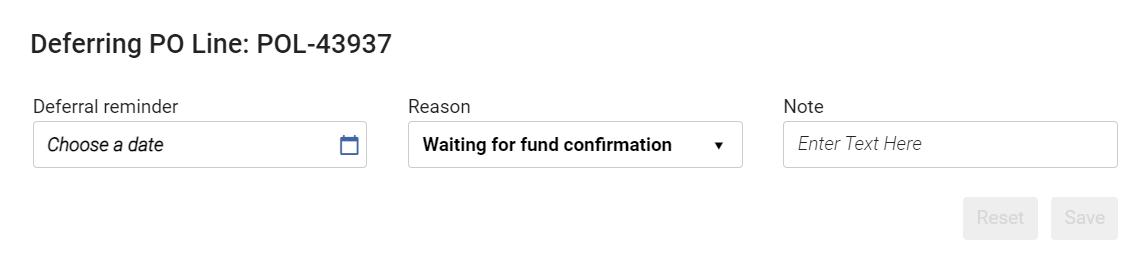 注文明細の延期ダイアログボックス
- 延期リマインダーフィールドで日付を選択します。
- 延期の理由を選択します。Reasons are predefined by an administrator (see Configuring PO Line Deferral Reasons).
- 必要に応じて、注記を入力します。
- [保存]を選択します。The PO line is deferred and its Workflow Step is changed to In Review(see Reviewing Deferred PO Lines).これが注文書内の唯一の注文明細の場合、注文書はキャンセルされ、[レビュー中の注文]ページから削除されます。
The PO Line - Deferred job runs daily to check the deferral date against the current date.If the two dates are the same, an alert,Reminder date is arrived, is attached to the PO line.同時に、延期日が到着したことを示すリマインダーが、延期注文明細のタスクリストに表示されます。リマインダーは延期リマインダー日のダッシュボードのタスクリストに表示されます。その日を過ぎると、次のいずれかが完了するまで、注文明細がタスクラベル処理待ちの延期注文明細でレビュー延期ページに表示されます。
- 注文明細が再有効化またはキャンセルされます。
- 延期通知日は将来の日付に変更されます。
延期注文明細をレビュー
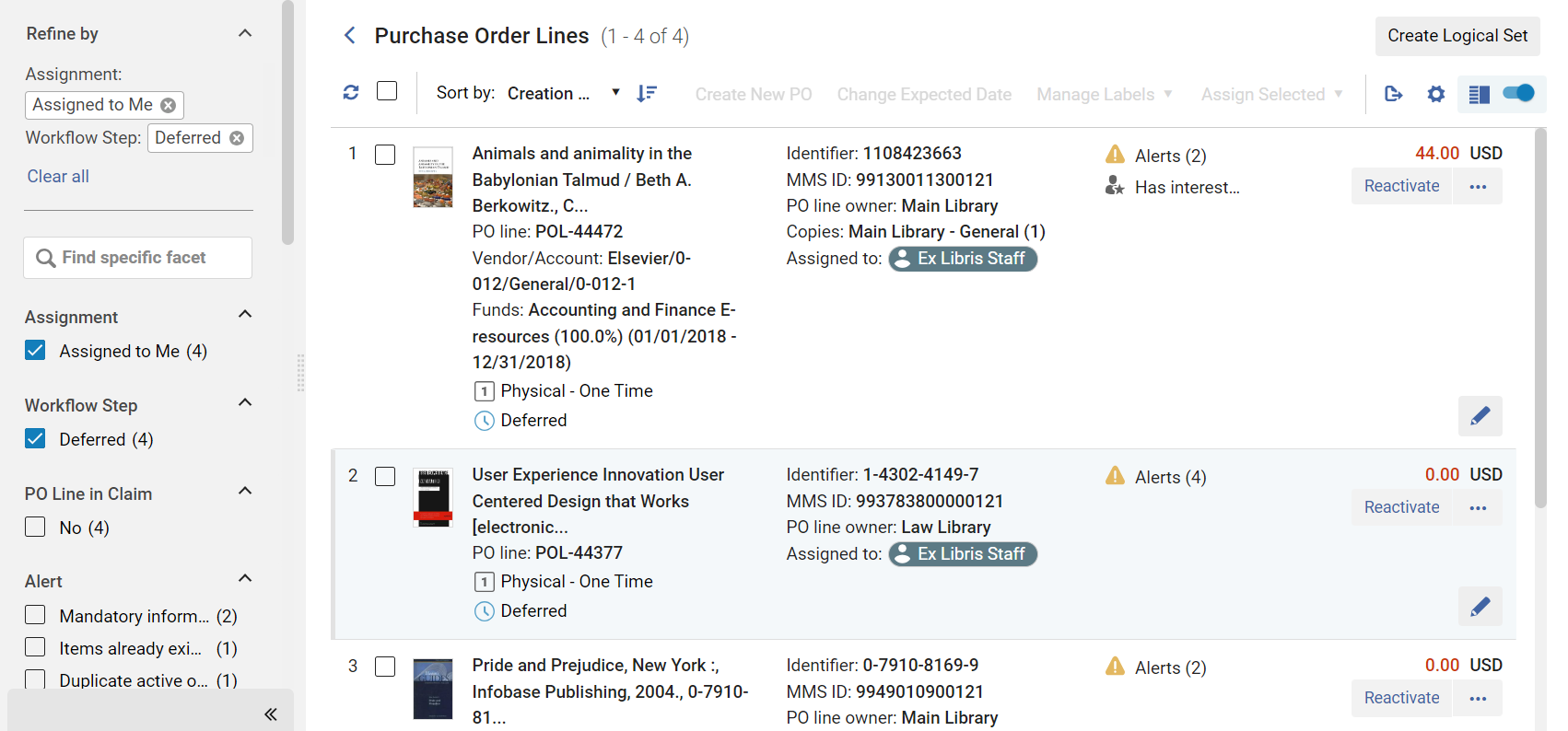
ファセットを使用してリストをフィルタリングすることにより、注文明細タスクリストでレビューが必要な延期注文明細を見つけることができます。(For information about working with the facets, see New Layout 2022.) Once you have located a deferred PO line that you want to manage, you can edit,reactivate,package,relink, or cancel them, as explained below.
[注文明細] タスク リスト ([受入] > [注文明細] > [すべての注文明細]) がすでに開いている場合:
- ファセットの [ワークフロー ステップ] で、 [延期] を選択します。
- ファセットの [アラート] で、 [リマインダー日になりました] を選択します。
You can also open the PO Lines task list with two facets,Assigned to Me and Deferred, selected, so only deferred PO lines that are assigned to you appear in the list.
- Navigate to Acquisitions > Purchase Order Lines > Review Deferred.
- In the persistent menu, in the Tasks list, select Order Lines > Deferred - assigned to you(see Tasks in the Task List).
延期注文明細を再有効化
延期注文明細を再有効化すると、注文明細から繰延を削除し、正規化して検証し、延期前に到達した購入ワークフローのステージに戻すことができます。注文明細が完成すると、ワークフローのパッケージング段階に移動します。
- [注文明細] タスク リストの注文明細の行アクションで [再有効化] を選択し、[確認メッセージ] ダイアログ ボックスで [確認] を選択します。
延期注文明細を編集
You can edit a deferred PO line as you would any other PO line; see Editing PO Line Information.To change the Deferral reminder date and the Deferring reason,reactivate the PO line and then defer it again.
Sending a Deferred PO Line for Packaging into a PO
延期された注文明細を再有効化して、直接パッケージ化に送ることができます。When you initiate this process, the PO line is normalized and validated.正規化と検証が成功すると、注文明細はワークフローのパッケージ化段階に移行し、注文書にパッケージ化されます。正規化と検証が成功しなかった場合、注文明細は修正のためレビューに送信され、ワークフロー ステップは [レビュー中] になります。注文がベンダーに送信されると、メッセージ ( 今すぐ注文レター ) が届きます。For information on the Order Now Letter, see Configuring Alma Letters.
延期注文明細が自分に割り当てられているか未割り当ての場合のみ、延期注文明細を直接パッケージ化に送ることができます。
- [注文明細] タスク リストの注文明細の行アクションで [今すぐ注文] を選択し、[確認メッセージ] ダイアログ ボックスで [確認] を選択します。
延期注文明細の再リンク
See Relinking PO Lines.
Cancelling Deferred PO Lines
See Cancelling PO Lines.
Page tags: article:topicproduct:almacontent:Documentationlang:englishdefer PO linedeferral reminderreview deferred PO lineedit deferred PO linecancel deferred PO line
