
campusM 2024 August Release Notes
Developments
Calendar - Activity Reminders
Idea Exchange
End-users can now set up reminders for all calendar activities (classes, events, etc.). They can determine whether or not to receive reminders for each type of activity, and can set the timing for the reminders they choose to receive. For customers using the Attendance module, the existing reminder functionality remains unchanged for Attendance activities (see Configuring Attendance;campusM Attendance Student Experience), but users now have the additional ability to set up reminders for non-Attendance activities.
Activity reminders pop-up on end-users' devices at specified intervals before the activities are scheduled to take place. (They are not included in the Alerts list.)
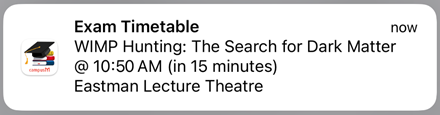
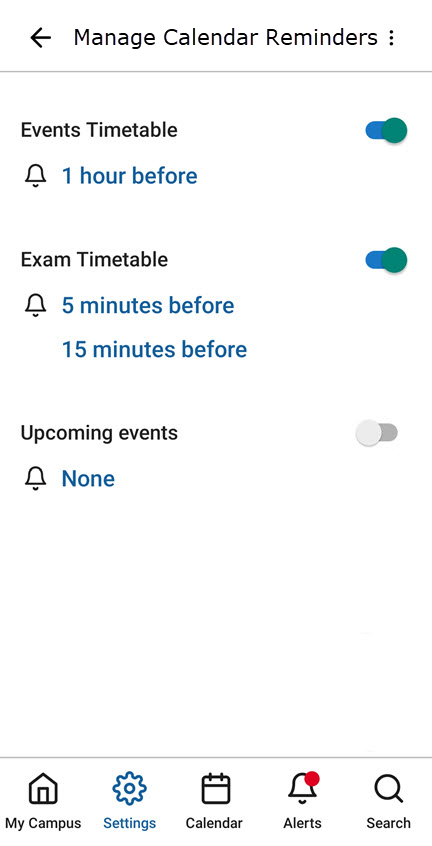
Configuration for this feature is part of the app settings, so end-users can configure their reminder settings themselves. Reminders for each timetable endpoint can be configured individually, and end-users can choose whether to have reminders at all, and if so, whether to have multiple reminders for each activity, at specified times before they are scheduled to take place. For example, they could choose to have reminders for events 1 hour before they are scheduled to begin, and reminders for exams 5 minutes and 15 minutes before they are scheduled to occur.
As part of this development, the name of the Settings > Notifications > Alerts option was changed to Settings > Notifications > Channels Subscription. The functionality of this option, which enables end-users to sign up for specific notification groups, has not changed. For additional information about notification groups, see Sending Notifications to End-Users from Notification Center.
For more information, see Feature Focus – My Calendar.
Attendance - Invalidation of Mock Locations
When the attendance system is set to use geolocation to validate students' locations when they check into a class, it now automatically checks whether the GPS location coordinates were manually set on the student's device, indicating that the data from the location sensor was overridden in order to spoof the geolocation system. Location data that is found to have been tampered with on a device now invalidates the student's check-in.
For additional information about using geolocation in the check-in validation process, see Configuring Attendance.
Information about mocked locations that were detected can be retrieved by admins via the API, using the Check In Report API, in the isLocationMocked parameter. For additional information about the Check In Report, see Check In Report in the Developer Network.
Product Integration - Syncing of User Role Data with Alma
A new vendor,Alma, is now supported by the Roles Product Integration. This vendor enables syncing user-role information with Alma's student information system (SIS) in order to import the latest information about students' user groups.
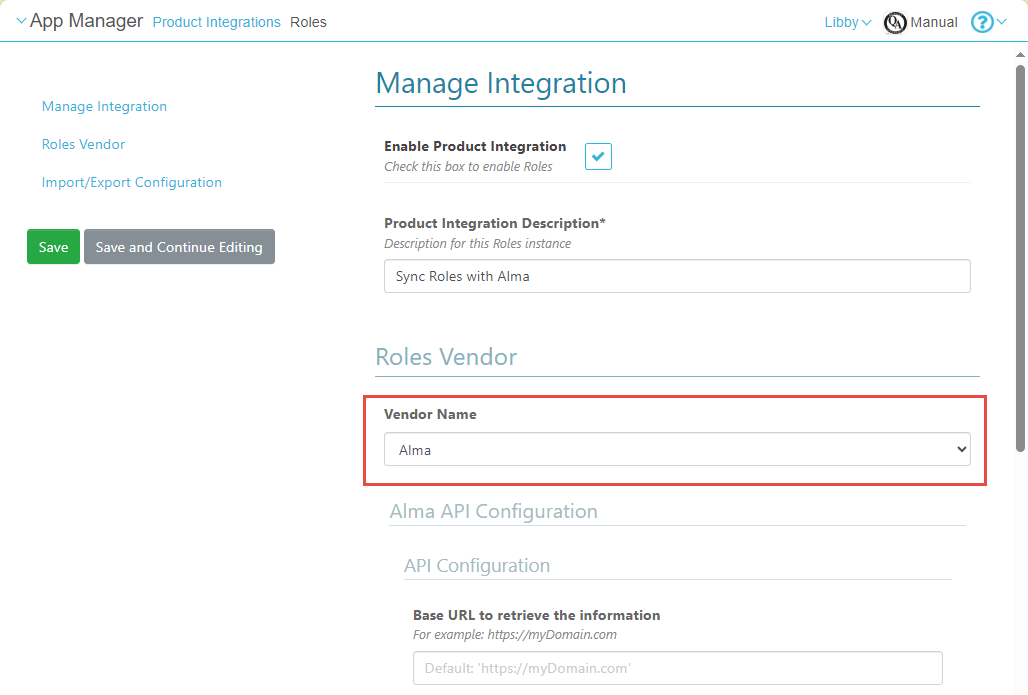
For more information, see Roles.
Notifications - Search All History
You can now search for notifications that were sent more than 30 days ago. The Date field in the Notification Center now allows you to select any date in the past in order to find notifications that were sent on that day.
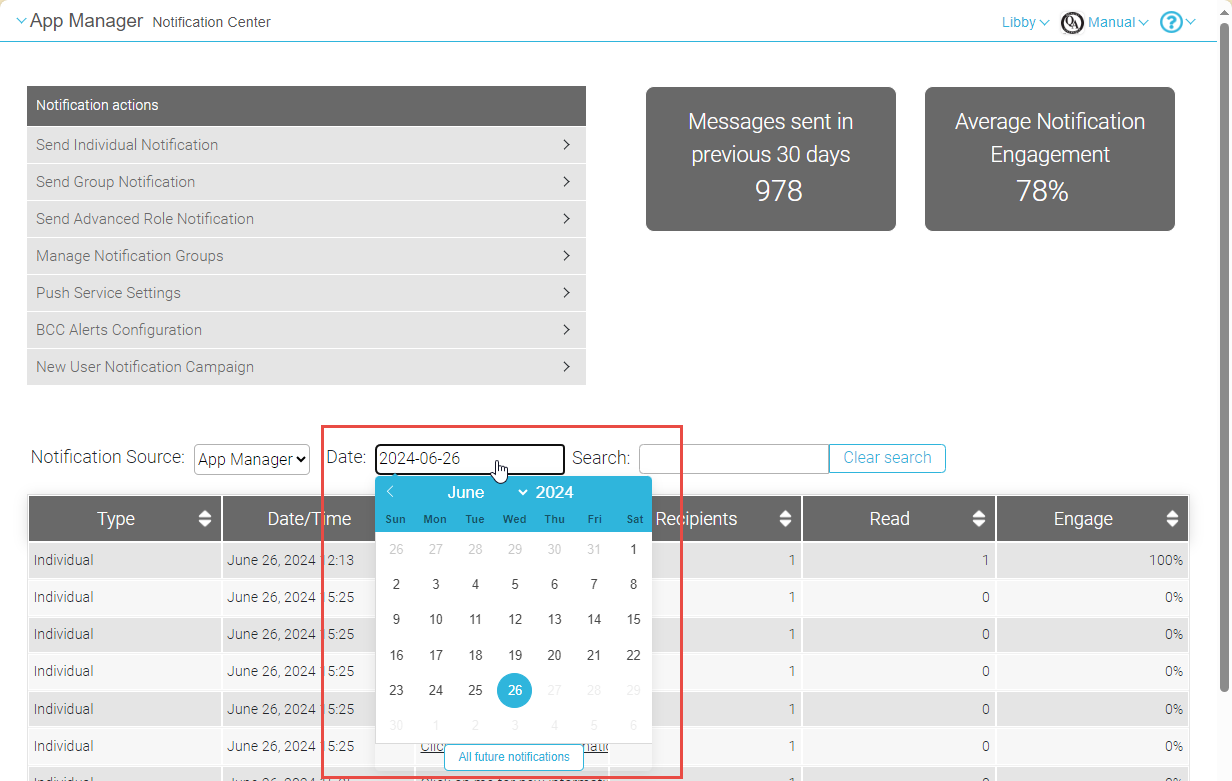
For more information, see Sending Notifications to End-Users from Notification Center.
App Settings - Default Language for Landing Page
You can now set the default language for the landing page that end-users see the first time they open the app. The language can be set in a new field,Language pack, which is located in the App Manager at App Settings > App Settings > General Settings.
For additional information, see Configuring App Basics.
App Builder - Alerts and Maps Tiles
Two new types of tiles can now be added by admins to the end-user apps:
- Alerts
- Maps
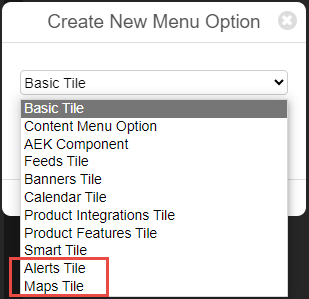
Previously, these types of tiles could only be added by Ex Libris customer support.
For information about creating new tiles for the end-user app, see Creating Services.
Bug Fixes
| SF number | Platform | Description |
|---|---|---|
| 07156864, 07172224 | Android React Native | On certain Android devices, scrolling from month to month in the calendar did not work properly. When the entire month was displayed, scrolling right or left in order to switch to the previous or next month would freeze after one month scrolled. This was fixed.. |
| 07047992, 07050225, 07056145 | App Manager | In Nested tiles, when the Action (URL) field was selected, the search did not open as it should have, making it difficult to select campusM content pages and menu options. This was fixed.. |
| 07166259 | App Manager | In the Product Integration settings for Events, the Browse button of the Events Home Page Image field did not work. This was fixed. |
| 07166851 | App Manager | In the Product Integration settings for Events, the Browse button of the Events Home Page Image field did not work. This was fixed. |
| 07199324 | iOS React Native | The calendar loaded very slowly and events were not displayed properly. This was fixed. |
| 07132354, 07173963, 07187339 | Mobile Platforms React Native | When a lecturer checked a student in on a mobile device, the student's check-in status was not updated in the lecturer's app immediately, as it should have been. This was fixed. |
| N/A | Mobile Platforms React Native | When the interface language of the end-user app was not English, the names of the days of the week appeared in the calendar in English. This was fixed. |
