
Delete a Fund or Subfund
Note:
To delete a fund or subfund, you need the permission Funds: Delete. For more information about fund permissions, see Acquisitions Permissions Reference.
You can delete only funds or subfunds that have no financial transaction history. For example, the fund or subfund must have no:
-
Allocations
-
Free balance
-
Expenditures
-
Encumbrances
To delete a fund or subfund
-
Go to the Fund workform.
-
Select Actions > Delete.
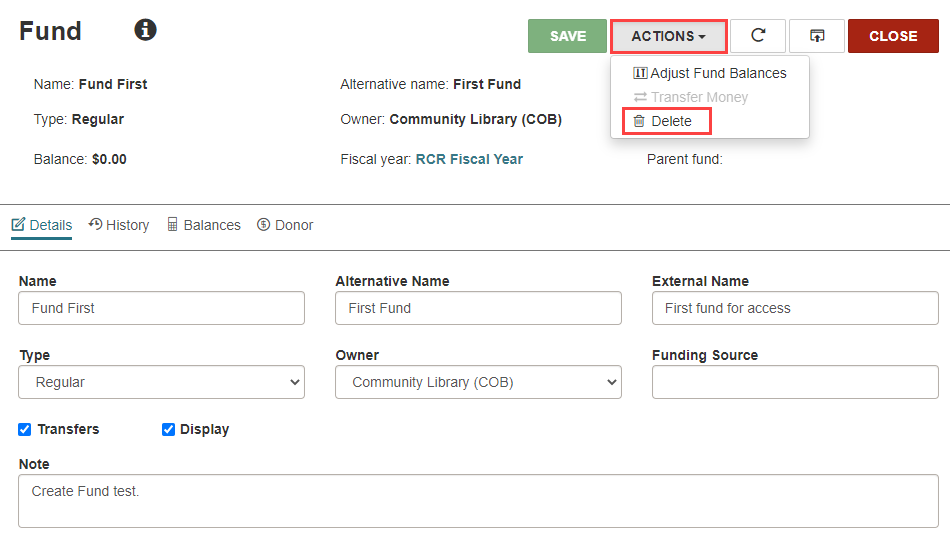
The Delete Fund dialog opens.
-
Select Continue.
Leap deletes the fund and returns you to the Fiscal Year workform.
