
Using ExpressCheck
Polaris ExpressCheck provides an easy-to-use touchscreen interface for patrons to check out items without the help of library staff. If your library allows access to the patron's account, patrons can also renew items, manage holds, and view fees and fines.
Note:
Polaris System Administration (web-based) settings control which ExpressCheck features you offer to patrons and when circulation transactions are blocked. For more information, see Configuring Polaris ExpressCheck Options.
To use ExpressCheck
-
The patron authenticates at the ExpressCheck workstation using one of the following methods:
 Scanning a library card
To authenticate using the library card
-
The patron scans their library card with the barcode reader.
-
If your library is licensed for multiple languages, the system displays a list of languages, and the patron taps the button for the language they want to use.
-
If your library requires a patron password for check-out, the system displays a keyboard on the touch screen. The patron enters a password, and taps OK.
Manually entering patron credentials
If your library allows it, patrons can enter a username or barcode manually to authenticate. See Setting Account and Circulation Options for ExpressCheck for information about enabling this option.
To authenticate manually
-
The patron taps Forgot your library card? Press here!.
-
If your library is licensed for multiple languages, the system displays a list of languages, and the patron taps the button for the language they want to use.
-
The patron enters their username or barcode and their password, and taps OK.
Note:
The Polaris ExpressCheck options: Enable > Require patron password for ExpressCheck setting in Polaris System Administration (web-based) does not affect this authentication method. The patron must always enter a password when authenticating manually. -
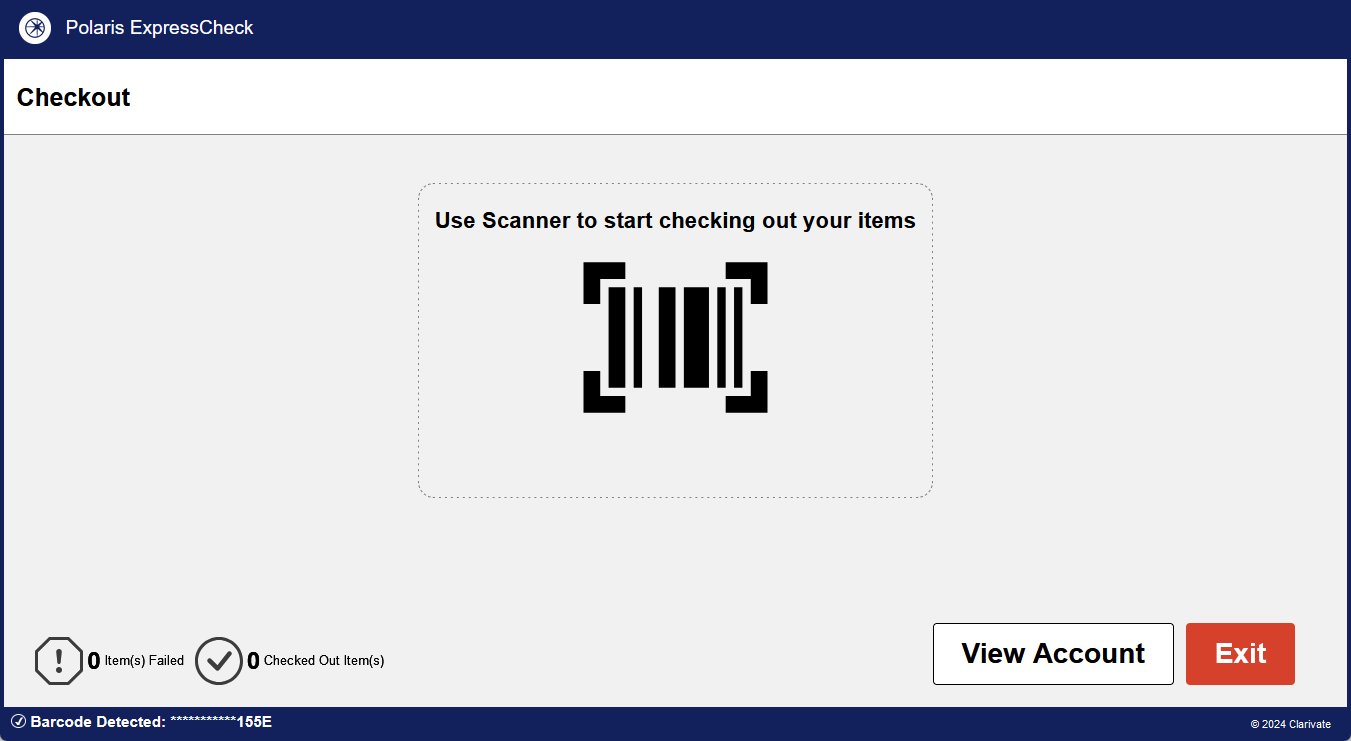
Once the patron authenticates, the system displays the Checkout screen.
If the patron is blocked, the system displays a block message. For example:
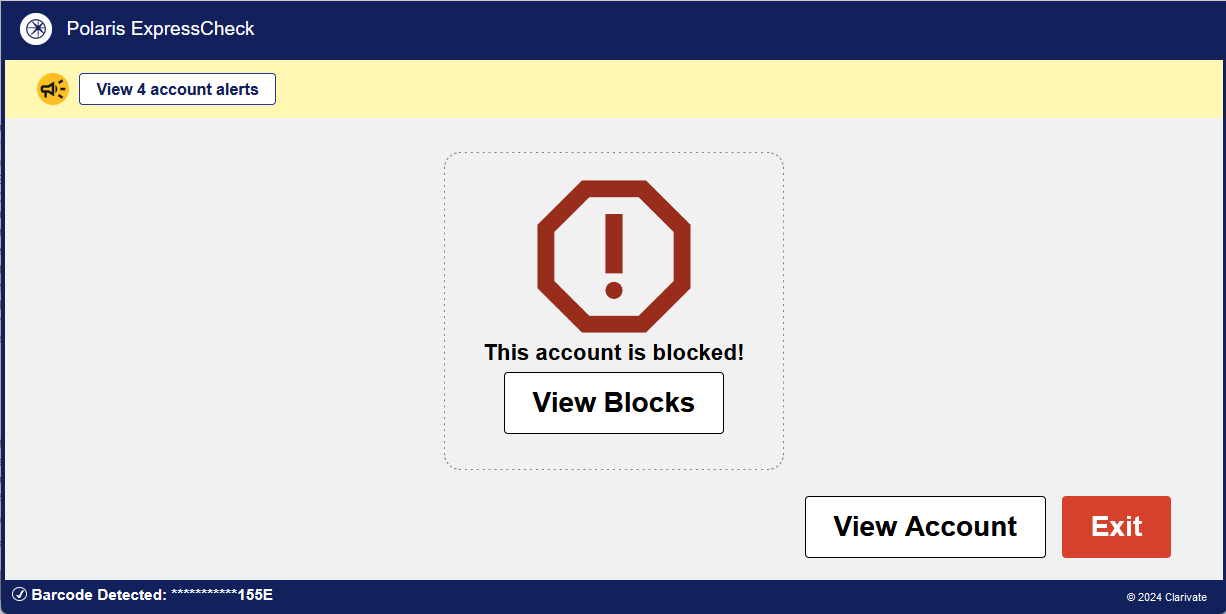
The patron can view the blocking conditions by tapping View Blocks.
-
From the Checkout screen, the patron can do the following:
Check out items
To check out items
-
The patron scans each item with the barcode scanner or the RFID antenna tray. The Allow Multiple RFID Items on Tray option controls whether patrons can check out multiple items on the RFID tray simultaneously or must check out one item at a time.
If your library has enabled charging for checkouts, the system displays the charge amount, and the patron decides whether to complete the transaction.
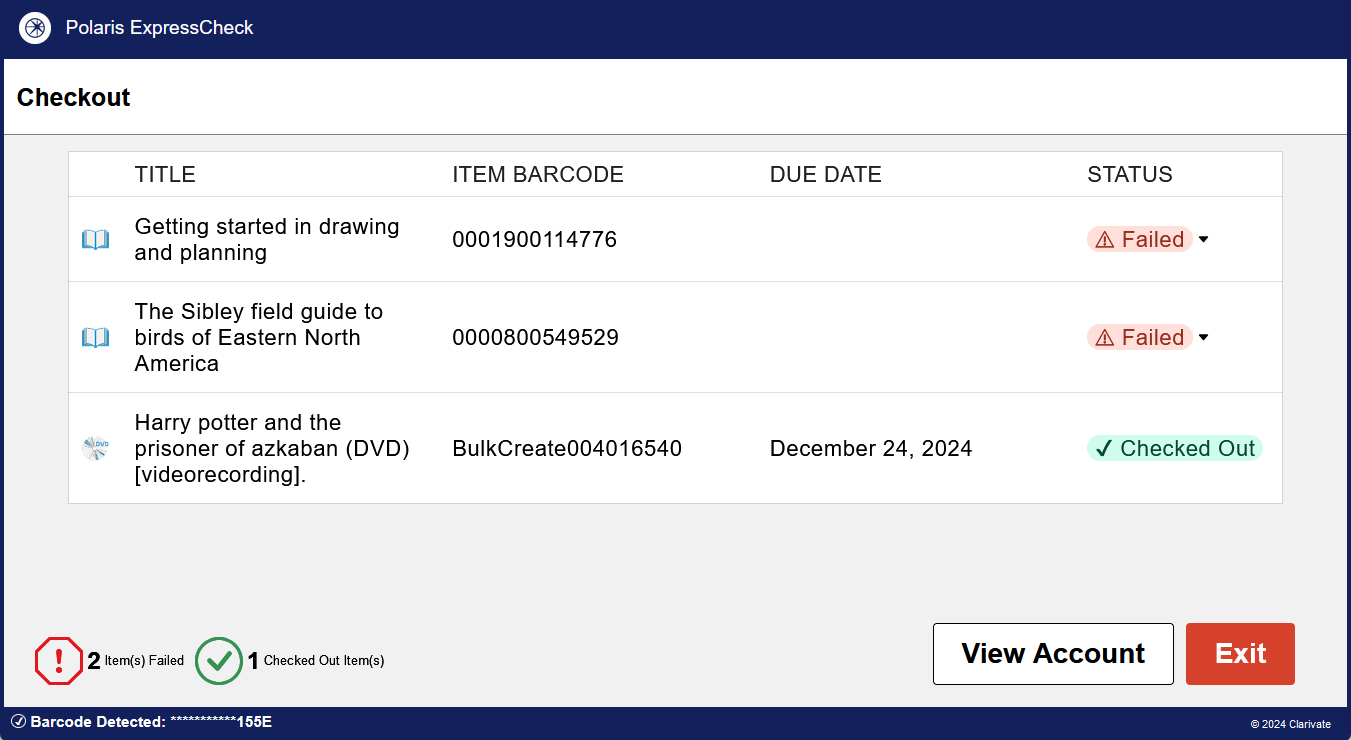
The screen displays a list of the items scanned and whether each transaction succeeded. In the lower-left corner, the system tallies the number of successful checkouts and failed transactions. For example:
Note:
For RFID transactions, ExpressCheck displays a message on the status bar stating whether the system was able to turn off the security for the item. ExpressCheck also displays a dialog with a warning message when a transaction fails to turn the security off for an item. -
(Optional) To view the reason why a checkout failed, the patron taps the row for that transaction. The line expands to display a message (if available).
-
The patron taps Print Receipt at any time during check-out. The printed receipt lists the items the patron has checked out in the session so far. EReceipts are also available if your library has configured them.
View patron account and messages
If your library allows access to patron accounts from ExpressCheck, the patron can view their account by tapping the My Account tab.
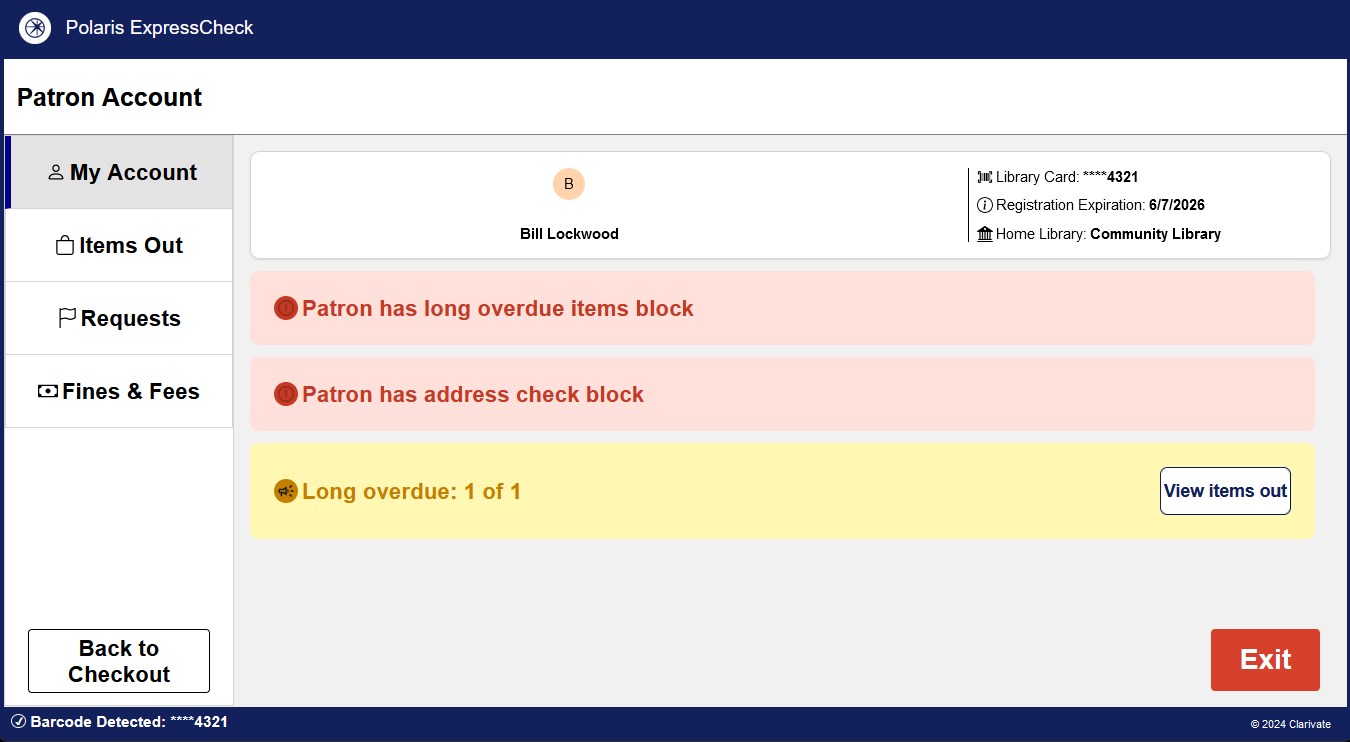
This tab displays patron messages as follows:
-
Patron messages that appear in yellow do not prevent the patron from checking items out.
-
Patron blocks that appear in red do prevent the patron from checking items out.
Additionally, the patron can view information about their account, such as their home library and the expiration date of their account.
Renew items
Patrons can renew eligible items from ExpressCheck. If the patron has the item with them, they can scan it from the Checkout screen to renew it.
If your library allows access to patron accounts from ExpressCheck, patrons can also renew items they don't have with them from the Items Out tab.
To renew items not present
-
From the Checkout screen, the patron taps View Account.
The Patron Account screen opens.
-
On the left side of the screen, the patron taps the Items Out tab.
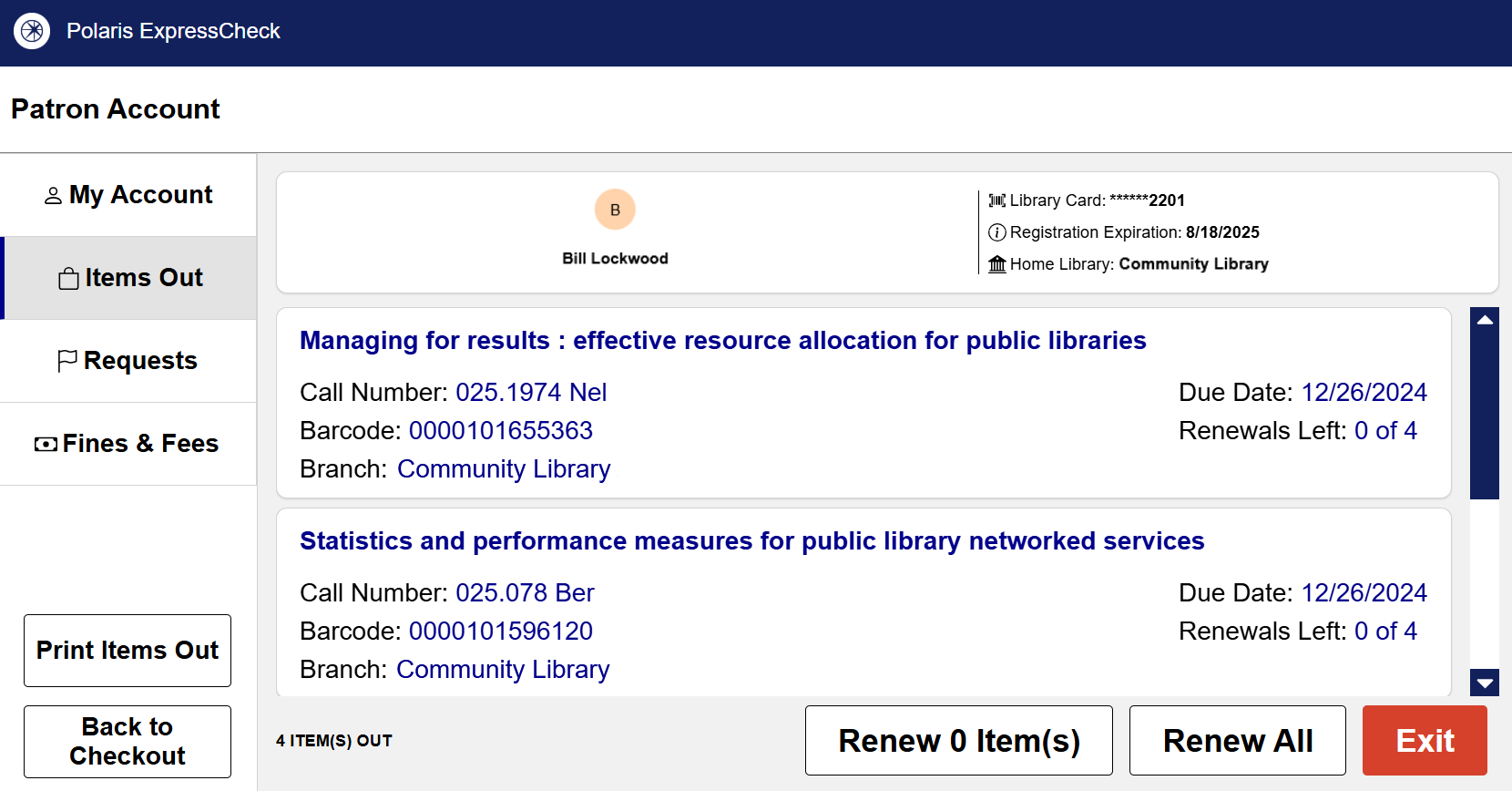
The system displays a list of items that the patron currently has checked out. For each item, the system displays bibliographic information, the due date, and the number of renewals left.
-
The patron selects the items they want to renew by doing one of the following:
-
To renew a subset of the list, the patron taps the items they want to renew and tap Renew [#] Item(s).
-
To renew all items in the list, the patron taps Renew All.
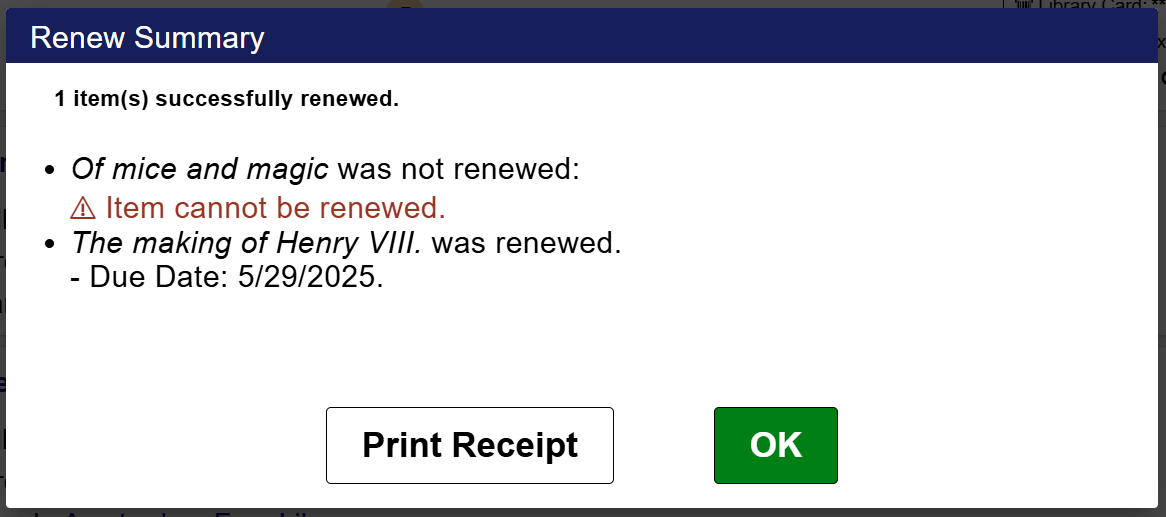
The system attempts to renew the items and displays a summary showing whether each renewal was successful. For example:
-
-
If receipt printing is enabled on the workstation, the patron can print a receipt listing the renewed items by tapping Print Receipt.
Note:
If your ExpressCheck workstation has the Print receipt on timeout option enabled, a receipt automatically prints when the session times out.
Manage hold requests
If your library allows access to patron accounts from ExpressCheck, the patron can view a list of holds, cancel holds, and suspend or reactivate holds.
To view and manage hold requests
-
From the Checkout screen, the patron taps View Account.
The Patron Account screen opens.
-
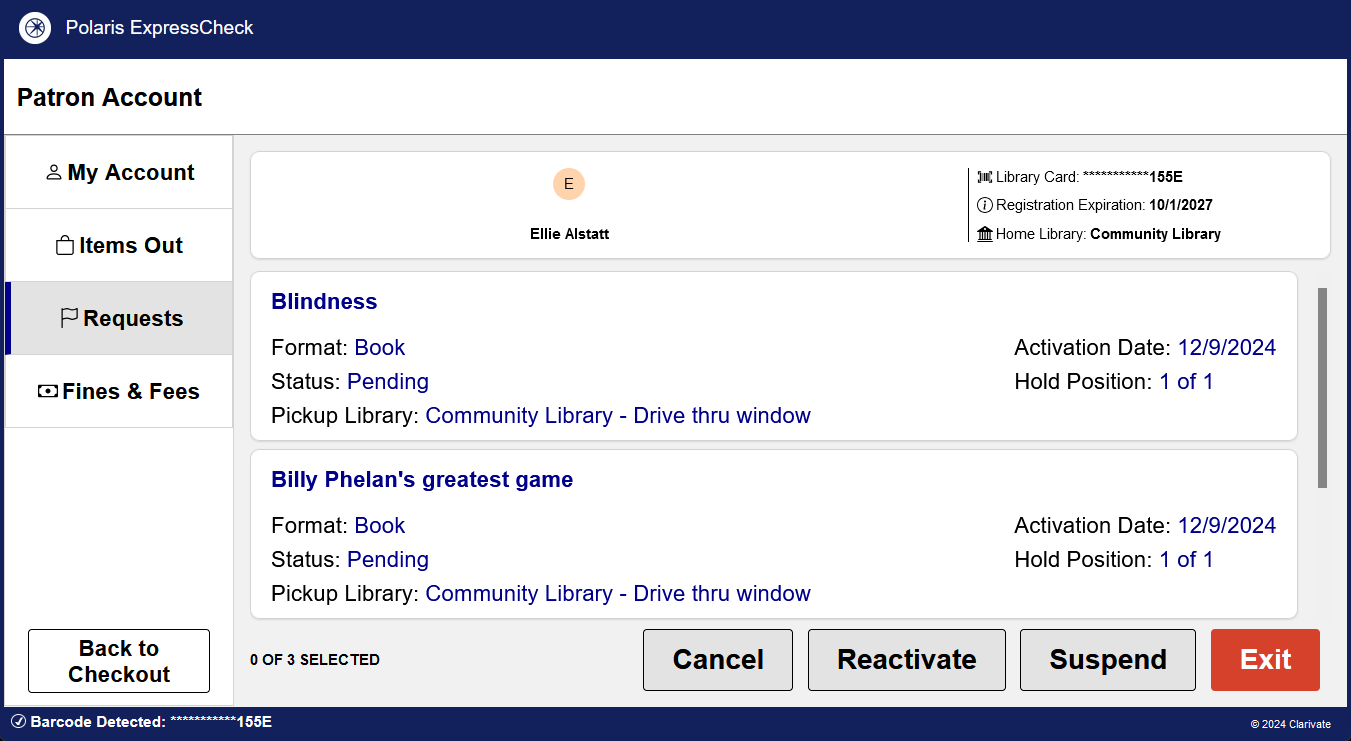
On the left side of the screen, the patron taps the Requests tab.
The system displays a list of holds. For example:
-
(Optional) Patrons can do the following:
-
To cancel holds, the patron selects one or more holds, and taps Cancel. The system displays a confirmation message.
-
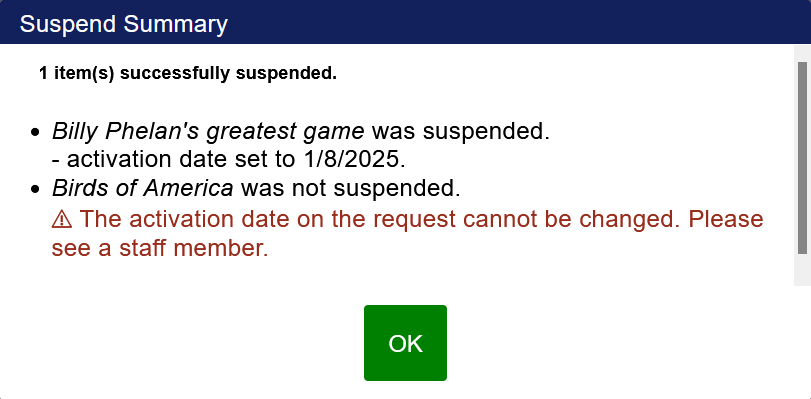
To suspend a hold, the patron selects one or more holds, and taps Suspend. The patron then selects the amount of time to suspend the holds, and taps OK. The system displays a summary showing whether each hold request was suspended. For example:
-
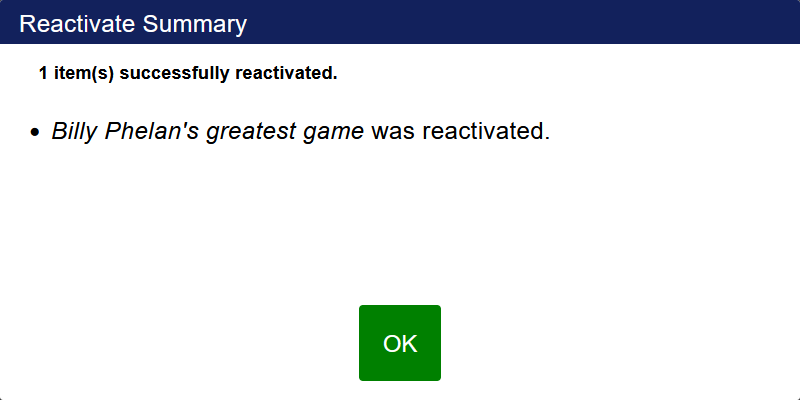
To reactivate a hold, the patron selects one or more holds, and taps Reactivate. The system displays a summary showing which hold requests were reactivated. For example:
-
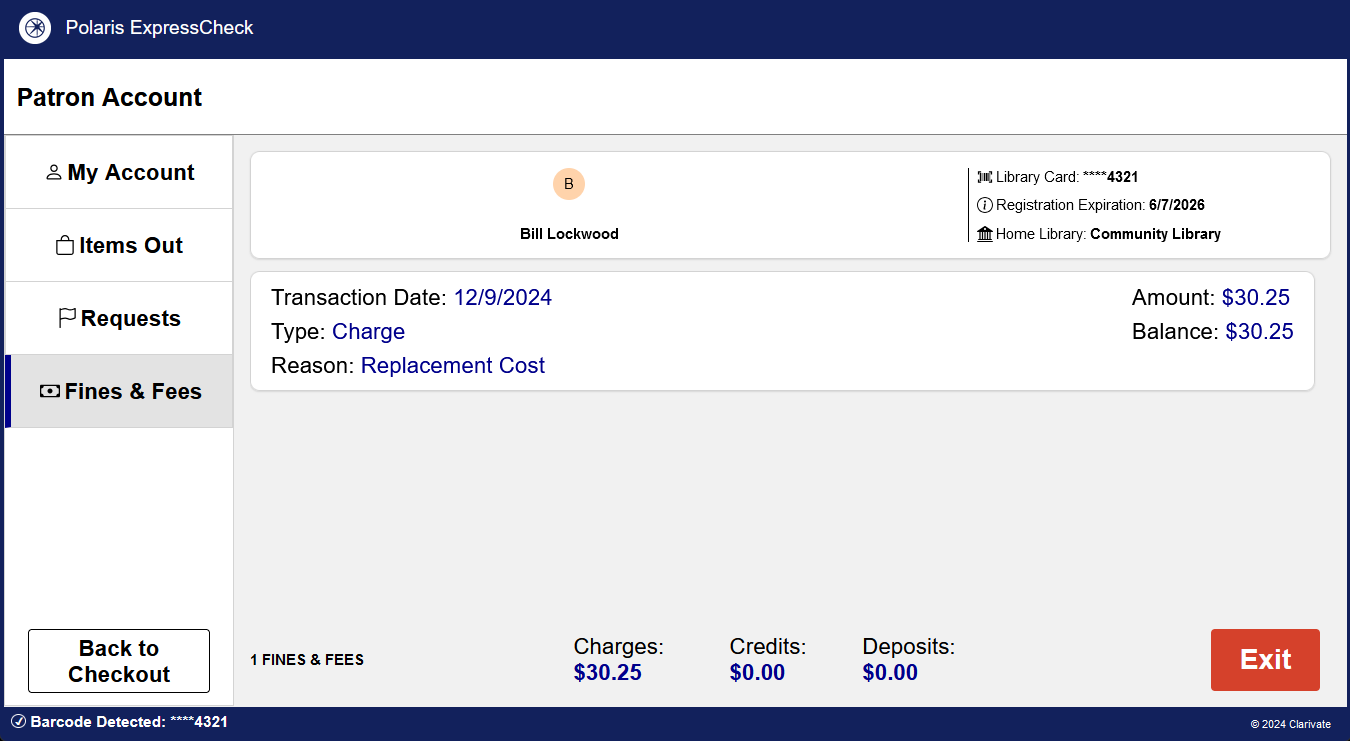
View fines and fees
If your library allows access to patron accounts from ExpressCheck, the patron can view a list of fines and fees.
To view fines and fees
-
From the Checkout screen, the patron taps View Account.
The Patron Account screen opens.
-
On the left side of the screen, the patron taps the Fines & Fees tab.
The system displays a list of unpaid fines and fees. For example:
View and print a list of checked-out items
If your library allows access to patron accounts from ExpressCheck, the patron can view and print a list of items they have checked out.
To view and print a list of checked-out items
-
From the Checkout screen, the patron taps View Account.
The Patron Account screen opens.
-
On the left side of the screen, the patron taps the Items Out tab.
The system displays a list of items the patron has checked out. For example:
-
The patron can print the list by tapping Print Items Out. EReceipts are also available if your library has configured them.
-
When finished with the session, the patron selects Exit.
The system clears all patron information from the screen, and the workstation is ready for the next patron.
Related Information
-
Override passwords — If you have defined a staff override password to be used to assist patrons signing in to PAC, this password can also be used to sign a patron in to ExpressCheck.
