
Setting URL Encoding for Target Resources
You can choose a character encoding set for a target resource URL.
A target resource may require that URLs be encoded in a character set other than the set used by your WebBridge LR resolution server and WebPAC for other processes. You can set the required encoding for the resource in its resource definition.
By default, target resource URLs are encoded using the same character set that the WebBridge LR resolution server and WebPAC use for other processes.
To choose a character encoding set for a target resource URL:
- Choose Resources from the menu on the left-hand side of the WebBridge LR home page.
The Resources tab displays: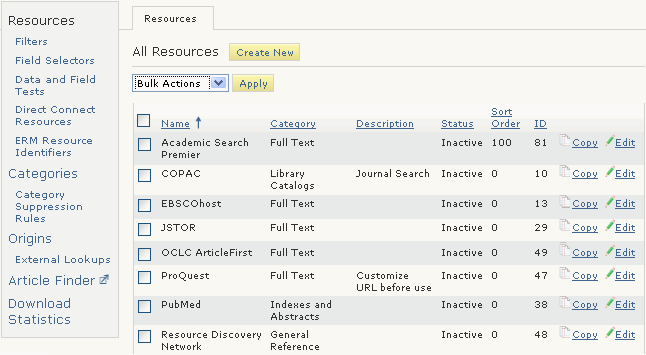
- Choose the Edit button associated with the resource.
The Resource (<resource_name>) tab displays. For example: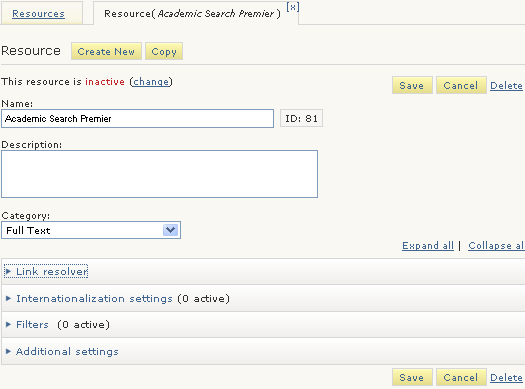
- Expand the Additional Settings menu.
The additional settings display: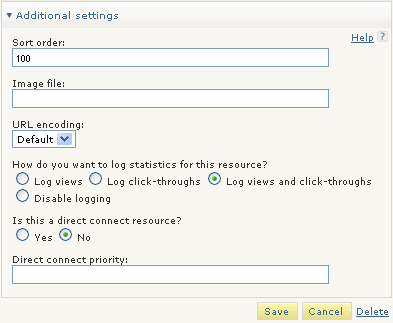
- Choose an encoding set from the URL encoding drop down menu.
- Choose Save.
