
Creating ERM Resource Identifiers
A resource identifier is automatically created when coverage data is loaded for the resource.
Create a resource identifier if:
- coverage data for the resource has not been loaded yet
- coverage data for the resource does not exist
To create the resource identifier:
- Open the resource definition by choosing ERM Resource Identifiers from the menu on the left-hand side of the WebBridge LR home page.
The ERM Resource Identifiers tab displays: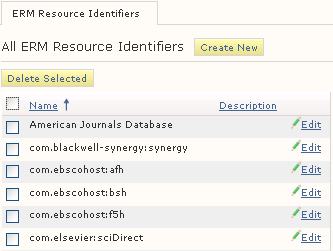
- On the ERM Resource Identifiers tab, choose Create New.
The ERM Resource Identifier (new) tab displays: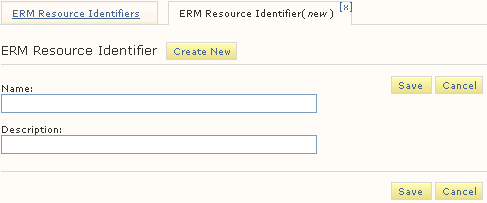
- Enter the name of the resource identifier in the Name text box.
- To distinguish between similar resource identifiers, enter a description in the Description text box. Descriptions are optional.
- Choose Save.
