
Transferir dinero entre fondos asignados
Esta página ofrece instrucciones para transferir dinero entre fondos asignados en Alma. For an overview of working with acquisitions in Alma, including links to relevant sections such as Invoicing, Working with Orders/PO Lines, Renewals, Configuration, etc., see Introduction to Acquisitions.
- Gerente de fondos
Se puede transferir (mover) dinero desde un fondo asignado a otro. Esto añade una asignación negativa al recurso de fondo y una asignación positiva al fondo de destino.
Solo se puede transferir dinero entre fondos del mismo periodo fiscal. Depending on the configuration of the Transfers prior to fiscal period parameter within your ledger, you may be able to transfer money a few days before the fiscal period begins, or may be prevented from transferring money for a few days after the fiscal period starts; see Adding a Ledger.
Note that this only works for funds where the current fiscal year matches the calendar dates or the future fiscal year if you have grace days. No funciona para un año fiscal que tuvo una fecha de finalización en el pasado.
You transfer funds on the Funds Transfer page (Acquisitions > Acquisitions Infrastructure > Transfer Funds) or on a fund's Transaction tab (see Performing Fund Transactions).
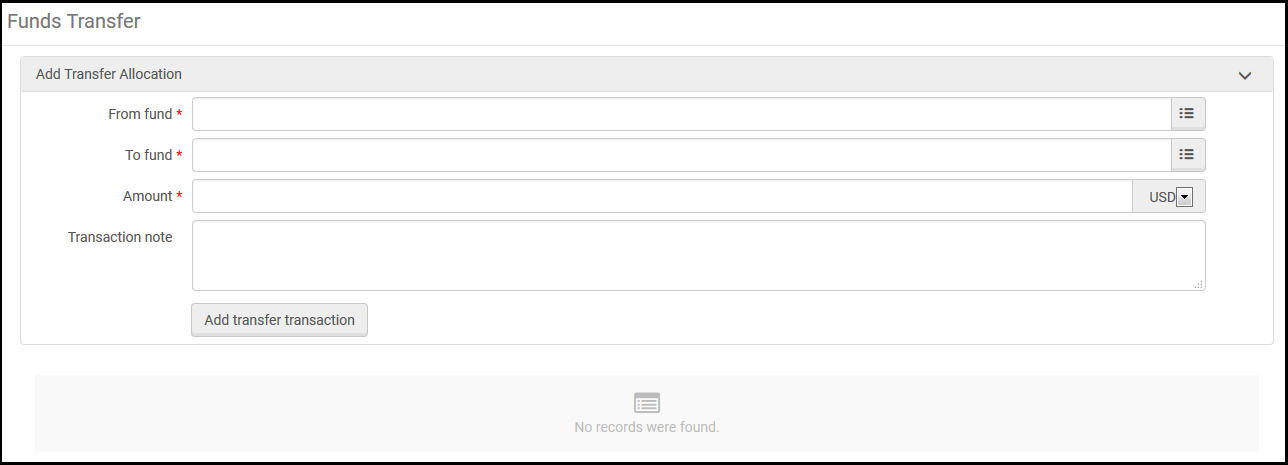
- On the Funds Transfer page, select the fund from which you want to transfer money in From fund.
- In To fund, select the fund to which you want to transfer money.
- In Amount, enter the amount you want to transfer.
- Enter any notes you want to include with the transfer in Transaction note.
- Select Add Transfer Transaction and select Confirm in the confirmation dialog box.The details of the transaction appear on the page, as well as in the Transactions tabs of the relevant funds.
- Si la transacción de la transferencia da error, se puede cancelar. To do so, delete the transaction from both funds: delete the positive transfer from the source fund, and delete the negative transfer from the target fund.
Para deshacer una transferencia, se deben borrar las transacciones en ambos fondos. Borrar una no borrará la otra.
Page tags: article:topicproduct:almacontent:Documentationlang:englishfund transfertransferring funds
