
Dati Collegati
Panoramica e istruzioni per la configurazione dei profilo d'integrazione del tipo di Linked Data.
Per configurare un profilo d'integrazione Linked Data, è necessario avere il seguente Ruolo:
- Amministratore di Sistema Generale
Linked Data è un Set di migliori pratiche per il Processo di pubblicazione e la connessione di dati strutturati sul Web. Alma implementa un'API RESTful che espone Linked Data in Formato JSON-LD. Per informazioni sulla configurazione di un profilo d'integrazione di Linked Data, vedere di seguito.
- The linked data APIs apply to the production environment by default. Per eseguirli negli ambienti sandbox, aggiungere ?env=sandbox.
- The linked data integration profile must be active if you want to export bibliographic records in RDA/RDF format. Se il profilo è inattivo, il processo per questo formato non riuscirà.
Vedi anche:
- For implementation information, see https://developers.exlibrisgroup.com/alma/integrations/linked_data in the Ex Libris Developer Network.
- For information regarding linked data accessed from the Repository Search results, see Linked Data from the Repository Search Results.
- For information regarding linked data accessed from the Metadata Editor Linked Data tab, see Using Linked Data While Working with Bibliographic Records.
Per configurare il profilo d'integrazione Linked Data per la tua istituzione:
- On the Integration Profile List page (Configuration menu > General > External Systems > Integration Profiles), select Add Integration Profile. Page 1 of the Add Integration Profile wizard appears.
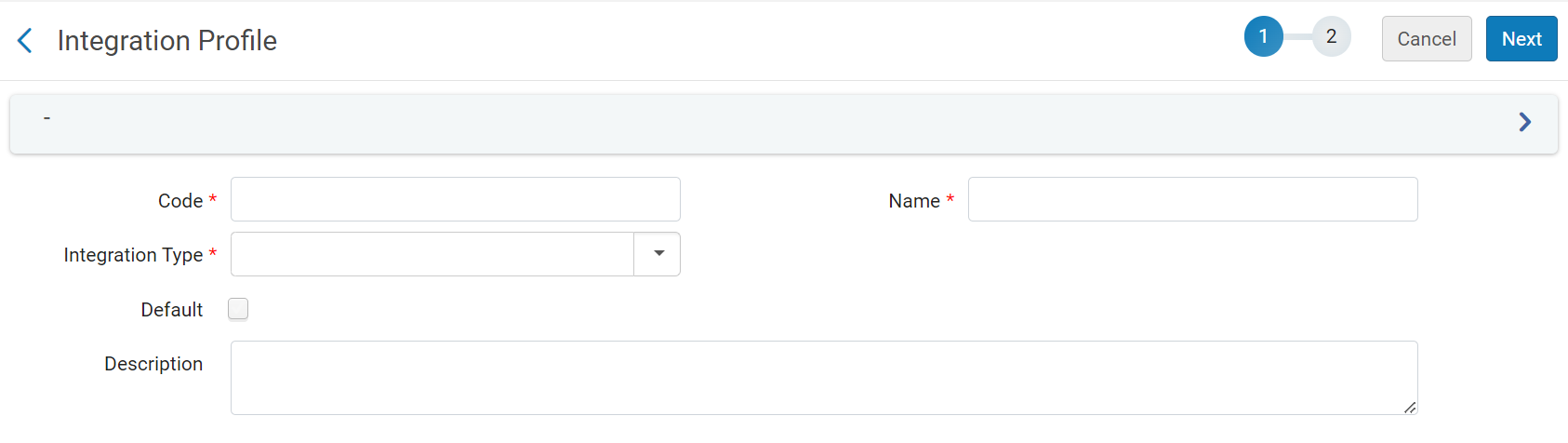
- Nel campo Codice, inserisca un codice univoco per il nuovo tipo di integrazione.
- Sotto Nome, inserisca un nome univoco per il nuovo tipo di integrazione.
- Under IntegrationType, select LinkedData.
- Seleziona Avanti. Page 2 of the wizard appears.

- Nella pagina 2 della procedura guidata, configurare i seguenti campi come richiesto:
- Active- Select to enable the profile.
- Alternative Context URL – Leave empty to use the default context,cname.alma.exlibrisgroup.com/[format]/[works_or_instances]/[MMSID]. Ad esempio, bgu.alma.exlibrisgroup.com/bf/instances/9922819700121. Se desideri utilizzare un Context object diverso, inserisci qui il suo URL. Il campo @context del JSON-LD farà riferimento a questo oggetto Context.
- Base URL- Enable users to change the prefix of the URL not only for the JSON-LD output but also for all records generated with URLs, including BIBFRAME.
- Seleziona Salva.
Page tags: article:topic product:alma content:Documentation lang:english linked data
