Configurazione delle statistiche di copia nota

Per configurare le statistiche nota, è necessario disporre di uno dei seguenti ruoli:
  • Gestore catalogo
  • Amministratore catalogo
  • Gestore dell’archivio
  • Amministrazione archivio

The customer parameter statistics_note_controlled must be set to true for statistics note configuration options and features to appear in Alma. See Configuring Other Settings (Resource Management) for more information.

For physical items, you can configure three fields (called "Statistics note 1", "Statistics note 2", and "Statistics note 3") that can be used for custom analysis purposes using Alma Analytics.

When configured, these three fields appear as drop-down lists on the Notes tab of the Physical Item Editor (see Statistics Notes in the Physical Item Editor Page - Notes Tab table in the Updating Item-Level Information section).
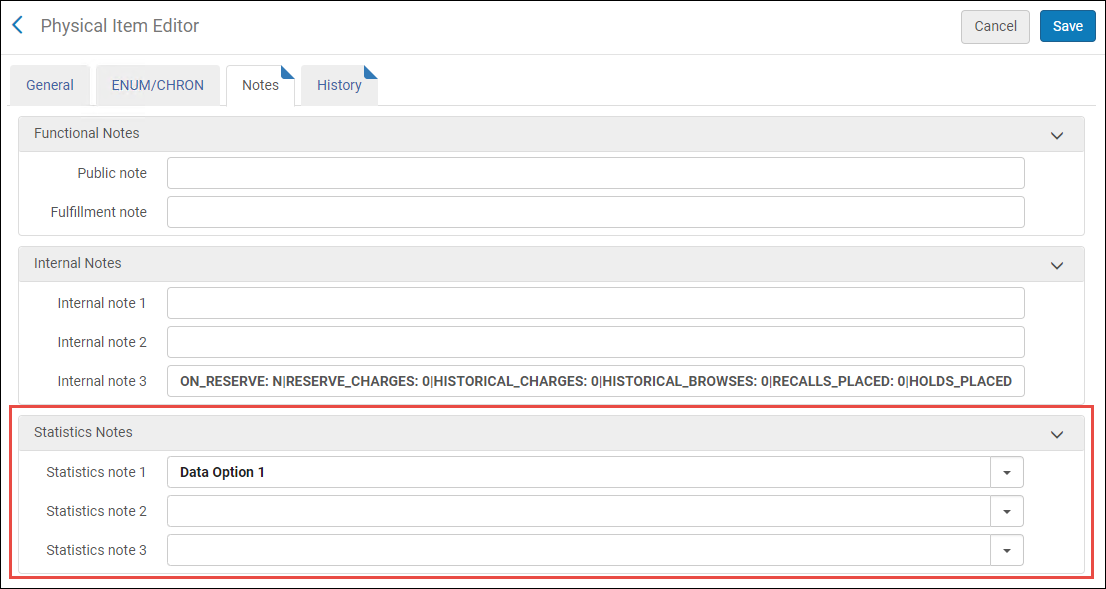
Physical_Item_Editor_Statistics_Notes_Section_NewUI_04_TC.png

Physical Item Editor Statistics > Notes Section

To define a fixed list of data options for each statistics note, use the Statistics Note configuration options (Configuration > Resources > General > Statistics note 1 /Statistics note 2 /Statistics note 3). For details, see Configuring Statistics Note 1, 2, and 3.
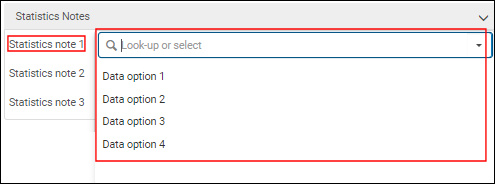
Statistiche nota 1 menù a tendina

Statistiche nota 1 menù a tendina
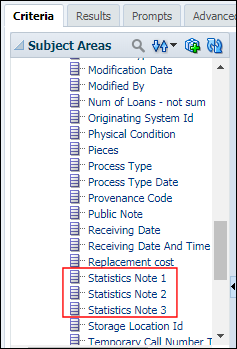
With these fields, you can specify information to track and report on with Analytics that is not available in other ways. In Analytics, this information appears in the Statistics Note 1, Statistics Note 2, and Statistics Note 3 subject areas. See Physical Items for more information.

Statistiche note 1, 2 e 3 soggetto Aree in Analytics

Statistiche note 1, 2 e 3 soggetto Aree in Analytics

Configurazione delle statistiche note 1, 2 e 3

You configure the statistics notes in the Item Statistics Note 1, 2, and 3 code tables (Configuration > Resources > General > Statistics note 1 /Statistics note 2 /Statistics note 3). Questi collegamenti di configurazione vengono visualizzati solo se statistics_note_controlled è impostato su true. For more information about code tables, see Code Tables.
Statistical notes are configurable per the institution.

The statistics_note_controlled customer parameter controls all three item statistics notes together. It is not possible to configure one statistic note to display a dropdown list but have free-text in the other statistic notes.
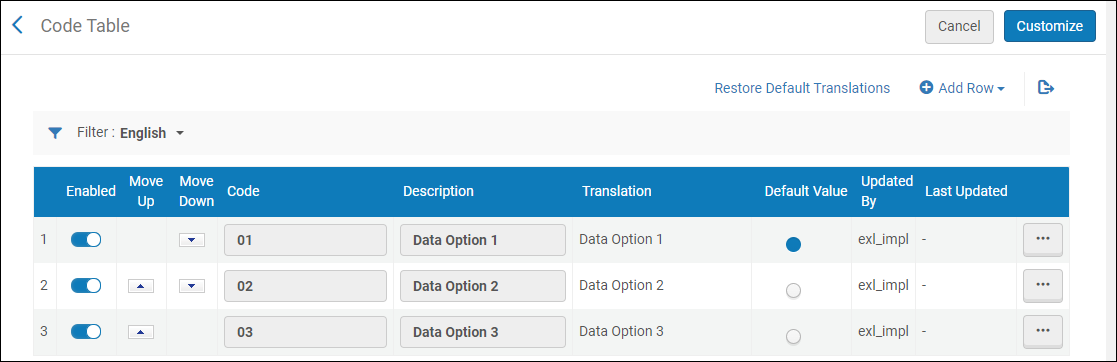
Statistiche nota 1 opzioni configurate

Statistiche nota 1 opzioni configurate
Selezioni Aggiungi riga per inserire le opzioni dei dati. The options that you specify here appear as the drop-down options in the Notes tab of the Physical Item Editor.

If you flagged one of the values in the table as the default one, the selection cannot be undone. You can select another value to be the default one, but you cannot unselect a value. If you have only one entry in the table, use the Excel export option, change the value in the Default Value column to False, and import the file to overwrite the setting. Alternatively, you can add a new row and mark the new entry as the default one. Then, remove the new row.

You can add (Add Row), reorder (Move Up or Move Down), or delete the data options.
A seconda dei requisiti di Analisi dei dati, è possibile configurare una, due o tutte e tre le statistiche del campo nota.

Searching for Statistical Notes

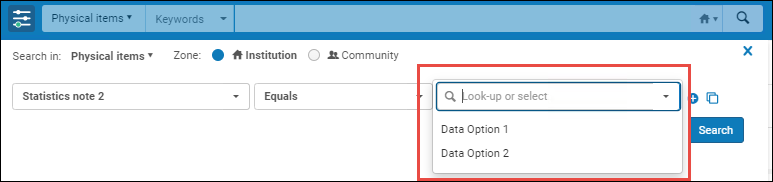
In advanced search for Physical titles and Physical items, you can search for statistical notes.
When the statistics_note_controlled customer parameter is set to true, the search criteria box displays a dropdown list of the custom options that you configured (see Configuring Statistics Note 1, 2, and 3). Quando il parametro cliente statistics_note_controlled è impostato su false, la casella dei criteri di ricerca diventa un campo di testo libero.

Casella dei criteri di ricerca con un elenco a discesa delle opzioni personalizzate che avete configurato

Casella dei criteri di ricerca con un elenco a discesa delle opzioni personalizzate che avete configurato