
ILL Request Workform
The ILL Request workform displays information for an interlibrary loan request. The following Circulation permissions granted for the pickup branch are required to access and modify ILL requests:
- ILL requests: Access
- ILL requests: Modify
When an ILL request is open and another user tries to open the same ILL request, the following message appears: The record is being modified by [username]. The ILL Request workform opens in read-only mode with a lock icon indicating the locked condition. You can select the lock icon to see the username for the staff member who has the ILL request open.
The ILL workform contains header information, including a Properties window, and the following views: Details, Notes, Satisfied By.
From the ILL Request workform, you can:
- Export an ILL request
- Receive an ILL request
- Return an ILL request
- Cancel an ILL request
- Delete an ILL request
ILL Workform Header and Properties Window
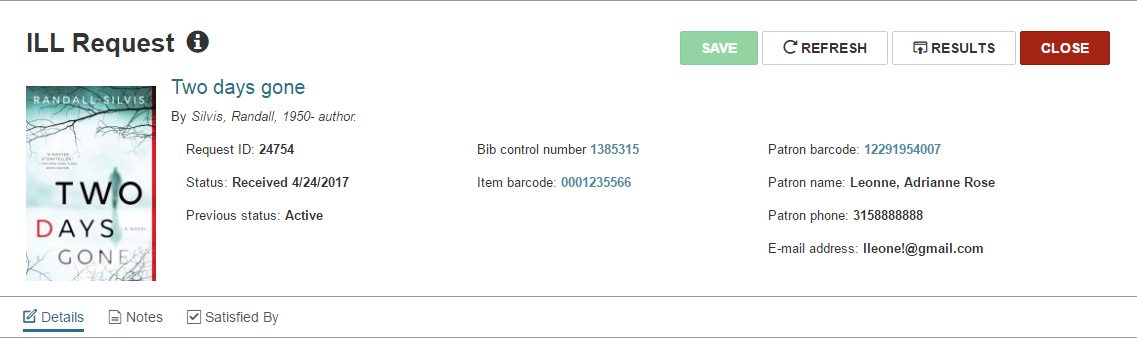
The ILL Request workform header includes the following information:
- Title
- Request ID
- Status
- Previous status
- Bib control #
- Item barcode
- Patron barcode
- Patron name
- Patron phone number
- Patron email address
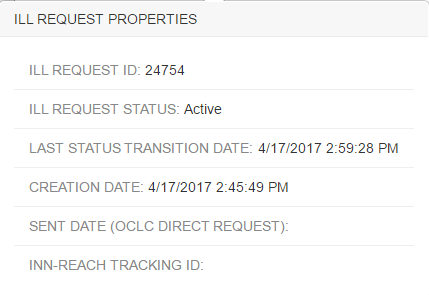
Hover over or select  to open the ILL REQUEST PROPERTIES window that displays the following information:
- ILL Request ID
- ILL Status
- Last status transition date
- Creation date
- Sent date
- INN-Reach tracking ID
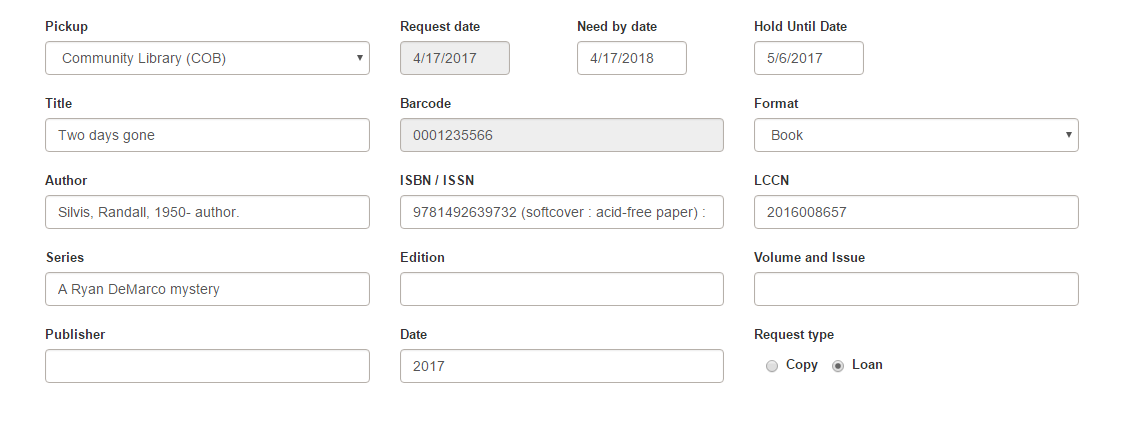
ILL Workform - Details View
On the details view of the ILL request the following elements are be editable:
-
Pickup location - Editable for statuses Active, Inactive, Shipped, Recd-Held and Recd-Transferred.
Note:
Only organizations for which you have the ILL Request: Modify permission appear in the drop-down list of branches. - Pickup area - Editable for statuses Active, Inactive, Shipped, Recd-Held and Recd-Transferred.
- Need by date - Editable for statuses Active, Inactive.
- Hold until date - Editable for status ID Recd-Held.
- Return uncirculated - Editable for status of Shipped.
The following bibliographic elements can be edited only for ILL requests with an Inactive status:
- Title
- Author
- Format
- Publisher
- Publication Year
- ISBN/ISSN
- LCCN
- Volume and Issue
- Series
- Edition
- Request type
Note:
The Return uncirculated checkbox appears only when the ILL request is linked to an INN-Reach request.
ILL Workform - Notes View
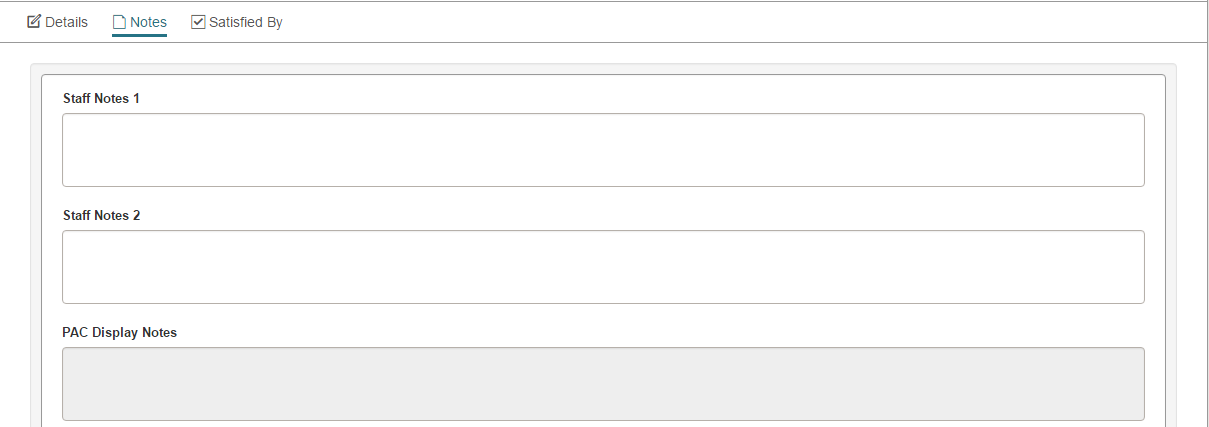
This view includes staff notes and PAC display notes.
You can edit the following fields on the Notes view:
- Staff Notes 1
- Staff Notes 2
ILL Workform - Satisfied By View
This view displays the item that fills the hold request and is bound to it. This is the item that is received during the ILL process.
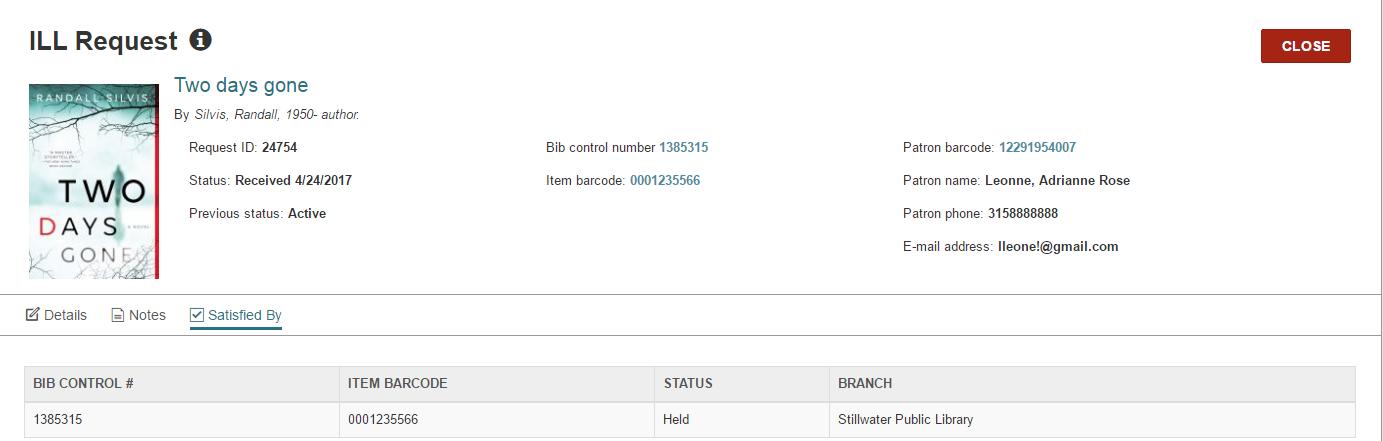
You can select the row to open the Item Record workform.
