
Resolve Branch Removal Conflicts
To resolve removal conflicts
-
Go through the steps to Delete a Collection.
If the collection has links that prevent the collection from being deleted, the Branch removal conflicts for 'Branch Name' dialog appears.
-
In the Branch needing attention section, select the branch with an Unresolved icon beside it.
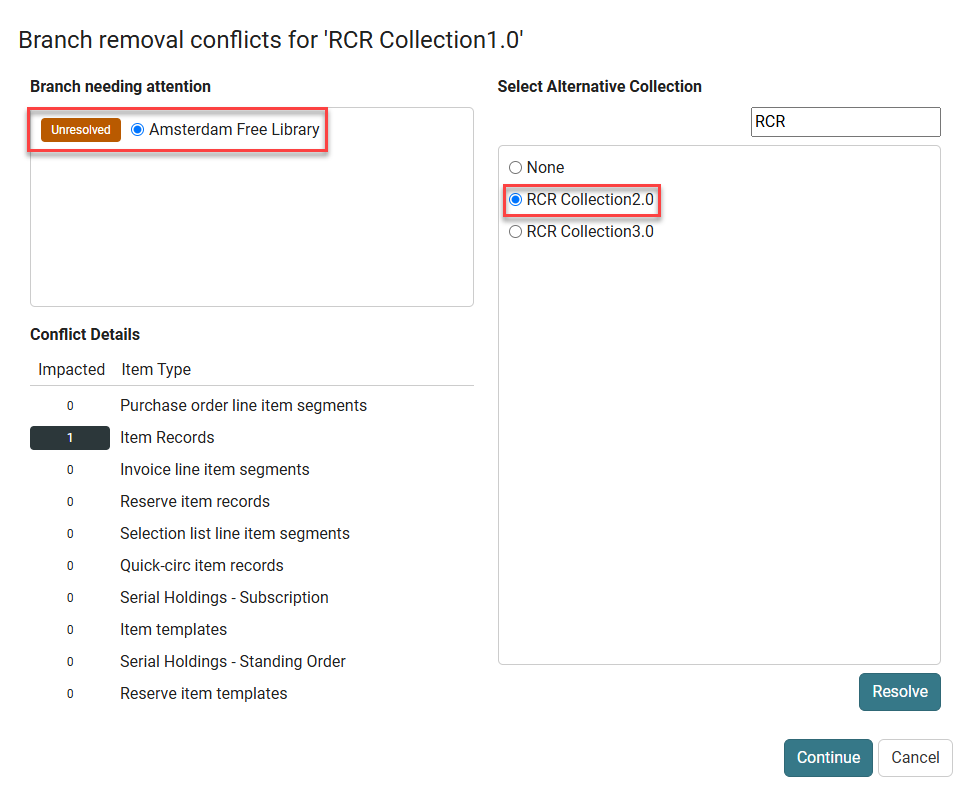
In the Conflict Details section, the system highlights the item type (including objects and features) linked to the collection. In the Select Alternative Collection section, a list of collections available at that branch appears.
-
Select an alternative collection to link the item to.
-
Select Resolve.
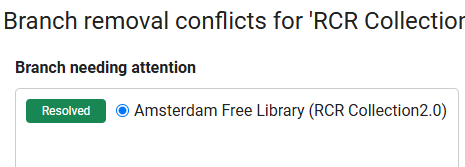
In the Branch needing attention section, the branch's icon changes to Resolved.
-
Select Continue.
The system deletes the collection.
