
Cookie Consent Management
Leap includes OneTrust cookie consent management, allowing individual staff members to opt in or out of usage data tracking without affecting existing library-level analytics settings.
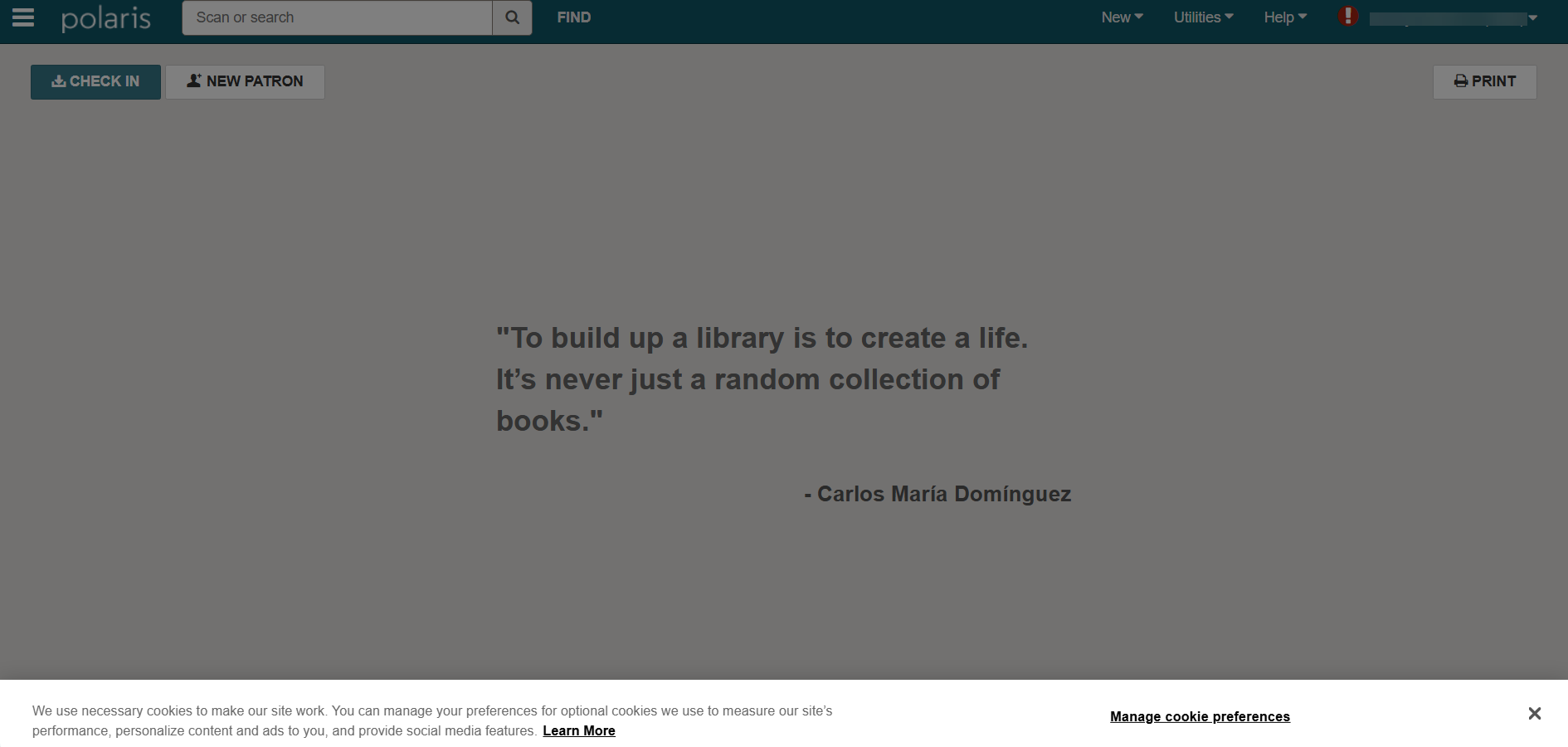
When users log in to Leap for the first time, they will see a cookie consent banner at the bottom of the page that includes an option to manage their preferences in the Cookie Preference Center. They can also access the Cookie Preference Center dialog to review and modify their consent choices at any time from the user menu in Leap or the side navigation menu in Polaris System Administration (web-based).
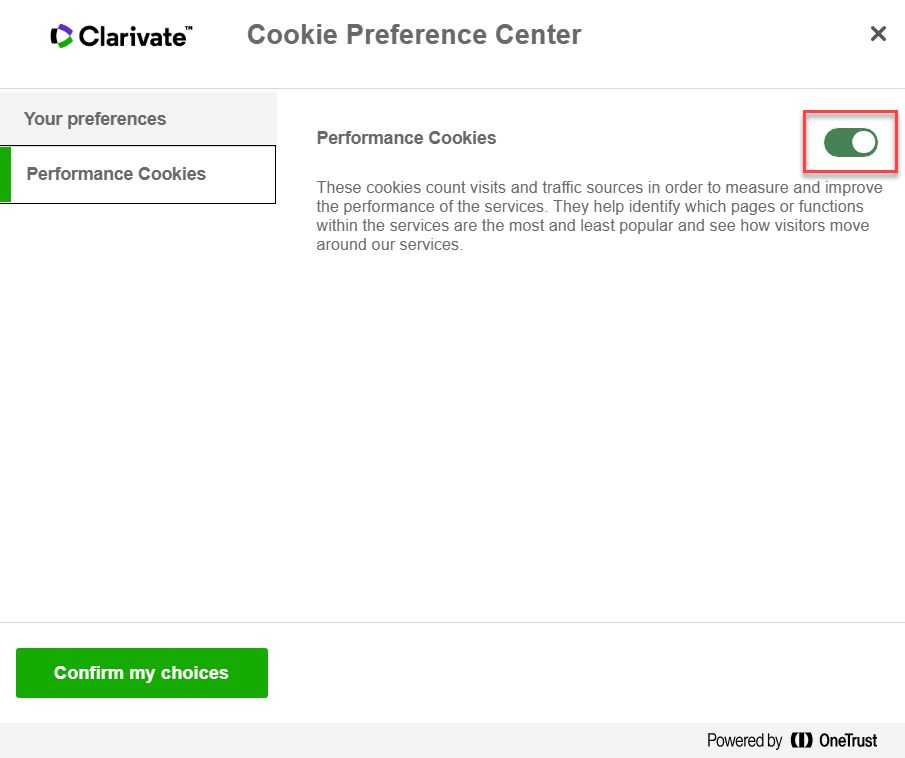
User consent preferences are stored and reused in subsequent sessions, and applied consistently across Polaris Leap and Polaris System Administration (web-based).
This section covers the following topics:
-
Managing cookie consent preferences from OneTrust cookie consent banner
-
Managing cookie consent preferences from the user menu in Leap
-
Managing cookie consent preferences from Polaris System Administration (web-based)
Managing cookie consent preferences from OneTrust cookie consent banner
To manage cookie consent preferences from OneTrust cookie consent banner:
-
Sign in to Leap.
The Leap main page appears with the cookie consent banner at the bottom.
-
Select Manage cookie preferences on the right side of the banner.
The Cookie Preference Center dialog appears.
-
Select Performance Cookies.
-
Turn the toggle in the upper-right corner on to enable analytics tracking, or off to disable it.
-
Select Confirm my choices to complete the settings.
The cookie consent banner appears only the first time you log in and set your cookie consent preferences. Once your preferences are set, the dialog will not appear the next time you log in.
Managing cookie consent preferences from the user menu in Polaris Leap
To manage cookie consent preferences from the user menu in Polaris Leap:
-
Select your username from the upper-right corner of the Leap header.
-
Select Cookie Preferences from the drop-down menu.
The Cookie Preference Center dialog appears.
-
Select Performance Cookies.
-
Turn the toggle in the upper-right corner on to enable analytics tracking, or off to disable it.
-
Select Confirm my choices to complete the settings.
Managing cookie consent preferences from Polaris System Administration (web-based)
To manage cookie consent preferences from Polaris System Administration (web-based):
-
Select Manage cookie preferences from bottom of the side navigation menu.
The Cookie Preference Center dialog appears.
-
Select Performance Cookies.
-
Turn the toggle in the upper-right corner on to enable analytics tracking, or off to disable it.
-
Select Confirm my choices to complete the settings.
