
Adding Targets
You can add targets to the List of Targets.
To add a target:
- Click Add New Target. The Add Target dialog box opens:
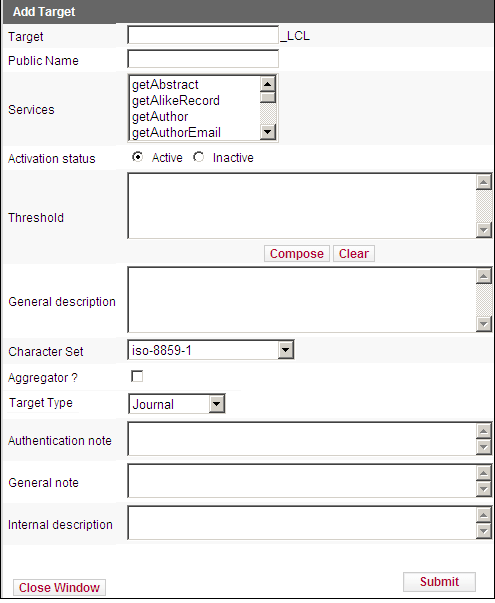
Add Target
- Fill in the fields as described in Edit Target.
- In the Services field, select the services offered by the target you are adding.
You can also add a new target by clicking the Copy button  next to the target you want to copy. The Add Target dialog box opens, containing the target’s data, including the target’s services and object portfolios. The suffix _LCL is automatically added to the name of the original target. Modify the information, if necessary.
- To confirm your changes, click Submit.
The target is added.
Make sure that the target names are in uppercase letters and without spaces. Spaces should be filled with underscores (_). For example, if you want to add a new target called wild nature, enter the following: WILD_NATURE.
