
Viewing Target Linking Parameters
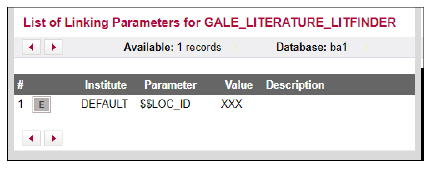
To view the linking parameters for a target, click the Linking Parameters button from the List of Target Services. The List of Linking Parameters dialog box for the target opens:
This button is displayed only for targets of type database when linking parameters are defined in the SFX KnowledgeBase. The linking parameters are not used in the SFX menu for linking, but need to be filled in, if available, if the database target is active to allow CDI linking to work properly. The linking parameters are used in CDI Discovery Link in Record linking and CDI Quicklinks. The L/P icon appears yellow if at least one L/P has been filled in for either DEFAULT or institute/Group.
For more information about the use of linking parameters in CDI, this type of linking, and the providers for which it can be used, see: Customer Linking Parameters in CDI Links.
