
Copying, Editing, and Deleting Data Tests
Existing data tests can be copied, edited, or deleted.
Copying Data Tests
- Choose Data and Field Tests from the menu on the left-hand side of the WebBridge LR home page.
The Data and Field Tests tab displays: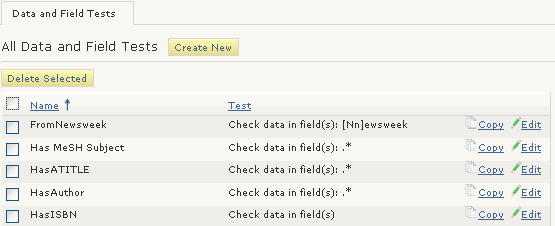
- Choose the Copy button associated with the data test.
The Data Field Tests (<new>) tab displays data from the copied data test. - Edit the copied data to create a new data test.
- Choose Save.
Editing Data Tests
- Choose Data and Field Tests from the menu on the left-hand side of the WebBridge LR home page.
The Data and Field Tests tab displays: - Choose the Edit button associated with the data test.
The Data Field Tests (<data_test_name>) tab displays. For example: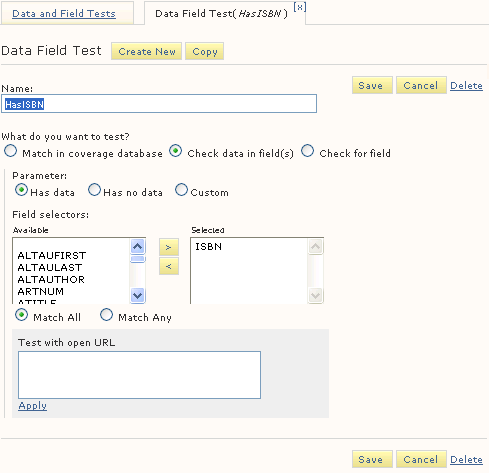
- Edit the data test.
- Choose Save.
Deleting Data Tests
- Choose Data and Field Tests from the menu on the left-hand side of the WebBridge LR home page.
The Data and Field Tests tab displays: - Select the check boxes for the data tests to delete.
- Choose Delete selected.
- Choose Yes.
