Release Date: July 03, 2024
Relevancy Improvements
This feature requires post deployment processes that will be run by our AppOps Team. Relevancy updates to searches may take several days to apply due to holidays. An update will be sent when this feature is ready for all customers.
Vega Relevancy has been improved in the following ways:
-
When you search for a word or phase and a title matches your query exactly, all exact match titles will be placed at the top of your search results.
-
When you search for an author name and an author name matches your query exactly, all books by the author will be placed at the top of your search results.
-
When you search for an author name and that author has published a book in the current or previous year, these books will be placed at the top of your search results followed by other older publication date books by that author.
Bulk Holds
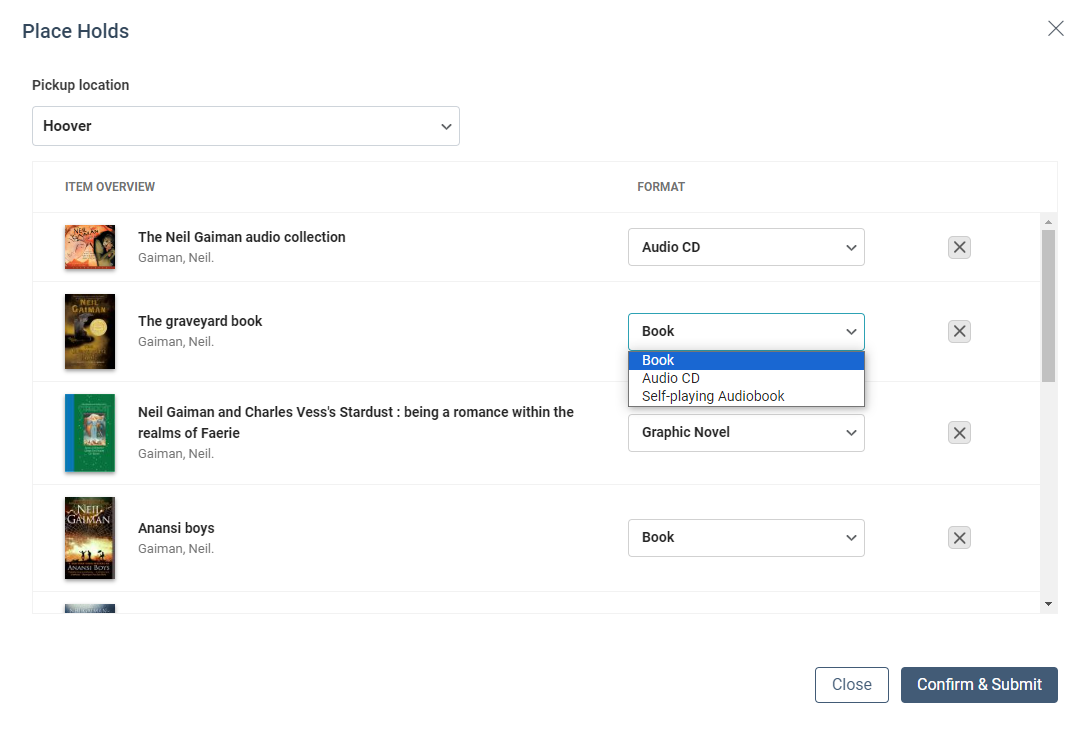
Vega now includes a Bulk Holds function in the Search Results when a patron is logged in. Each title listed in the search results now has a checkbox that will allow you to individually select titles. A select all toggle has also been added to the top of the search results list with a Place Hold button. Selecting multiple titles individually or through select all in the search results and then using the search level Place Hold button will open the Bulk Hold workflow. Patrons will see their preferred pickup location selected and can modify this location. All holds will be placed for pickup at the same location in a bulk hold. If multiple physical formats are available for a title, the user can select the format they would like. By default the currently selected format tab from the search results will be selected in the bulk hold. If a patron has selected eContent or material that does not display a place hold button, that material will be removed from the bulk hold and a message will display notifying the patron that those materials are not available for bulk holds. When a patron confirms and submits their bulk hold Vega will begin processing holds and will display status updates for each title and a processing count at the top of the list. Patrons can cancel a bulk hold in the middle of the process by using a Stop button. If a patron has selected materials that have volumes and require additional steps those materials will display a ! Needs Action button that when clicked will allow the patron to select the volume they would like to place a hold on. If an error is returned when trying to place a hold on a particular title, an error button will display that can be clicked to view more information about the error. When the bulk hold is complete (or canceled) patrons can close the bulk hold window.
READY FOR BETA: OverDrive Magazines Support
OverDrive Magazines workflows will be made available for selected Beta Tester libraries before releasing the feature to all customers.
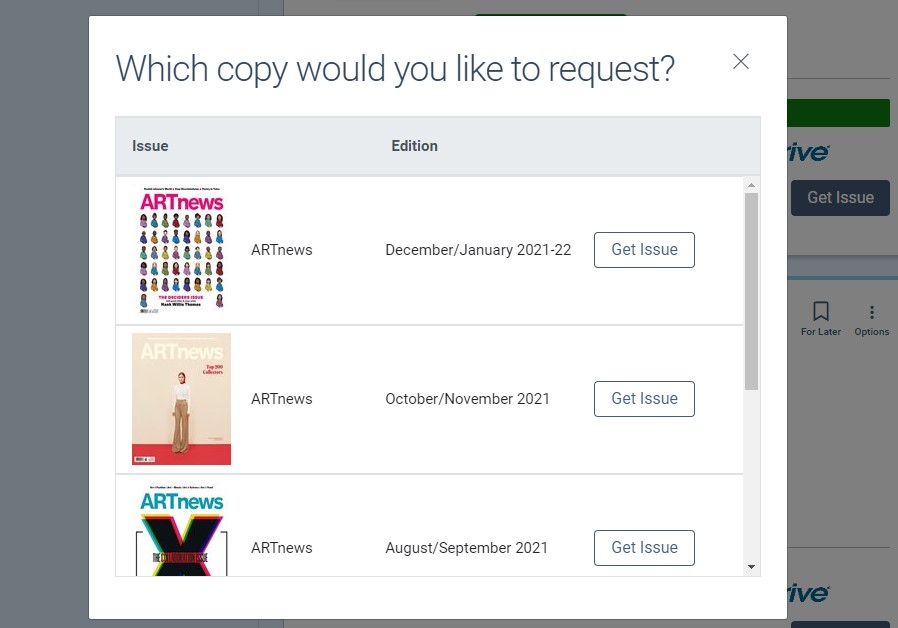
After we release this feature to GA, Electronic magazine materials that belong to your subscription from OverDrive will display a Get Issue button. When a patron clicks the 'get issue' button, they will be directed to select the issue they would like to checkout for the given magazine title. Once they have selected the desired issue, that issue will be checked out to them. In the checkout tab of the Patron Bookshelf, users will see the title and issue information for any titles they currently have checked out from OverDrive and will be able to check-in any issues they no longer need.
Call Number Searching
This feature requires post deployment processes that will be run by our AppOps Team. The new Call Number Search functions may take several days to appear due to holidays. An update will be send when this feature is ready for all customers.
Call Numbers will be indexed into the Everything search in Vega Discover. Patrons who are accustomed to searching by call numbers to find new books and staff who have a knowledge of specific call numbers will be able to use a call number search to find a particular title or set of titles. Please note that the call number must match EXACTLY in order to be found, much like control numbers such as ISBN, ISSN, etc.
Swedish Language Searching
This feature requires post deployment processes that will be run by our AppOps Team. The new Call Number Search functions may take several days to appear due to holidays and our Services teams will send an update when this process is complete.
Our Swedish Language libraries can now search using the terms: and, och, and & interchangeably. Also special characters in the Swedish language no longer equal the non-diacritic version of that letter. This change applies ONLY to our Swedish Language default customers. No changes have been made to our English language searching or diacritic handling.
Hold Settings in Staff UI Display
In a previous release we added settings that help libraries control Hold Activation and Hold Expiration Dates in the holds workflow. The Hold Activation Date staff setting now only displays for Polaris libraries. The Hold Expiration Date staff setting now only displays for Sierra libraries.
Home Page UX Improvements
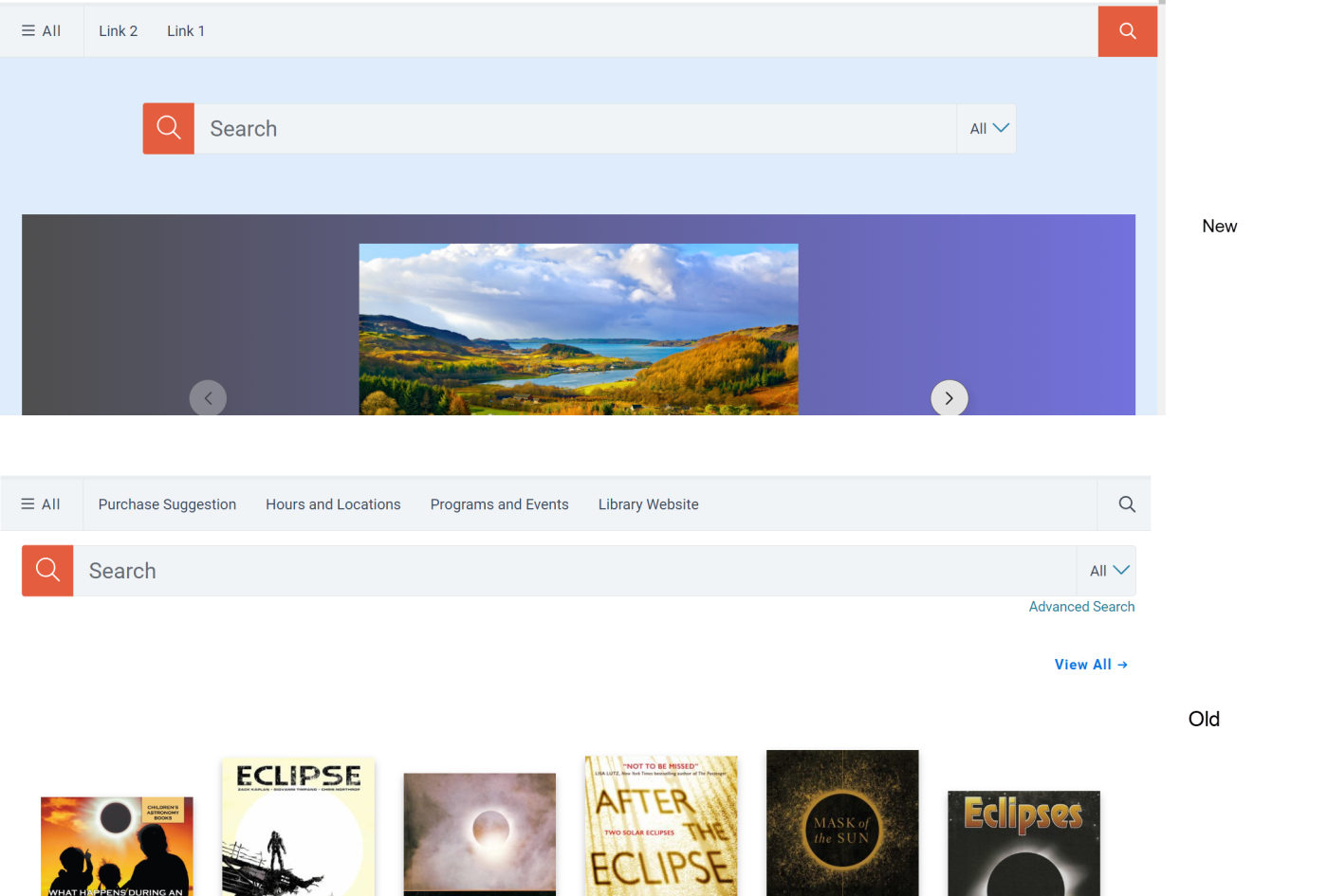
The following UX Changes have been made to improve the customer experience.
-
The search bar is centered on the home page.
-
The search bar padding has been increased.
-
The search bar size has been increased.
-
The search bar has been shortened to not run the full width of the screen.
-
The search icon has been changed from gray to orange to make it easier to spot.
-
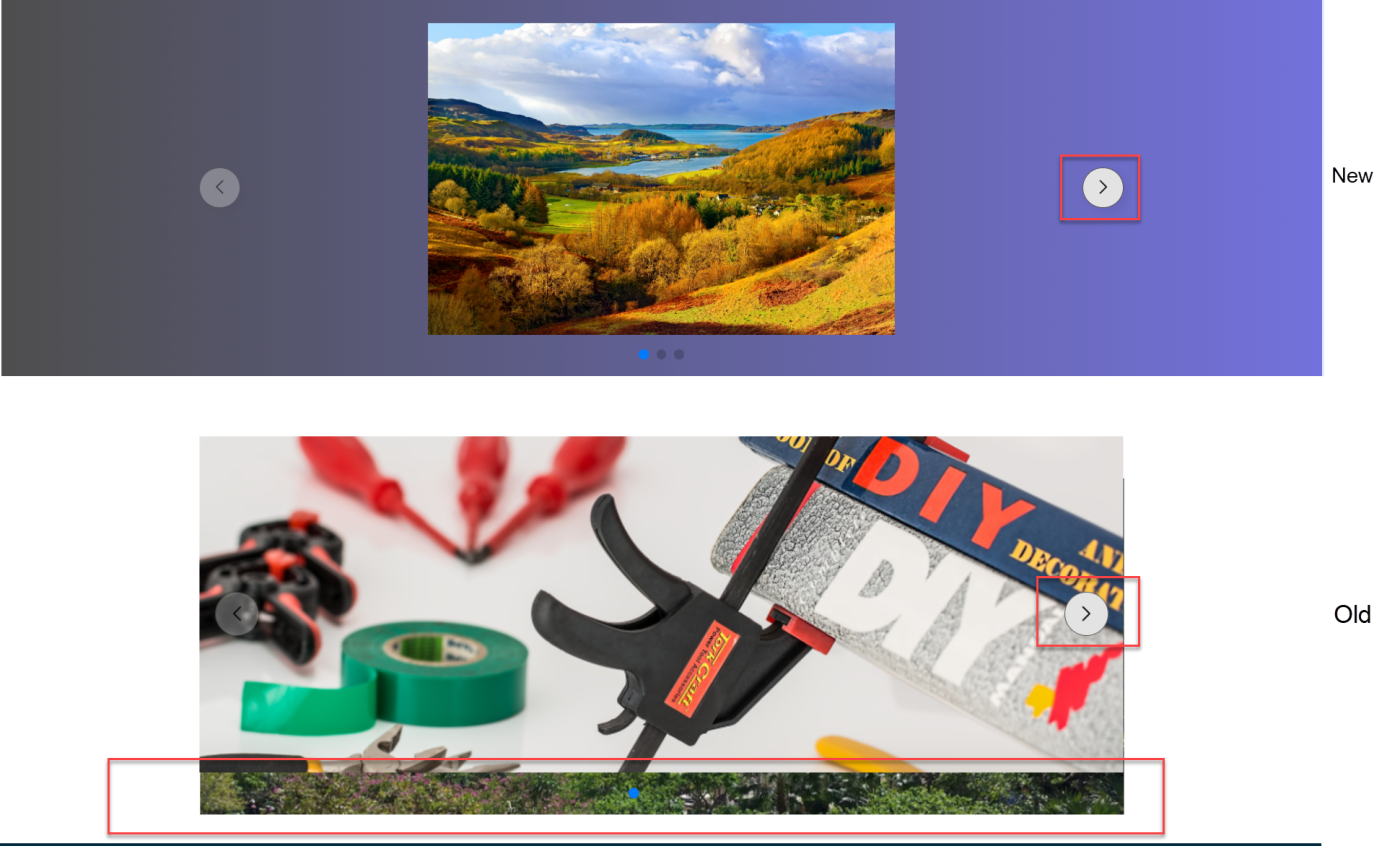
UX for the Hero navigation arrows are larger and shaded to be more prominent. This is also seen in the bug fix image below for the hero background image.
Mobile UX Improvements
The following UX Changes have been made to improve the customer experience.
-
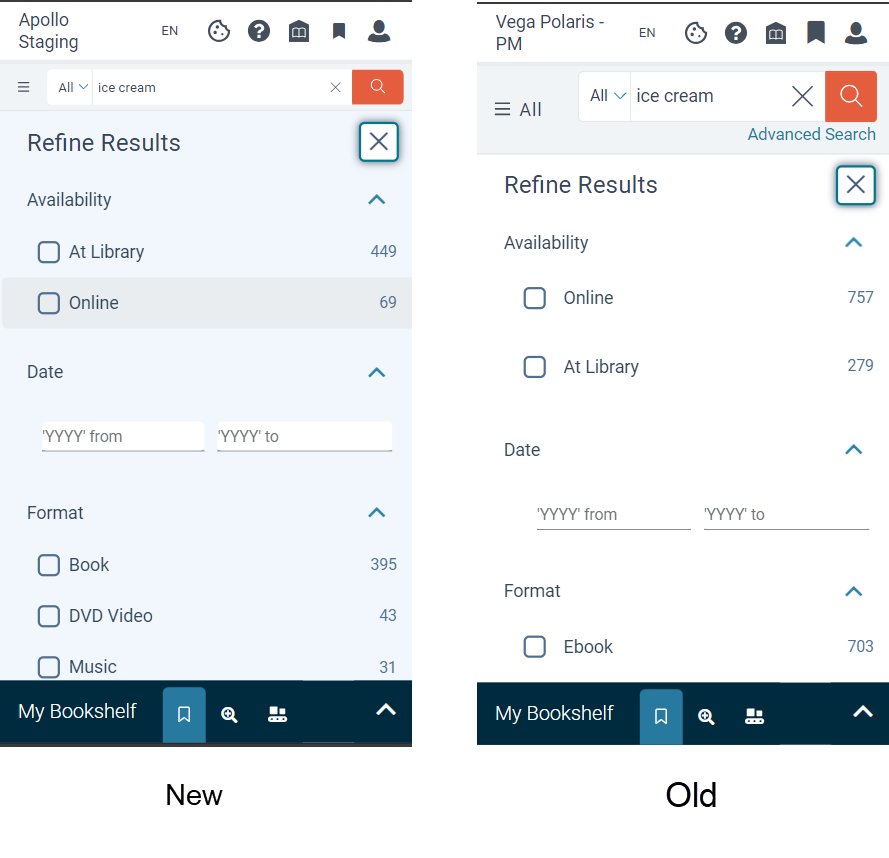
Less padding between components to reduce scrolling on mobile devices.
-
Less padding between the facet filters on mobile devices.
Custom Passthrough
This feature requires a post deployment step and will be available by the end of next week.
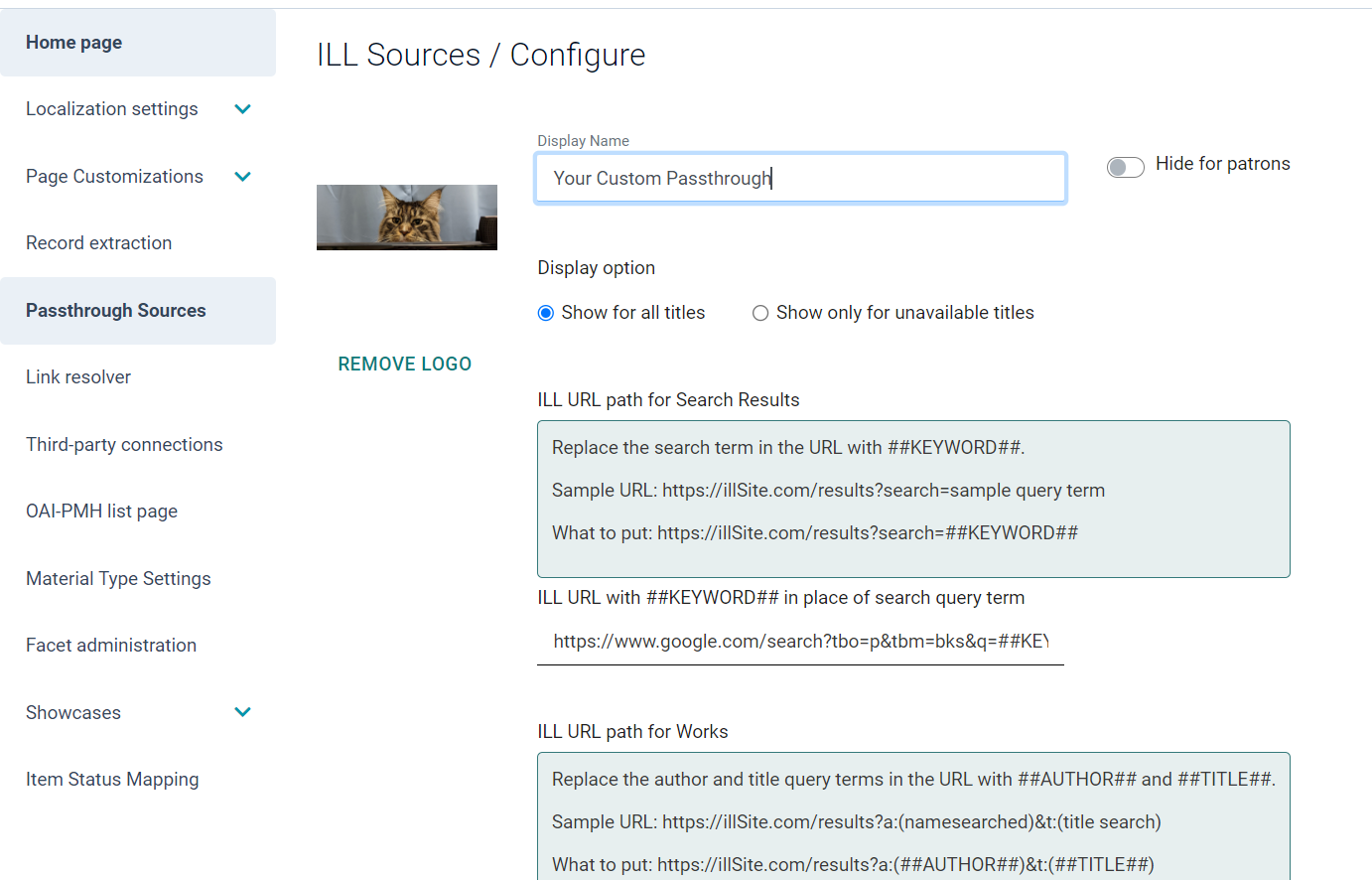
Admins and Main Admins have the option to configure Passthrough Sources. In addition to configuring InnReach, you now have the option to configure a Custom Passthrough. When configuring, you will need to choose the option to show for all titles.
In upcoming releases, you’ll be able to restrict to only show a passthrough when no titles are available, rearrange the order of passthrough sources, and configure a passthrough at the collection site level.
Larger Images on the Full Resource Card
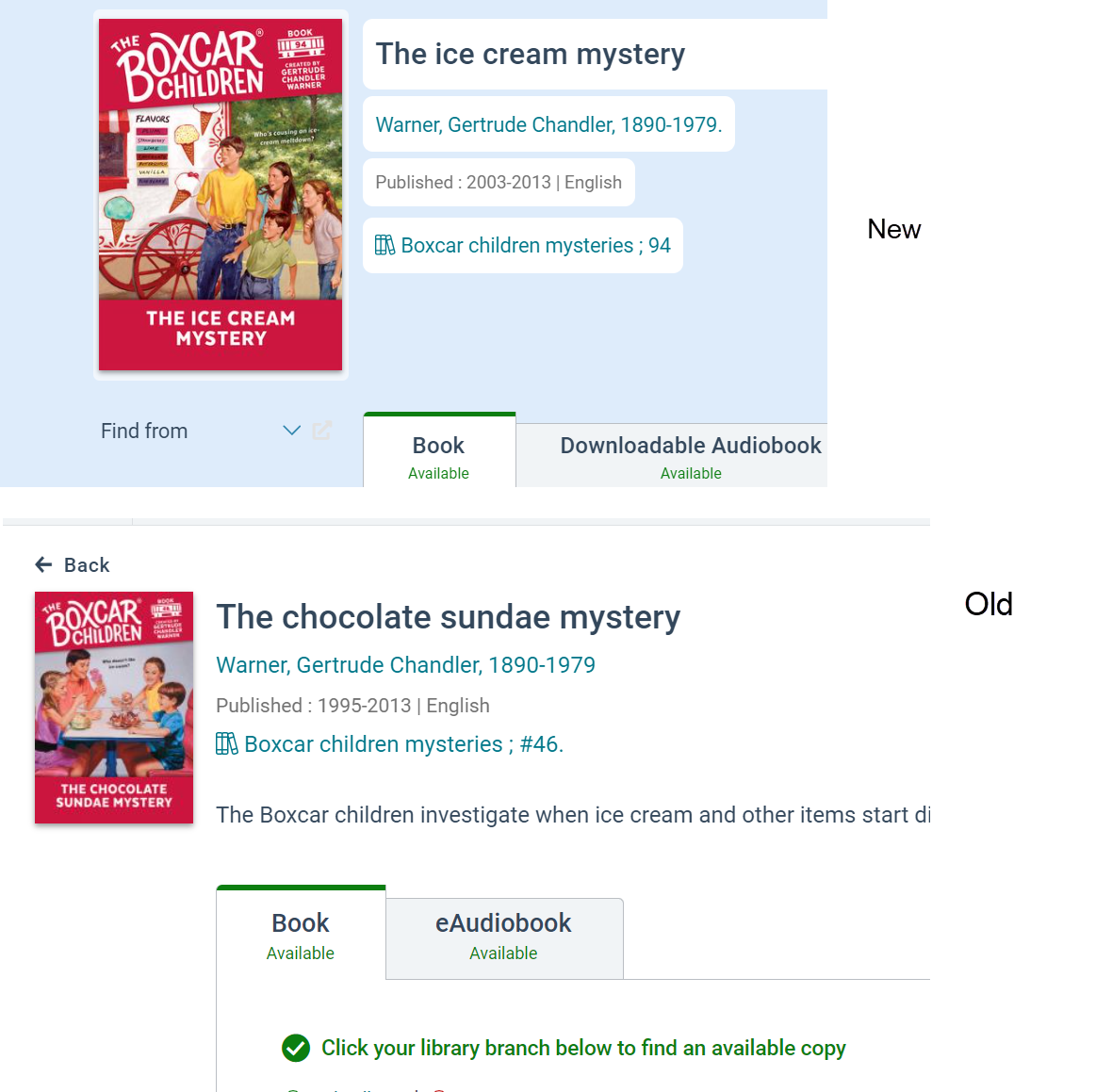
Book covers displayed on the full record view have been increased in size to allow better viewing of the cover image for a particular work title.
Home Page Watermarks and Background Colors
Libraries with Premium and Consortia Licenses: This feature will require a post deployment step and will be available by the end of the week.
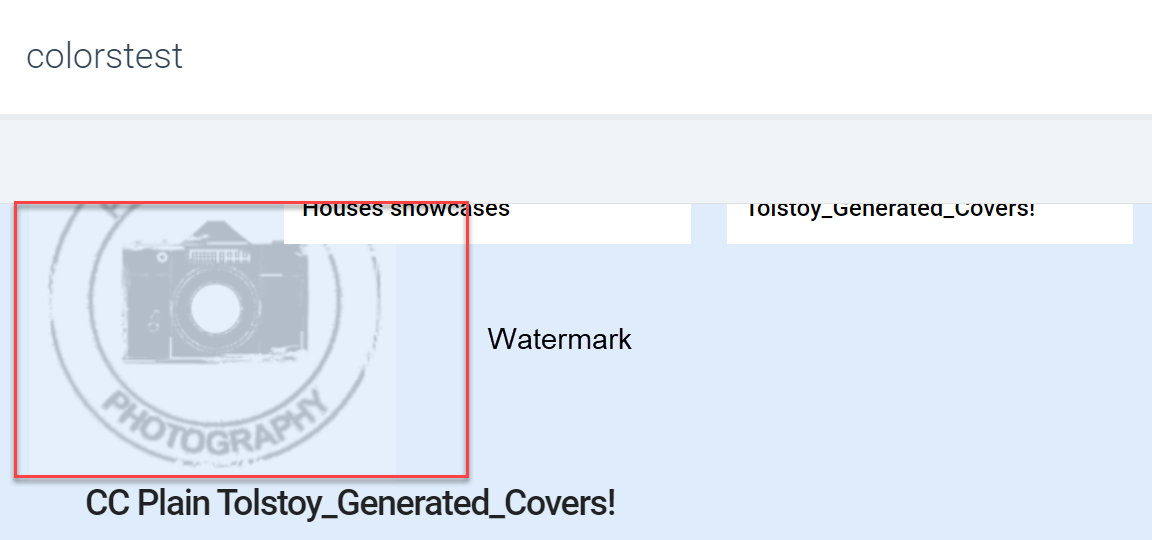
When configuring a collection site, a background color and watermark image may be configured without having to set the collection site to a Kids theme. You can experiment with a small, medium, or large watermark. Once your image is uploaded, it is displayed on three locations on the home page.
Please note, if you’d like to change the background color of a collection site without any home page components, you will need to follow these steps. This has been added to Supportal as a help article, Changing the Home Page Color.
-
Click “Add More Content”
-
Use the “Back” button, not adding any content
-
The “Preview” button returns and you can pick and publish a new background color.
BUG FIXES
PayPal Voided Payments Fix
We have updated our PayPal silent post functionality to utilize a two-step authorization and capture flow. This change solves an issue where the payment account would be successfully charged without removing the patron's fines from the ILS when an error was encountered during payment. This type of fine error was generally occurring when a patron's account was unable to be updated to settle a fine during the fine payment transaction. For example, the patron account was open in Sierra.
Patrons will see no change in the PayPal library fine payment workflow as a result of this change. All changes were made to how we send and process fines with PayPal.
Date Display Fix for Sierra Customers
This fix requires post deployment processes that will be fun by our AppOps Team. Due Date displays may take several days to update due to holidays. Our Services teams will send an update to affected customers when this process is complete.
Vega was interpreting all dates coming from Sierra to be in a yyyy-mm-dd format. Libraries that used other formats such as yymmdd hh:mm or mmddyy hh:mm were experiencing a variety of issues with due date display and new books filtering and sorting functionalities. We have updated the data translation file to include a setting for each type of date data that Sierra might send in catalogDates and dueDates and have developed parsing rules to display all types of date formats correctly. Once these settings have been applied for your library and any required indexing has been done, your dates will display as expected in Vega Discover.
Suppressed Items on the Home Page
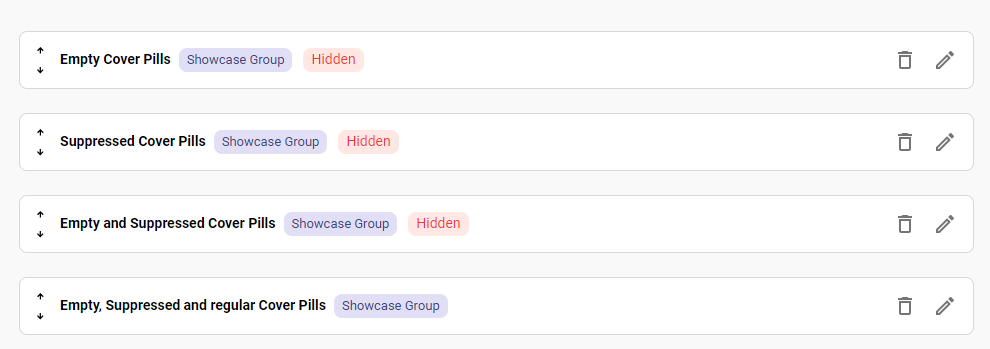
If all items within a component are suppressed, the entire showcase is hidden from the home page.
If a home page component contains suppressed items, these suppressed items are hidden from the component and frees up space for regular items. Clicking thorugh to the full showcased does show unavailable items.
Reading History Loading
A problem was fixed where some patron's reading history was not loading when they logged in, instead displaying a message that they have not yet logged any reading history. Now patrons who have logged reading history should be able to see it when they click the reading history tab.
Home Page Hero Background
The hero has been fixed so the hero image is larger than the background image.
Release Date: July 18, 2024
OverDrive Magazines GA
This Feature will be turned on for all customers shortly after the code deploy has been completed for your region. Please see information below about requirements for the OverDrive Magazines feature.
This change will only appear if your OverDrive Magazines currently display Get It buttons. If you catalog your OverDrive records in your ILS, then your OverDrive Magazine MARC records must contain the required 037 vendor and titleID information required for the API circulation integration for this new workflow to appear. If your records display 'Check Availability' they are missing this info and need to be updated before this new workflow can be used. Check Availability buttons will continue to function as they did previously.
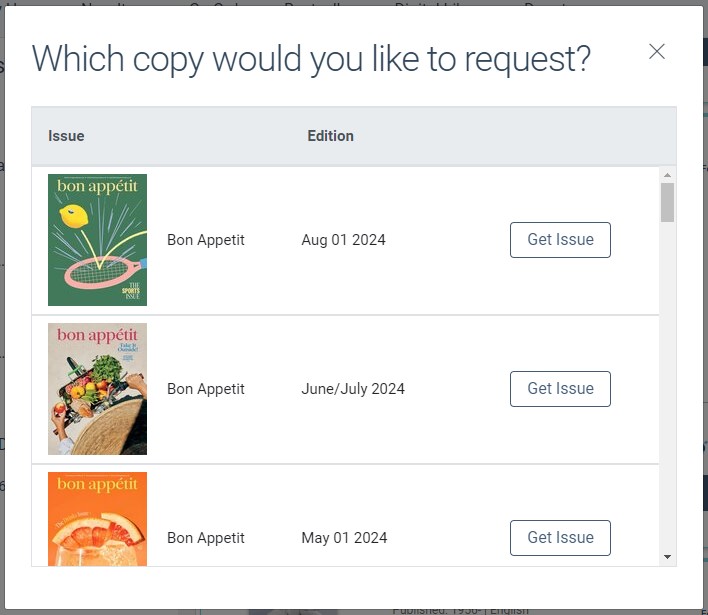
Electronic magazine materials that belong to your subscription from OverDrive will now display a Get Issue button. When a patron clicks the 'get issue' button, they will be directed to select the issue they would like to checkout for the given magazine title. Once they have selected the desired issue, that issue will be checked out to them. Guest patrons who click the Get Issue button will be directed to select an issue upon login for the previously selected electronic magazine. In the checkout tab of the Patron Bookshelf, users will see the title and issue information for any titles they currently have checked out from OverDrive and will be able to check-in any issues they no longer need.
Author Publication Data Relevancy for Current Year Increased
This change requires post deployment processing that will be run by our AppOps Team and may take several days to appear in your Vega catalog.
When searching for an author name that has an exact match in the author index (ex: stephen king or king, stephen), Vega boosts publications released in the current year more than publications released in the previous year placing 2024 publications before 2023 publications in search results.
User Management Beta Feature: Filter for Users
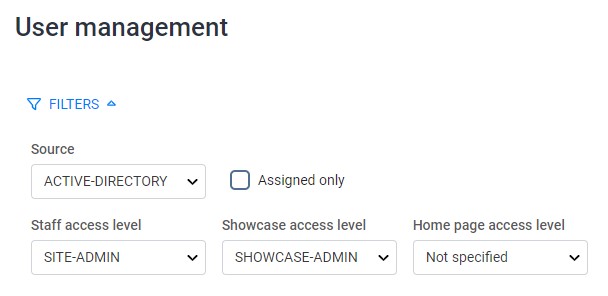
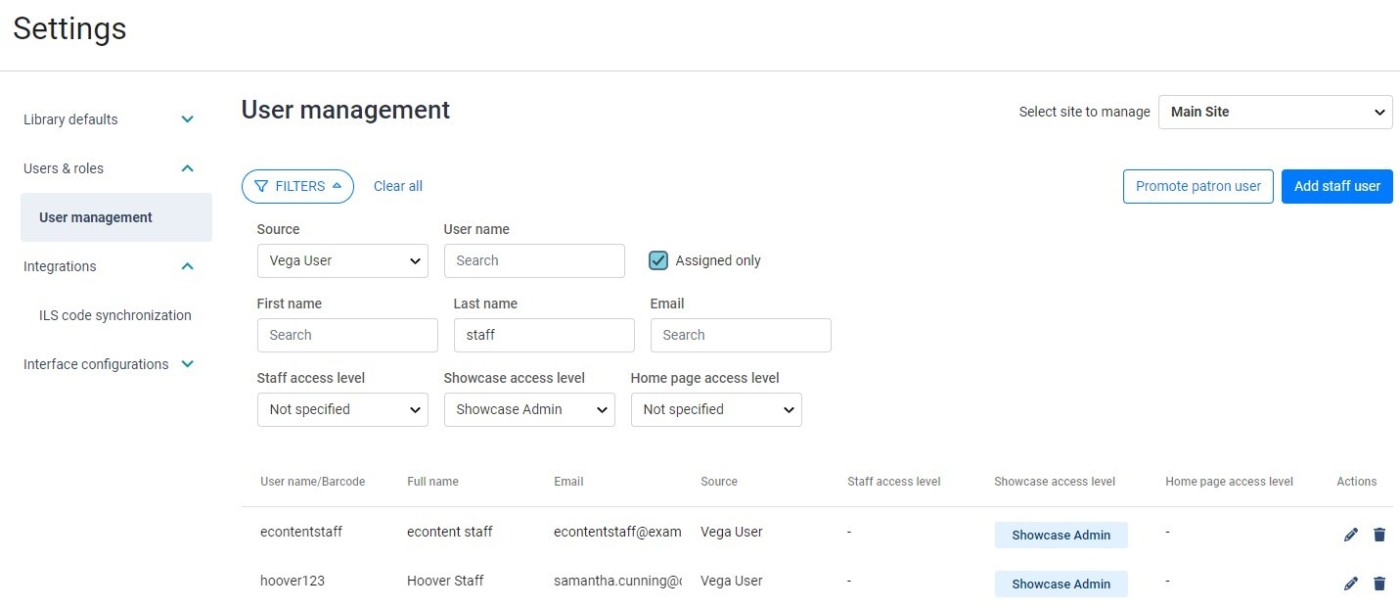
A Filters button is available in the User Management tools that allows Administrators to filter all Users by the type of user, staff access level, showcase access level, and home page access level.
A checkbox can be used to filter the user management list to only display users that have been assigned a permission in the currently selected site.
Format Filter Enhanced for OAI and Translated Strings Search
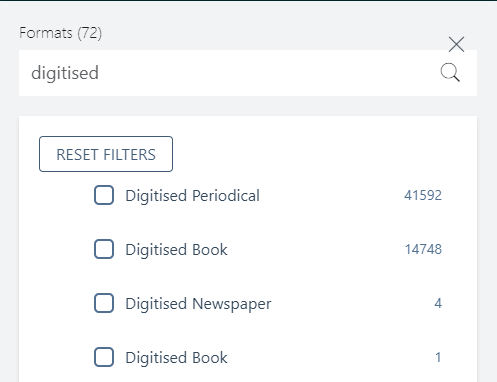
OAI format types are now searchable in the format filter popup. If you have translated the language string for any given format, this translated string is also searchable from the format filter.
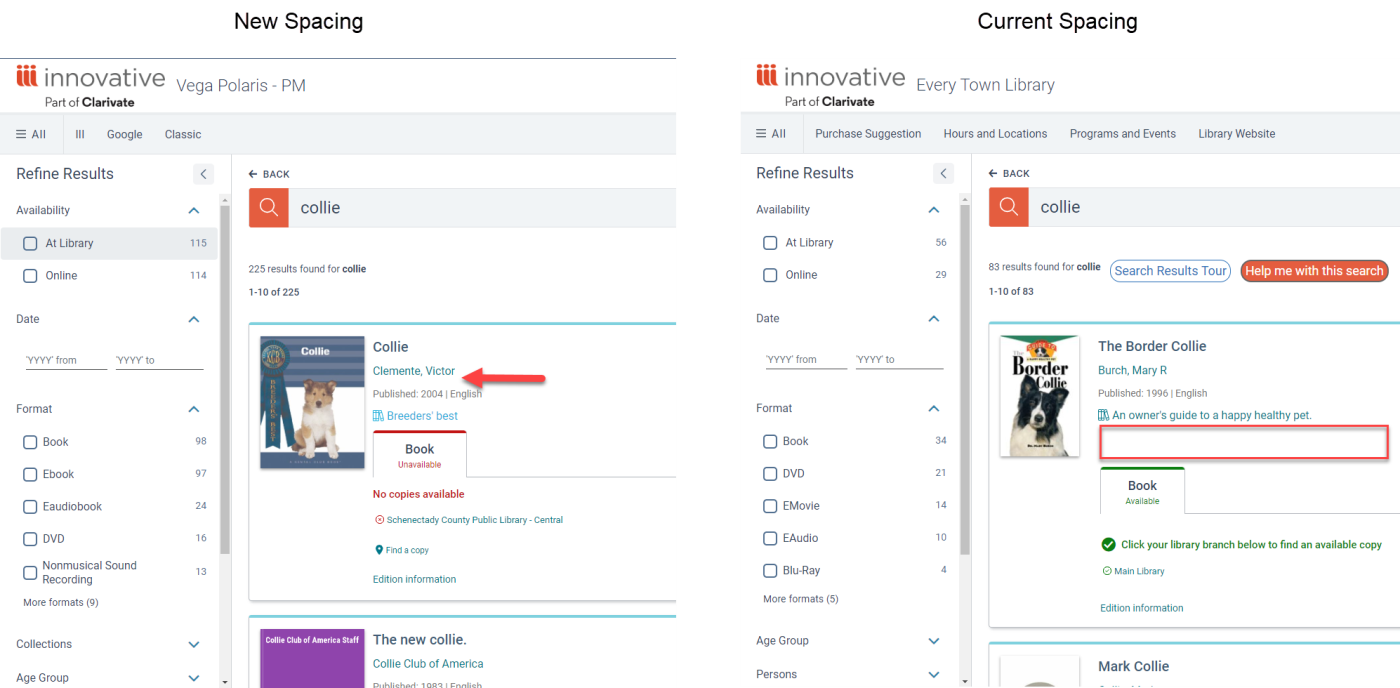
Padding Changes for the Search Results Page
Spacing has been condensed to show more content on the screen before scrolling.
BUG FIXES
Accessibility Fixes
-
The Bulk Holds workflow was updated with additional accessibility support features.
-
Alternative text fixes were applied to the Find From Passthrough link and Header logo graphics.
-
Decorative image in patron info was hidden from screen readers.
-
Patron Info Popup was made accessible to keyboard only use.
eContent Vendor Incident Mitigation Fixes
Timeout thresholds have been updated for vendor API response times and a circuit breaker feature has been added that will cause a cease in API calls when a vendor service returns too many connection refused or timeout errors in a row. These changes include metrics and reopen protocols.
Newly Created Patrons Cannot Modify Passcode Fix
Previously a newly created patron would encounter an error if they immediately tried to update their passcode/password. This problem has been fixed.
Home Page Author Biographies
When updating a home page component from an author with a biography to one without, you will no longer see the first author's biography under the name, photo, and cover images of the new author.
Mobile UI Scroll
A bug has been fixed that caused a small left-right scroll bar to appear on the mobile view.
Static Vega Program Events on the Home Page
A bug has been fixed that prevented a static event from being saved and displayed on the home page.
Release Date: July 31, 2024
Staff User Info Popup
When a Staff User is logged into the Vega Staff UI the staff Username is now displayed at the top right of the Staff Settings site. Staff User Accounts now display a special Vega icon for quick reference that you are logged in as a staff user, which is especially useful when working with Showcase in the Discover catalog. Clicking your Staff Username will open the popup which will include user name, email if available, user permissions, and a logout button and a link to Discover. If you are working with the main settings for Vega the Discover link will take you to the main site. If you are working in site specific configuration screens, the Discover link will take you to that site.
User Permissions listed in the Staff User popup are linked to the User Management Beta features. If you are a not a Beta library this section will indicate that you have no permissions regardless of your current admin role but will not affect admin functions. If you are Beta testing User Management you will see the permissions that have been assigned to your user in the site you are managing or in the main Vega settings.
Sites List Page Links to Sites
The Site Configuration page (Cog Menu > Library Defaults > Site Configuration) has been enhanced with clickable URLs for each site. Clicking a URL for a given site in the list will open the Vega Discover Home page for that site in a new tab in the current browser.
User Management Beta Only: Search and Filter Updates
This feature requires User Management BETA features.
The User Management Page (Available only for Vega Discover Sites who have the Beta Feature) has been enhanced with additional searching functions. For the Selected Site, choose a Source for the User (Vega User, Patron, or Active Directory). Search boxes will appear for available search indexes that can be used to further filter the users list. Multiple search indexes may be used at the same time to locate a specific user and combines with Access Level Filters and the 'Assigned Only' checkbox that filters the list to only users that have been assigned a permission.
-
Vega User & Active Directory User Available Searches
-
User name
-
First name
-
Last name
-
Email
-
-
Patron User Searches
-
Barcode
-
Volunteer for Home Page Scheduling
We are looking for volunteers interested in early access to home page scheduling functionality. This group will help finalize the documentation before it is released. Email angela.nolet@clarivate.com to participate.
BUG FIXES
Publication Date Display Fixes
When publication dates included placeholder values in the metadata, the date displayed on the search results and record views was not as expected. Now Vega interprets placeholder values and translates the date display as follows:
-
Single Publication Dates
-
199x
-
Publication Date on Card: 1990-1999
-
Editions Table: 199X
-
19xx
-
Publication Date on Card: 1900-1999
-
Editions Table: 19XX
-
1xxx
-
Publication Date on Card: 1000-1999
-
Editions Table: 1XXX
-
Date Ranges (continuing resources)
-
199x/9999
-
Publication Date on Card: 1990-
-
Editions Table: 199X/9999
-
2xxx/
-
Publication Date on Card: 2000-
-
Editions Table: 2XXX/...
OverDrive Magazine Checkouts in the Mobile View
The mobile view has been updated to allow for the selection of issues in the OverDrive Magazines Issue selector popup.
VPAT Updates
The following fixes were applied to support 1.3 Adaptable criteria for WCAG 2.2 accessibility standards:
-
Fields in the Edition Details Popup that were erroneously marked as headings are no longer heading level text.
-
Heading Levels were corrected for elements in the View All view of Showcases.
Reading History
Reading History Opt-in and Opt-out functions were restored to the Patron Reading History workflows. When a patron opts out of reading history and confirms, their reading history is now completely purged from Vega and the ILS. When a patron opts in to reading history after previously opting out, they will begin with a blank reading history that will begin populating the next time they fully circulate an item (checkout, then checkin).
Inn-Reach Ready for Pickup Status Fix
The fix for this Vega display issue was applied in the Sierra APIs. This fix requires the Sierra 6.2 Maintenance Release.
When InnReach holds are received at the pickup location and become ready for pickup, Vega now displays the correct hold status of Ready for Pickup for these items in the Holds tab.
Custom Domain + OneTrust Cookie Banner
This change requires post deployment processing and is expected to be completed by Friday.
We have been making improvements to how the cookie banner interacts with collection sites using a custom domain. With this change, patrons will only see the cookie banner initially. After making a selection, the cookie banner will not appear again as they move through collection sites. If your library configures a new custom domain, please open a support ticket with the details and a request to be added to the OneTrust custom domain list. Libraries with configured custom domains do not need to open a support ticket.
We are continuing to investigate a solution for kiosks.
Showcase Group Items with One Pill and Custom URLs
A bug was fixed where homepage components were hidden on a published home page. This included:
-
Showcase group componets with only one pill
-
Components with custom URLs
Reserved Characters and Inn-Reach
A bug was fixed that prevented unencoded reserves characters from passing through to Inn-Reach. Reserved characters include: : / ? # [ ] @ ! $ & ' ( ) * + , ; =
Custom Passthrough
Improvements have been made for better URL validation.
Suppressed Items on the Home Page
Improvements continue to be made to notify staff when home page content contains suppressed items. When looking at the Draft list of content, you'll see a "Hidden" badge.