
Release Date: June 05, 2024
Hold Expiration Date
Polaris Libraries Changes
The Hold Expiration Date no longer appears for selection in the holds workflow for Polaris Libraries. Polaris sets this value automatically for all holds based on ILS settings. When Polaris patrons used this date previously it was automatically overridden by the ILS settings when the hold was placed.
Sierra Libraries Changes
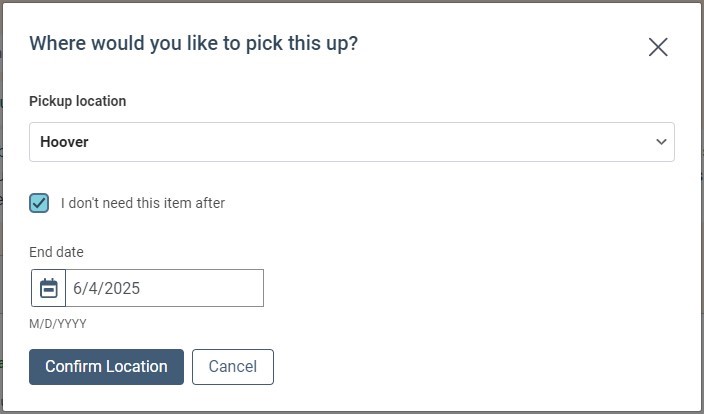
A Hold Expiration Default setting for Sierra Libraries only, has been added to the Staff UI Settings under the Cog Menu > Library Defaults > Patron Settings: Number of days for default expiration time period. This setting takes values up to 999 days. The default setting is 365 days. When patrons do not choose a custom expiration date for their hold, this default expiration date will be applied to their hold. When a patron selects the 'I do not need this item after' checkbox in the hold workflow, the default expiration date will be populated by default and the patron can change this date to any valid date in the future.
Hold Activation Date (Polaris Libraries Only)
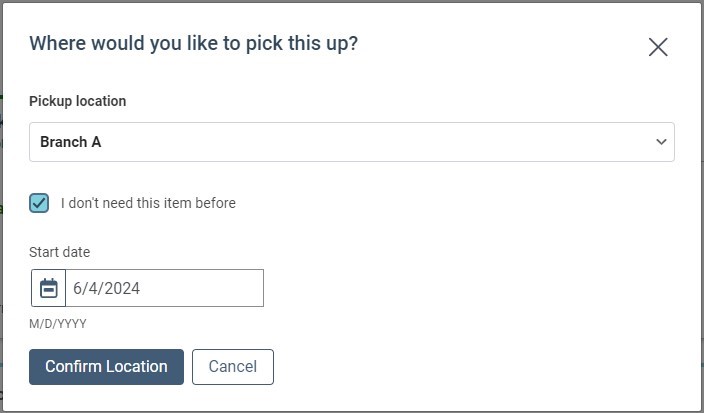
A Hold Activation Date setting has been added for Polaris Libraries only. This setting can be found in the Staff UI Settings under the Cog Menu > Library Defaults > Patron Settings: Allow hold activation date. When this setting is on, patrons in Polaris Libraries will have an option to select a "I don't need this item before" date in the hold placing workflow. The default activation date is today's date. When a date in the future is set by the patron when placing a hold, the hold will appear in the patron's hold list in Frozen state until the activation date has been reached.
Note: Hold Activation Dates are not supported by the Sierra APIs at this time so this setting cannot be enabled for Sierra libraries.
Home Page UX Improvements
Improvements have been made for both desktop and mobile users.
-
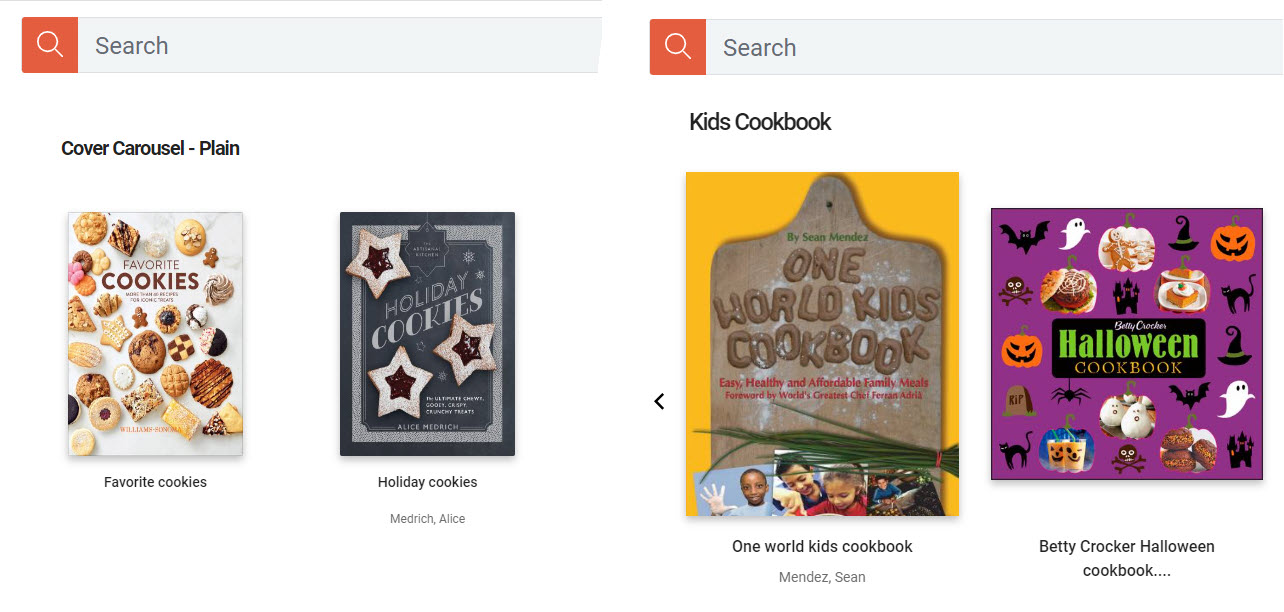
Showcase block titles are bolder and stand out more.
-
Title and author are larger and easier to read.
-
Book covers are centered to fill the space better.
-
Book covers are larger and adjust more fluidly for different screen sizes.
-
Event spacing and breakpoints for mobile users.
-
Author spacing and breakpoints for mobile users.
BUG FIXES
OneTrust Cookie Message
Improvements have been made so patron and staff users will see an option to select Strictly Necessary Cookies after they click on Manage cookie preferences.
Home Page Collection Sites in Alphabetical Order
When a user has permission to view more than one collection site, they will see all the site names in alphabetical order from the drop down menu on the Home page settings.
Suppressed Titles in Showcases Fixes
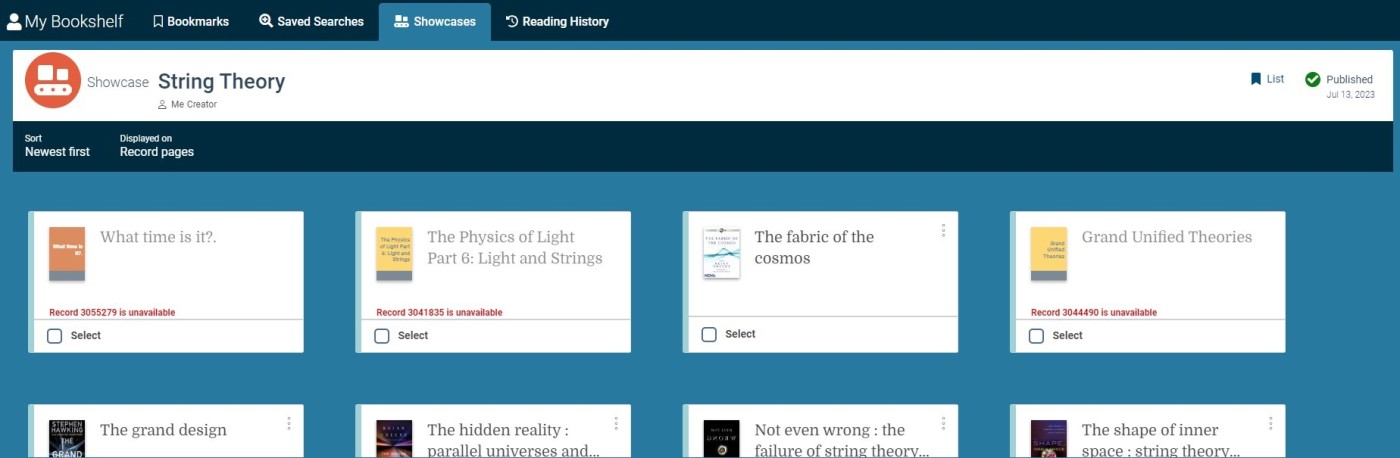
When a title that is included in a published showcase is suppressed, these titles now display a default Vega generated cover displaying the title and author information if available. In views like the showcase view all view these titles will not be actionable by patrons. In the list and showcase editor views you will see the id of the record and that it is unavailable. The title cover and title will appear grayed also indicating this title is not accessible at this time. To remove a title that has been suppressed you can select the card in the list and remove it.
Suppressed Titles in Home Page Components
Plain cover carousels will display a generated cover. When a showcase has a mix of suppressed and unsuppressed titles, you will see a blank space that leads to a 404 error for the suppressed titles. When a showcase is comprised of only suppressed items, the component will be empty. In the future, suppressed items will not be visible from any home page components.
Release Date: June 20
Home Page Search Result Limits
Requires a post deployment step, expect to see this functionality added by the end of the week.
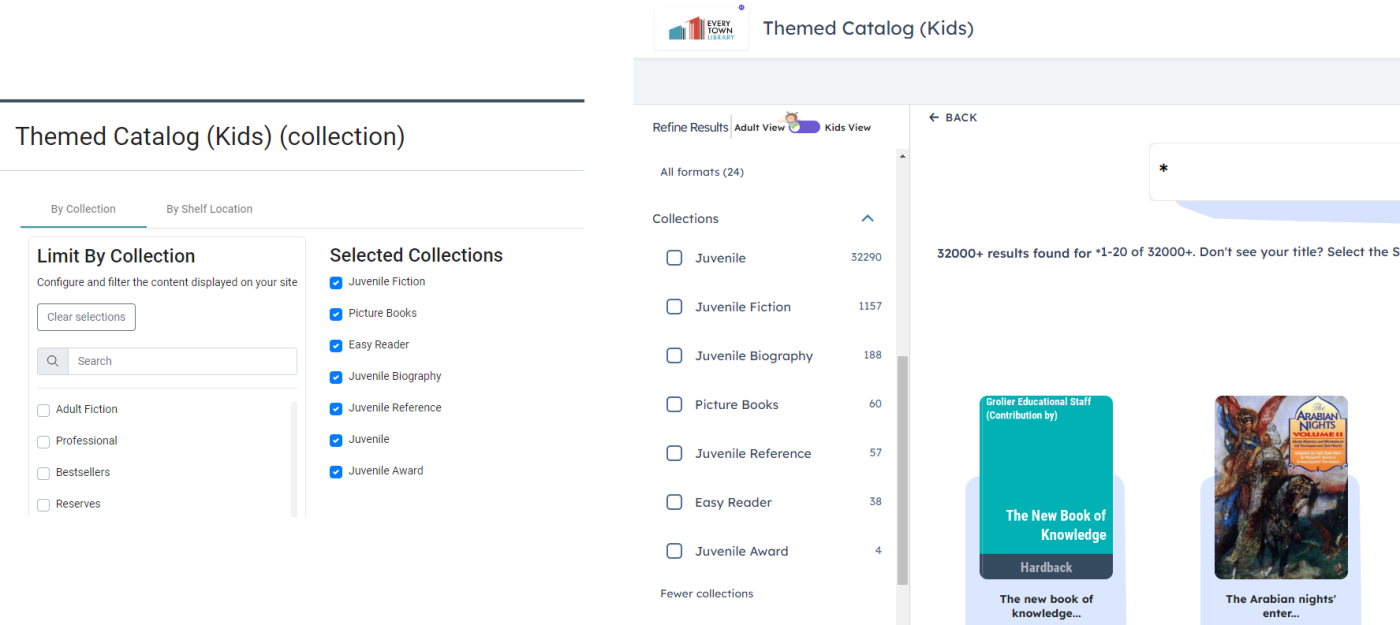
For home pages that have limited search results by location or collection, Vega had hidden the collections or shelf locations selected. With this new feature, patrons will be able to further refine the search results using the pre-defined facets. For example, if a home page was limited to picture books, easy readers, and J fiction, the patron could apply the J fiction facet and not see the picture books and easy readers in the search results.
Please note that when limiting by location, the locations need to be at the same display level for the facets to filter as expected.
Vega Program Integration with the Home Page Builder
Requires a post deployment step, expect to see this functionality added by the end of the week.
For libraries with Vega Program, you have the option to pull event information directly from program as well as create "set-it-and-forget-it" event showcases.
To use the new functionality, you will first need to create an API key in Vega Program and update your Third-party connection settings in the Vega Staff Admin.
Once configured, the home page builder will have more options:
-
A Static event is a single event that is created manually or you can change the "Use Vega Program data?" to yes and search for a specific event from Vega Program.
-
A Dynamic event constantly updates with matching events for the filters selected.
-
When an event in Vega Program has an image, that is automatically pulled into the home page with an overlay to ensure readability of the program information.

BUG FIXES
Covers overlapped in several places when zoomed in on some devices, this has been resolved.
User Roles and Permissions Beta Testing Fixes
Showcase admin and creator permission users were unable to access Showcase permissions in collection and kiosk sites. This problem has been fixed.
User Permissions assigned at the site level were applied correctly to users but not displaying in the staff user list after the user list was changed to infinite scroll instead of pagination. This has been fixed.
When a user has been newly created and assigned permissions, after receiving their invite email and setting a password there was no action to navigate away from the password setting webpage. Now users will have a link to Discover after completing the password set workflow.
