June 2026
Create Multiple Collection Exhibitions on One Site
Exhibition builder now allows you to import multiple collections to enable the creation of multiple exhibitions and stories/journies on one site.
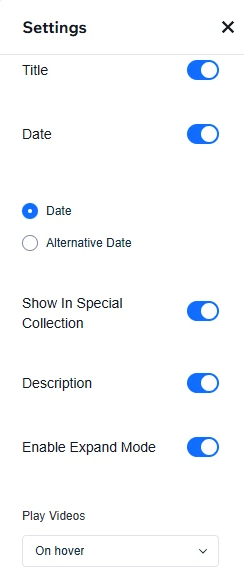
You can manage each page (or pages) as a unique exhibition, including building a landing page, editing the site's appearance, and new menu for site-level management. Select the Per-Exhibition Management Page to determine exact settings for each exhibition.
When a user connects an exhibition to an Alma collection and clicks Import:
-
A new Wix CMS collection is created (or linked)
-
The CMS is bound exclusively to that exhibition
-
Each exhibition always maps to one CMS
-
One configuration per CMS / exhibition is enforced
Each exhibition:
-
Has a unique name
-
Can be edited separately
-
Has its own search settings
-
Has its own CMS mapping for editing and search purposes (search queries redirect users to Primo)
Highlights
-
A new + Add Exhibition control added for adding multiple exhibitions
-
Per-Exhibition management page to customize each page
-
If only one exhibition is available, selecting Connect App to CMS automatically connects the exhibition to the single available CMS
Added Usage OBI Analytics for the New Embedded Viewer
The embedded viewer's actions, such as: view, download and share in Primo NDE are now tracked by the OBI Analytics for digital content. This provides users with a better overview of resource interactions in the viewer.
Highlights
-
Continued OBI analytics and tracking of viewer usage
-
More relevant data collected for each resource
Removed 'Share' Option From Alma Viewer for Staff
Share options are now available only on the Primo NDE end-user facing viewer. The backend (Alma) viewer does not have the share option anymore.
Highlights
-
Share is available only for end-users
-
A sleek, better-looking UI
Configurable Embedded Viewer Default State
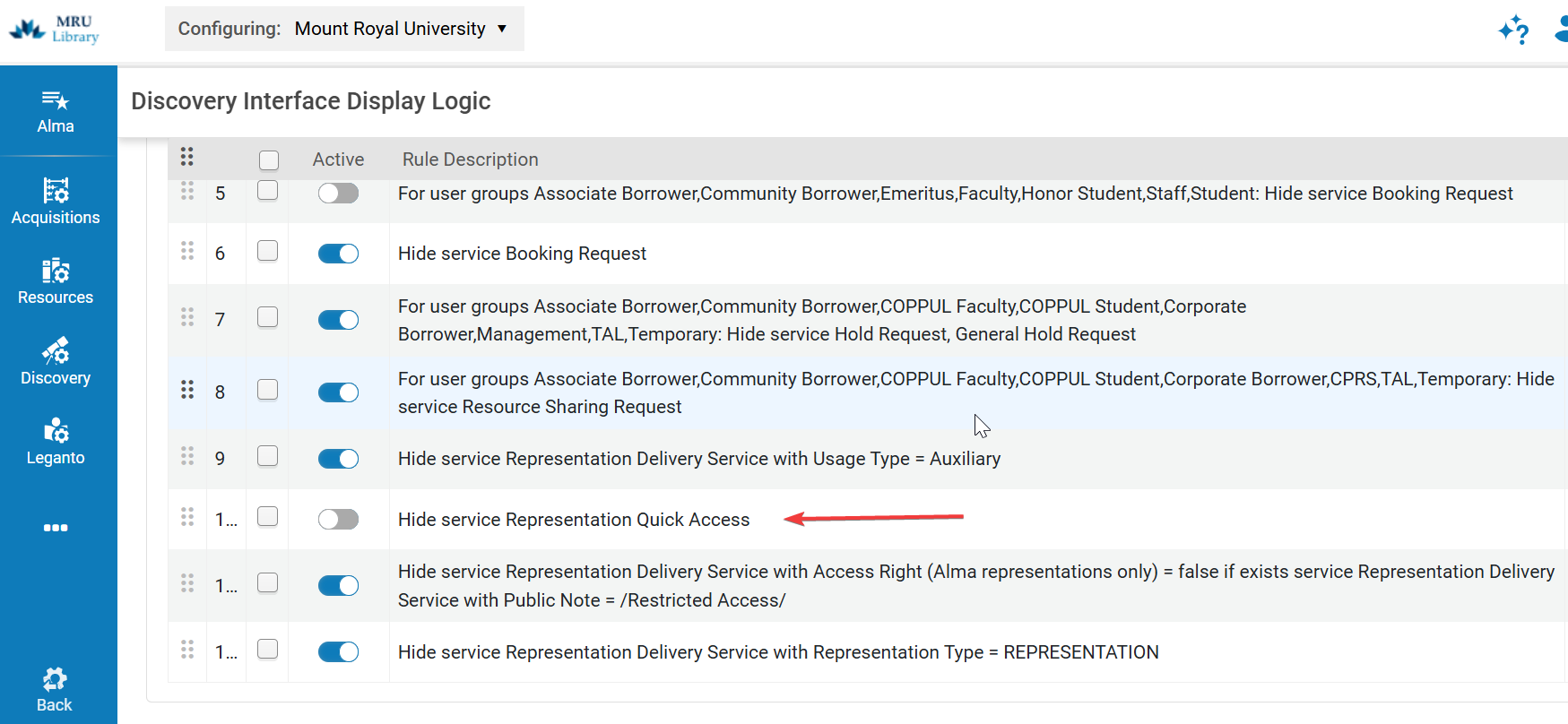
Users can now configure the default state of the Viewer on open - whether collapsed or openOBI The configuration can be changed under Configuration > Fulfillment > Discovery Interface Display Logic > Display Logic Rules.
When the feature is turned on, the embedded viewer is collapsed when opening a title and does not pre-load the content. Then, the Digital Content section can be manually opened, or opened by selecting a specific Representation from the Digital Versions section.
Highlights
-
Customizable Viewer behavior
-
Faster loading times for resources
Digital Loans Pages Link Out from Primo NDE
Titles with digital loans (short term and long term) will not be supported in the embedded viewer in Primo NDE. They will link out via the Digital Versions to support the full existing flows previously available. This feature allows users to continue using their loaned resources in the flows they are used to.
Highlights
-
Continued coverage for digital loans, independent of the viewer changes
-
Backwards compatibility with previous workflows
Review and Correct Auto-Generates OCR Transcriptions
The Full-Text Editor enables catalogers to review and correct auto-generated OCR transcriptions of textual image files before further AI processing takes place. Users can edit the extracted text directly within the embedded viewer in Alma, ensuring the full-text accurately reflects the original source material. Corrections are propagated across Primo full-text search, in-viewer delivery searching, and downstream Specto processing.
Highlights
-
Ability to correct full-text content directly without needing to download and re-upload the file. More accurate full-text and improved discoverability.
