
Configuring PO Line Deferral Reasons
- Acquisitions Administrator
- General System Administrator
You can define a list of deferral reasons from which the Purchasing Operator can select when deferring a PO line. See Deferring PO Lines.
You configure deferral reasons on the PO Line Deferring Reasons code table (Configuration Menu > Acquisitions > Purchase Orders > PO Line Deferral Reasons). For more information about code tables, see Code Tables.
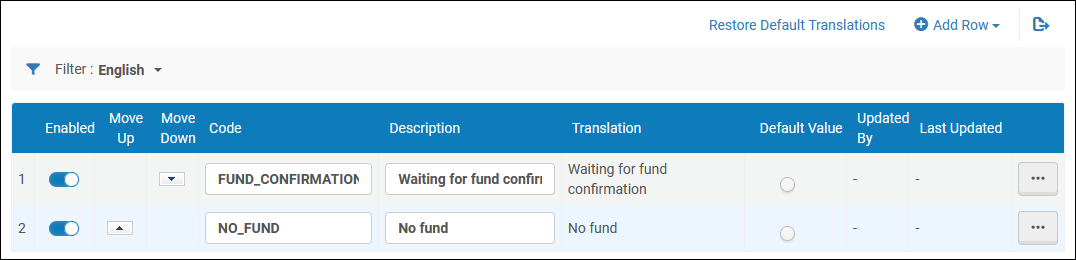
You can add, edit, and delete deferral reasons. You can also activate/deactivate reasons, reorder how they appear in the drop-down list, and select the default reason.
Page tags: article:topicproduct:almacontent:Documentationlang:englishPO line deferral reasonadd PO line deferral reasonedit PO line deferral reason
