
Configuring Purchase Request Reject Reasons
You can configure the list of reasons to reject a purchase patron request. For more information about purchase requests, see Purchase Requests.
You can configure the rejection reasons on the Purchase Request Reject Reasons code table (Configuration Menu > Acquisitions > Purchase Requests > Purchase Request Reject Reasons). For more information about code tables, see Code Tables.
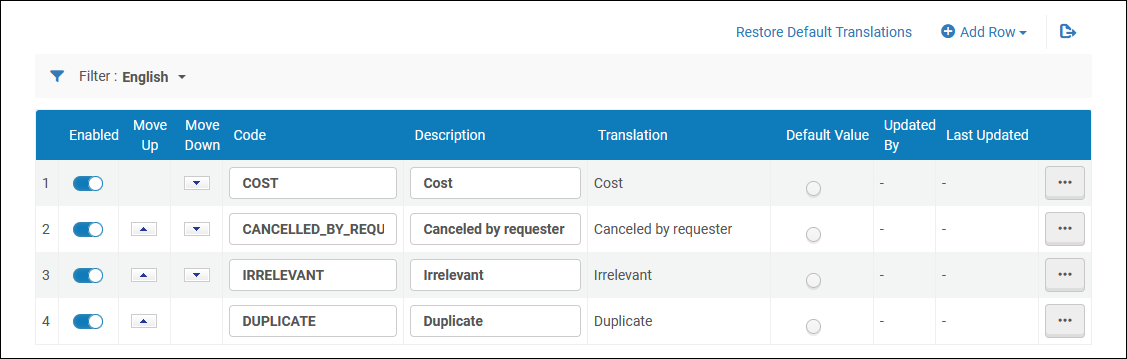
You can add, edit, and delete reasons from the list. You can enable or disable a reason, change their order, or select one as the default.
These settings also impact Rialto purchase reject reasons.
Page tags: article:topicproduct:almacontent:Documentationlang:englishpatron purchase request reject reasonadd patron purchase request reject reason
