
Configuring Acquisition Jobs
To configure an acquisitions job, you must have at least one of the following roles:
- Acquisitions Administrator
- General System Administrator
You can configure the following acquisition-related jobs on the Acquisition Jobs Configuration page (Configuration Menu > Acquisitions > General > Acquisitions Jobs Configuration):
- PO Line - Packaging job - Packages PO lines that are waiting for automatic packaging into purchase order (POs) that may be sent to the vendor. For details on PO line packaging, see Packaging PO Lines into a PO. For information on configuring the job, see below.
- SUSHI Harvesting job - Harvests all COUNTER data from all active SUSHI accounts. For information on this job, and how to configure it on this page, see Managing SUSHI Harvesting.
For more information, watch the Acquisitions Jobs video. (4:44 min)
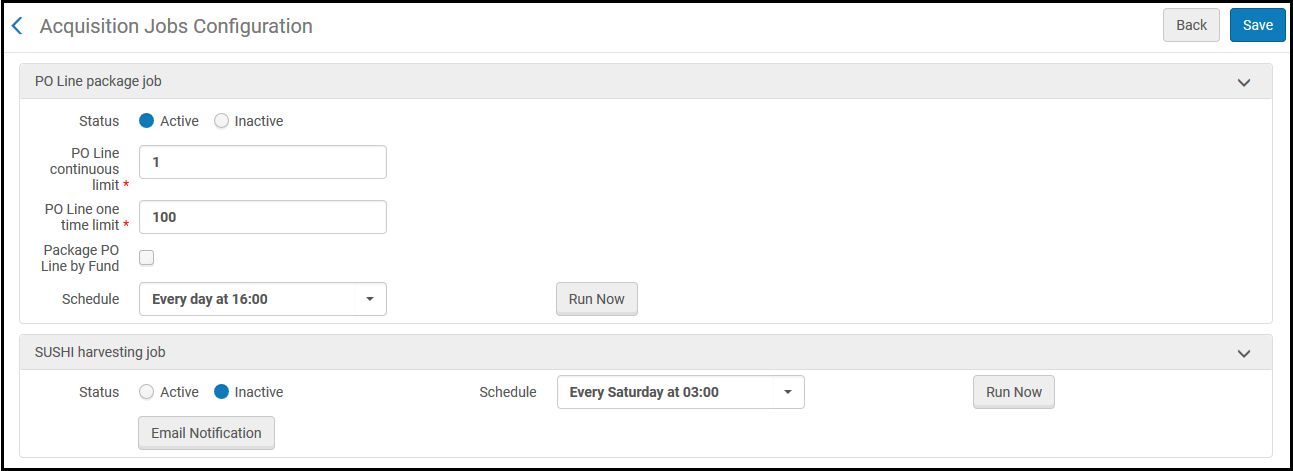
Acquisition Jobs Configuration Page
To configure the parameters for the PO Line Package job:
This job is relevant only for automatic PO line packaging and must be enabled in order for PO lines to automatically be packaged into POs.
- Open the Acquisitions Jobs Configuration page.
- For Status, select Active to make the job active or select Inactive to make the job inactive.
- For PO Line Package job schedule, select the time that you want the job to run. For more information on jobs and scheduling, see Overview of Jobs.
- To run the job immediately, select Run Now.
- In the PO Line continuous limit field, enter the maximum number of continuous PO lines that can be packaged together in a PO. Permitted values are between 1-200.
- In the PO line one time limit field, enter the maximum number of one-time PO lines that can be packaged together in a PO. Permitted values are between 1-200.
- Select Package PO line by fund to package PO lines according to fund in a PO.
- When you are done, select Save.
Page tags: article:topicproduct:almacontent:Documentationlang:englishPO line packaging jobautomatic PO packaging
