
Datos enlazados
Overview and instructions for configuring linked data integration type integration profiles.
Para configurar un perfil de integración de datos enlazados, se debe poseer el siguiente rol:
- Administrador general del sistema
Datos enlazados es un conjunto de prácticas recomendadas para la publicación y conexión de datos estructurados en la web. Alma implementa un RESTful API que expone datos enlazados en formato JSON-LD. Para más información sobre la configuración de un perfil de integración de datos enlazados, véase más abajo.
- The linked data APIs apply to the production environment by default. Para ejecutarlos en los entornos sandbox añada ?env=sandbox.
- The linked data integration profile must be active if you want to export bibliographic records in RDA/RDF format. Si el perfil está inactivo, la tarea fallará para este formato.
Véase también:
- For implementation information, see https://developers.exlibrisgroup.com/alma/integrations/linked_data in the Ex Libris Developer Network.
- For information regarding linked data accessed from the Repository Search results, see Linked Data from the Repository Search Results.
- For information regarding linked data accessed from the Metadata Editor Linked Data tab, see Using Linked Data While Working with Bibliographic Records.
Configurar el perfil de integración de datos enlazados en su institución:
- On the Integration Profile List page (Configuration menu > General > External Systems > Integration Profiles), select Add Integration Profile. Page 1 of the Add Integration Profile wizard appears.
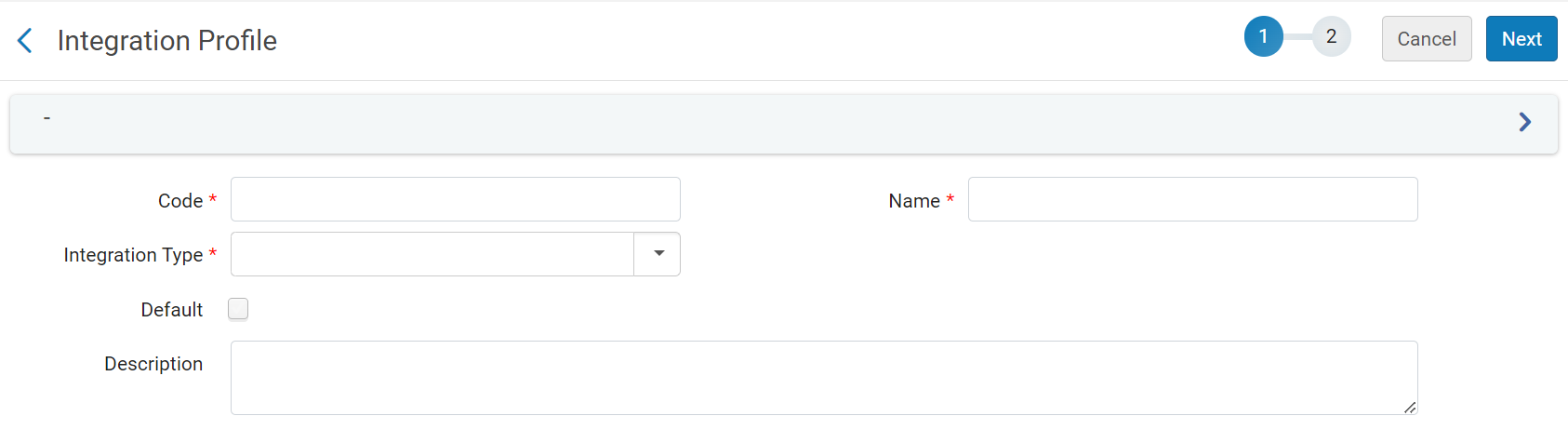
- Under Code, enter a unique code for the new integration type.
- Under Name, enter a unique name for the new integration type.
- Under IntegrationType, select LinkedData.
- Select Next. Page 2 of the wizard appears.

- En la página 2 del asistente, configure los siguientes campos según se requiera:
- Active- Select to enable the profile.
- Alternative Context URL – Leave empty to use the default context,cname.alma.exlibrisgroup.com/[format]/[works_or_instances]/[MMSID]. Por ejemplo: bgu.alma.exlibrisgroup.com/bf/instances/9922819700121. Si se desea utilizar un objeto de contexto diferente, introducir su URL aquí. The @context field of the JSON-LD will refer to this context object.
- Base URL- Enable users to change the prefix of the URL not only for the JSON-LD output but also for all records generated with URLs, including BIBFRAME.
- Select Save.
Page tags: article:topic product:alma content:Documentation lang:english linked data
