
Publishing to SUNCAT
Overview of publishing to SUNCAT and instructions for configuring a SUNCAT publishing profile.
- Administrador de catalogación
- Administrador de repositorio
- Administrador general del sistema
Alma provides publishing support for the Serials Union Catalogue (SUNCAT), a freely available source of information about serials holdings in the United Kingdom.

Initial Publishing to SUNCAT
Prior to running your ongoing automatic synchronization process with SUNCAT, you need to coordinate and process an initial publishing of the Alma records that you want exposed in SUNCAT.
- Communicate with SUNCAT to let them know that you will be running an initial publishing of records from Alma and discuss any profile configurations that need to be coordinated between your institution and SUNCAT.
- Prepare for your communication with SUNCAT by familiarizing yourself with the Alma publishing profile details in Publishing and Inventory Enrichment (General Publishing), and by reviewing any shared information in the Ex Libris Developer Network. (For an example, refer to https://developers.exlibrisgroup.com/blog/Publishing-to-SUNCAT-Experience-of-the-University-of-York.)
- Preparar una lista de control de preguntas que debiera abordar los siguientes requisitos de configuración de Alma:
- FTP configuration details (refer to Adding S/FTP Connections for additional information.)
- Formato de salida MARC (MARC 21 binario o MARC 21 XML)
- Preferencia de tamaño de fichero (1.000, 5.000 o 10.000 registros por fichero en un fichero único)
- Convención de nombre de fichero (prefijo) para ficheros publicados
- Programar publicación
- Create the logical set of records that you want to publish to SUNCAT. See Creating Logical Sets.If you need to normalize these records before publishing, refer to Working with Normalization Processes for more information and/or use the normalization options provided on the Data Enrichment tab of the publishing profile (refer to the example below).
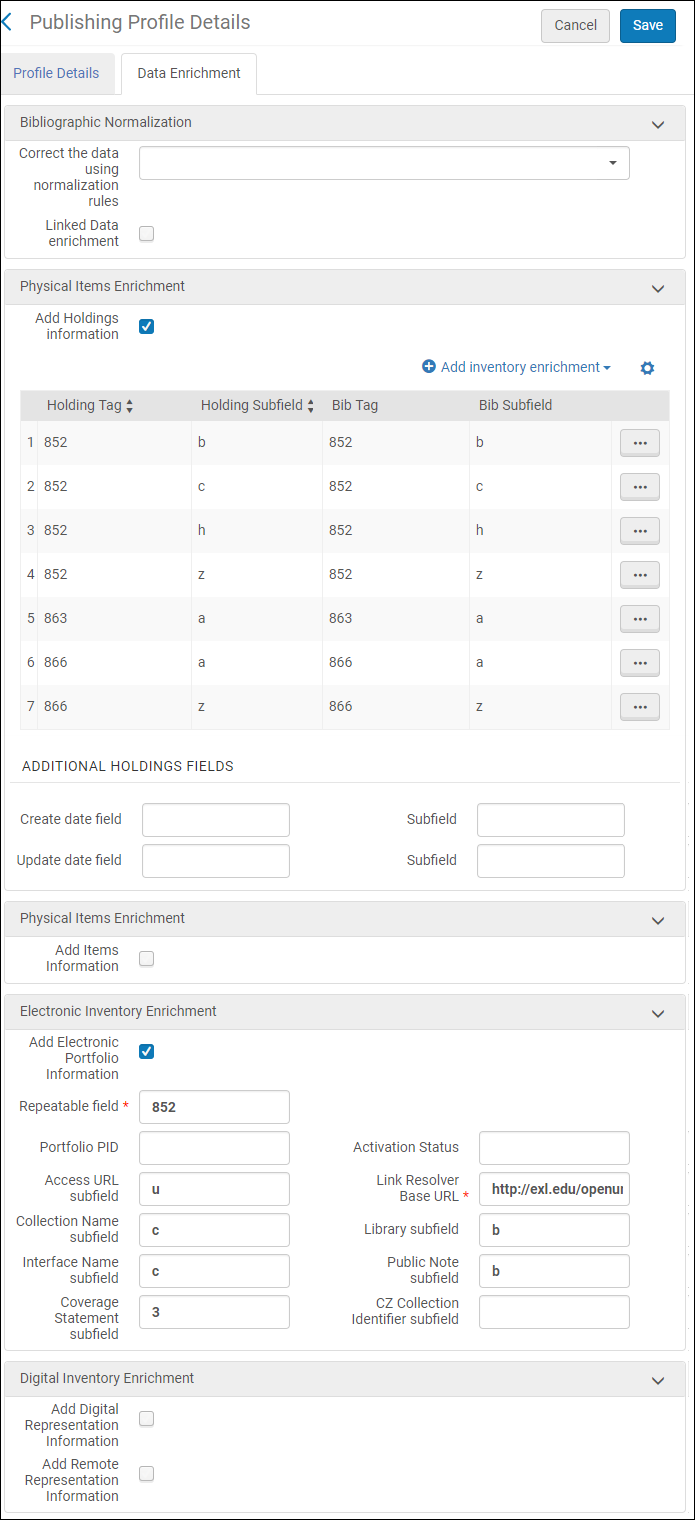 Pestaña de Enriquecimiento de datos (Perfil de publicación)
- With the information that you have gathered, create the Alma publishing profile for publishing to SUNCAT using the procedure in Publishing and Inventory Enrichment (General Publishing). See below for an example of the Profile Details tab.
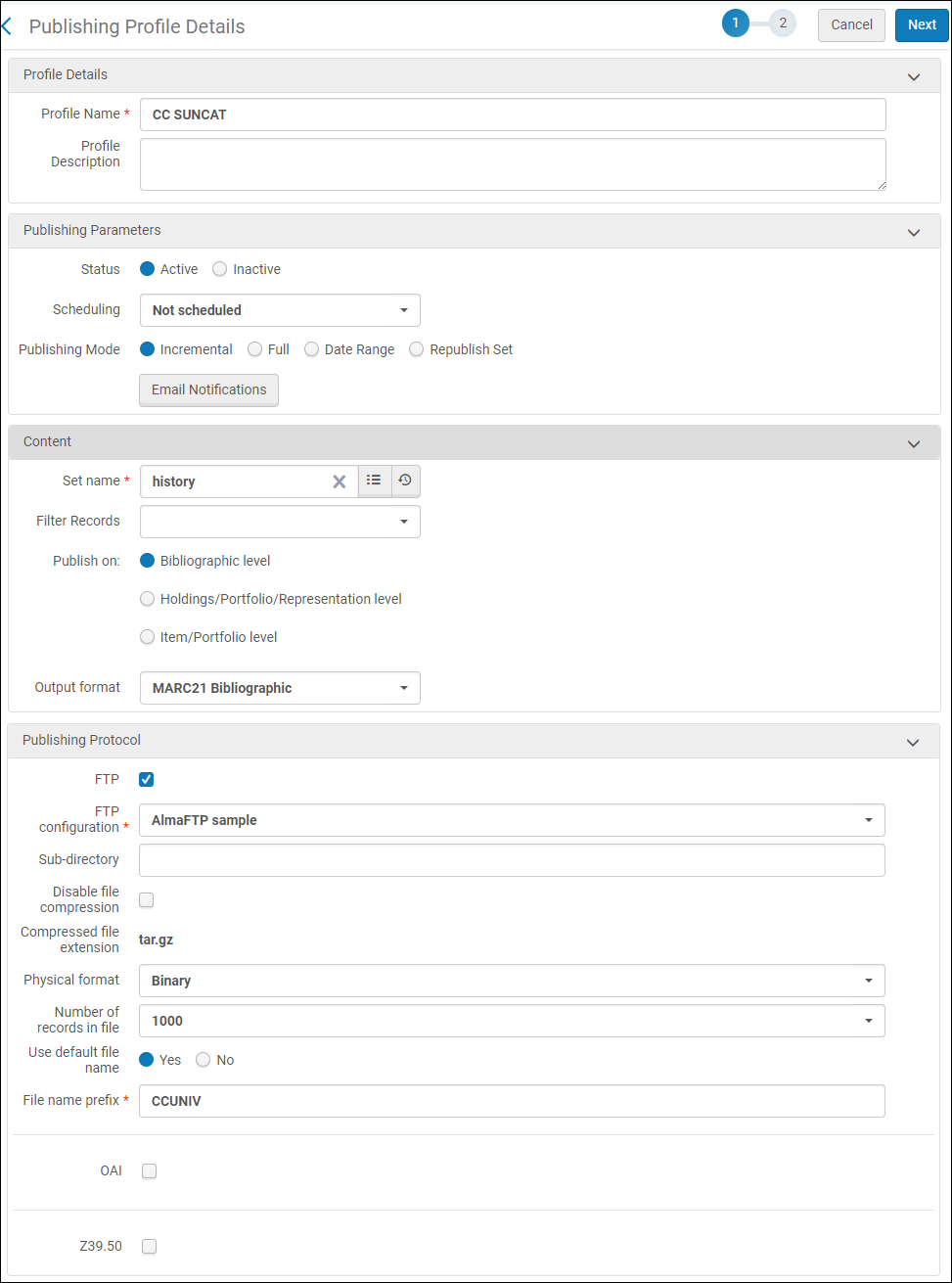 Pestaña Detalles de perfil (Publicar perfil)
- According to your pre-arranged schedule with SUNCAT, run your initial load publishing job.
- Access the SUNCAT publishing profile that you have configured (Resources > Publishing > Publishing Profiles).
- Run the SUNCAT publishing profile.
- Check the History tab on the Monitor Jobs page (see Viewing Completed Jobs) to determine the status of your SUNCAT publishing job.
- Follow up with SUNCAT to confirm that your publishing job was successfully received and that your files have been loaded into the SUNCAT database.
- Configure your SUNCAT publishing profile for the ongoing publishing of your records to SUNCAT. See the next section,Ongoing Publishing to COPAC.
Ongoing Publishing to SUNCAT
Once you have completed your initial publishing job with SUNCAT and confirmed that your files have been loaded into the SUNCAT database, you are ready to begin the incremental/ongoing process of updating your records in SUNCAT. La publicación general de Alma está diseñada para hacer una carga inicial completa de los registros con la lógica necesaria incorporada para identificar los cambios incrementales para cada carga previa y solo publicar aquellos registros que han cambiado desde la última vez que se ejecutó la tarea de publicación. Como resultado, volver a publicar una carga completa no está previsto como una opción.
Para la publicación en curso, pudiera ser más fácil establecer el perfil de publicación que se ejecute en forma automática en una programación repetida.
- On the Publishing Profiles Details page (Resources > Publishing > Publishing Profiles), select Edit in the row actions list for the publishing profile that you created for the initial upload to SUNCAT.
- Modify the Scheduling parameter to match your preference.
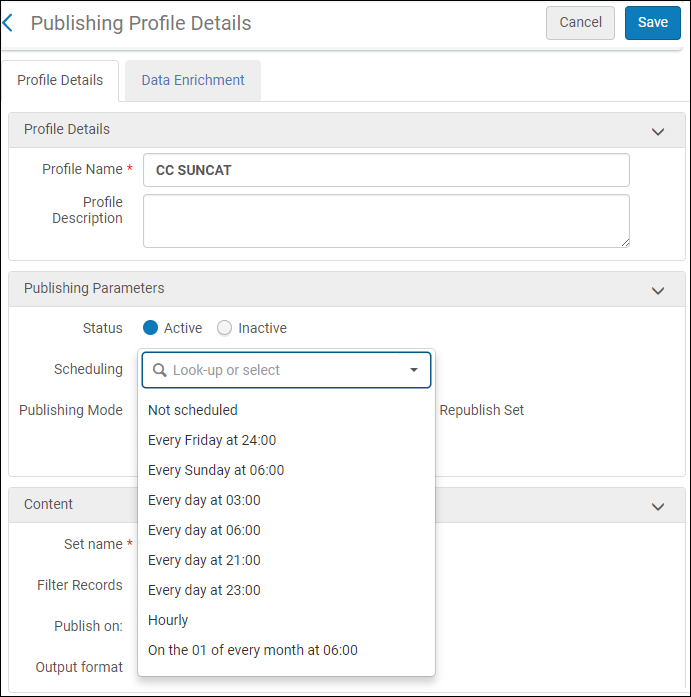 Scheduling Parameter
- Select Save.
Page tags: article:topicproduct:almacontent:Documentationlang:englishdata enrichmentSUNCAT
