
Trasferimento di denaro tra fondi accreditati
Questa pagina fornisce istruzioni per trasferire denaro tra il Fondo accreditato in Alma. For an overview of working with acquisitions in Alma, including links to relevant sections such as Invoicing, Working with Orders/PO Lines, Renewals, Configuration, etc., see Introduction to Acquisitions.
- Gestore fondi
È possibile trasferire (spostare) denaro da un Fondo accreditato a un altro. Questo aggiunge un'allocazione negativa al Fondo di origine e un'allocazione positiva al Fondo target.
È possibile trasferire denaro solo tra fondi appartenenti allo stesso periodo fiscale. Depending on the configuration of the Transfers prior to fiscal period parameter within your ledger, you may be able to transfer money a few days before the fiscal period begins, or may be prevented from transferring money for a few days after the fiscal period starts; see Adding a Ledger.
Note that this only works for funds where the current fiscal year matches the calendar dates or the future fiscal year if you have grace days. Non funziona per un anno fiscale che abbia avuto una data di fine nel passato.
You transfer funds on the Funds Transfer page (Acquisitions > Acquisitions Infrastructure > Transfer Funds) or on a fund's Transaction tab (see Performing Fund Transactions).
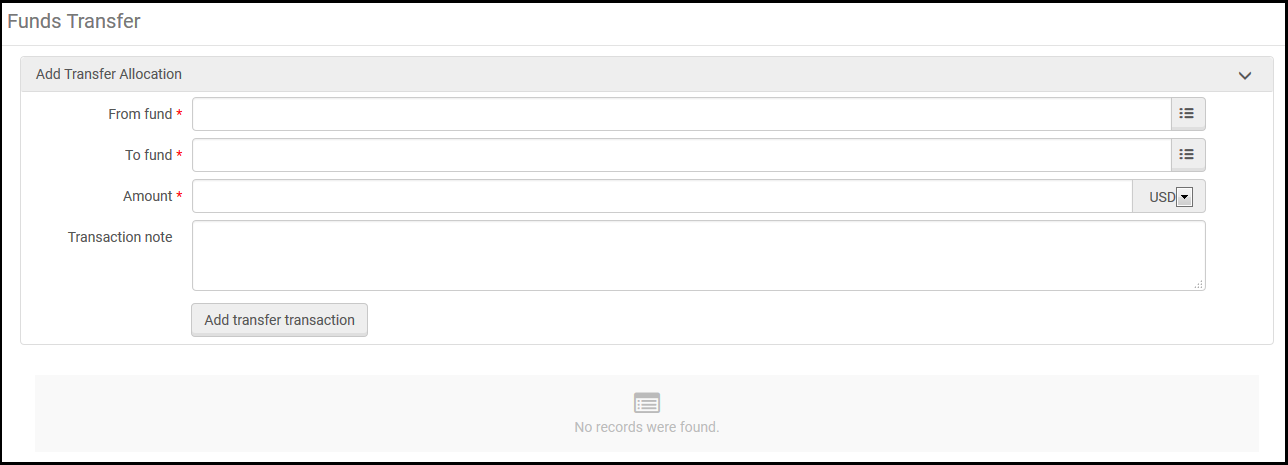
- Nella pagina Trasferimento Fondo, selezioni il Fondo da cui desidera trasferire denaro in Da Fondo.
- In A Fondo, selezioni il Fondo a cui desidera trasferire denaro.
- In Importo, inserisca l'importo che desidera trasferire.
- Inserisca qualsiasi nota che desidera includere nel trasferimento in Transazione nota.
- Selezionare Aggiungi Transazione di Trasferimento e selezionare Conferma nella finestra di dialogo di conferma.I dettagli della Transazione appaiono sulla pagina, così come nella scheda Transazione del Fondo pertinente.
- Se la Transazione del bonifico è errata, può annullarla. To do so, delete the transaction from both funds: delete the positive transfer from the source fund, and delete the negative transfer from the target fund.
Per annullare un trasferimento, è necessario eliminare la transazione in entrambi i fondi. L'eliminazione di uno non comporterà l'eliminazione dell'altro.
Page tags: article:topicproduct:almacontent:Documentationlang:englishfund transfertransferring funds
