
My Book Cart
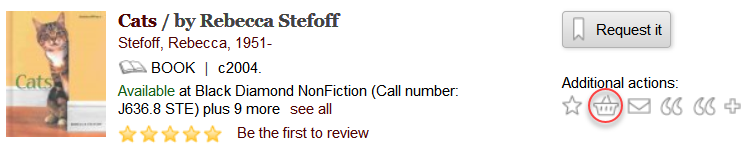
Using My Book Cart, you can create a temporary list of books and materials during the search process. You can add a title to your book cart by clicking the Add to cart icon from the browse results list or the record detail page. For example:
The book cart provides basic information about each title. The exact information you see depends on your library's configuration. The following shows a sample book cart list and the action toolbar options:
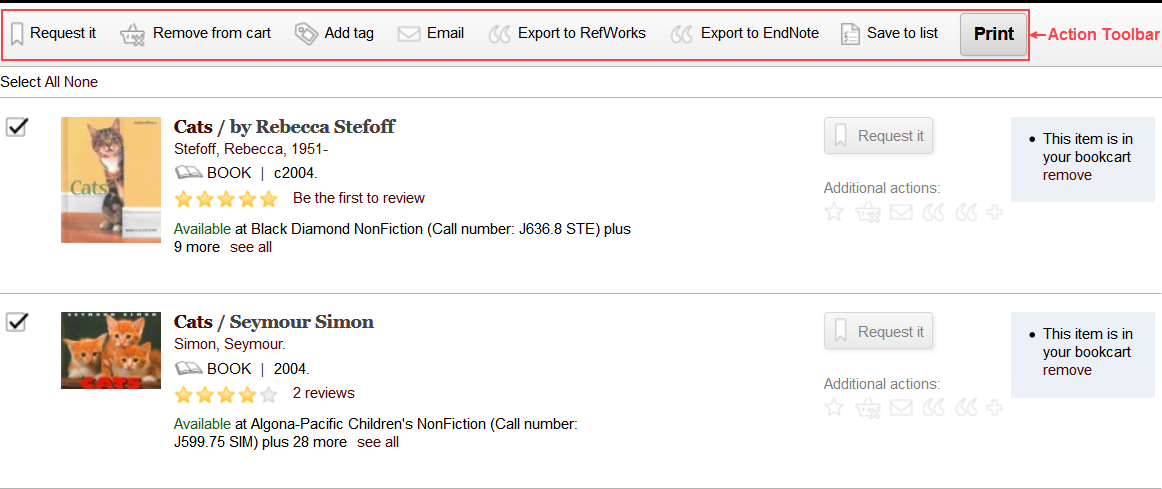
Using the action toolbar, you can:
- Email the list
- Print the list
- Export the list
- Save the list to your patron account
- Request titles (individually or in batch)
You must log in to Encore to save a list and request titles.
