
Adding Ratings and Reviews
Encore's integration with ChiliFresh allows patrons to:
Rating an Item
You can rate an item from the browse or the record display by clicking the stars associated with the entry. If you are not already logged in, Encore prompts for patron verification.
To rate an item:
- Search for the title you want to rate.
- Click the five-star rating tool associated with the entry.

From left to right, select the star associated with your review value, with 1 (the furthest left) being lowest and 5 (the furthest right) being the highest) - If you are not logged in, Encore prompts you to log in to your patron account.
Once you have successfully logged-in, Encore records your rating. Hover over the rating stars to see:
- Your rating for the item.
- The average rating for the item.
- The number of users who rated the item.
Adding a Review
To add a new review:
- Search for the title you want to review.
- Click on the star in the additional actions tool:
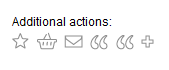
Or, you can click on the appropriate review link.If the item has no reviews, the link is Be the first to review.
- If the item has existing reviews, the link displays [number] reviews (For example, 5 reviews).
- If you are not logged in, Encore prompts you to log in to your patron account. After you log in, Encore displays the Review pop-up. For example:
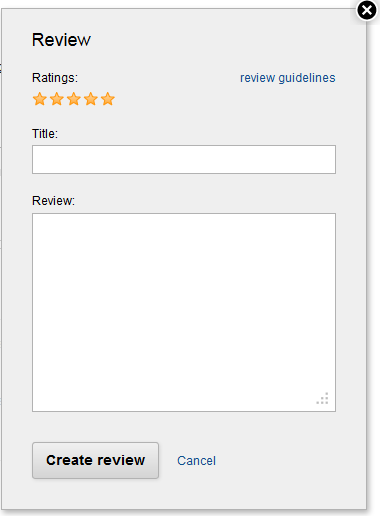
- If you have not previously rated the item, add a rating.
- Add a Title for your review.
- Enter your review in the review text box.
- Choose Submit to submit your review for approval or Cancel to return to the record detail page. (If you choose Cancel, Encore does not submit your review to ChiliFresh.)
- After library staff approves your review, it appears in the My Reviews section of the record detail page for the associated title.
Moderating Reviews
Library staff can moderate reviews through your ChiliFresh account. For details, consult your ChiliFresh account documentation.
