
Viewing Ratings and Reviews
Links to community ratings and reviews display in both the brief view of the browse display or the record display. For example:
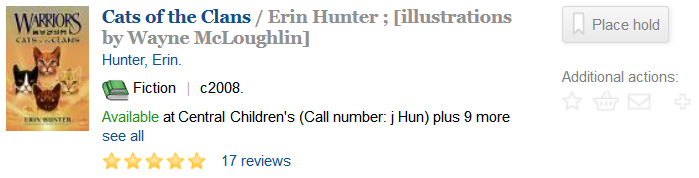
To view ratings and reviews for an title, click the link to the right of the rating stars. The link is either the number of existing reviews (for example, 17 Reviews as in the example above) or the text Be the first to review if there are no current reviews.
Encore displays the ratings and reviews:
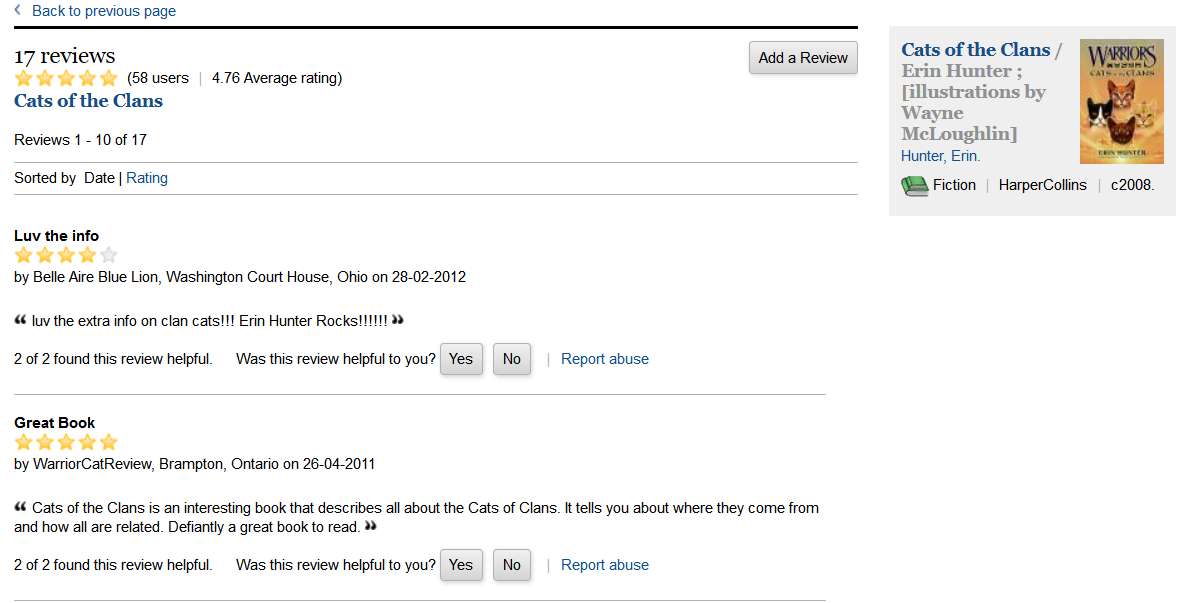
While viewing ratings and reviews you can:
- Sort the reviews
- The default sort order is by date with the most recent reviews appearing first. To sort by rating, click the Rating link in the Sorted by section toward the top of the ratings and review display.
- Vote on a review
- To vote on a review, click either the Yes or No button next to the Was this review helpful to you? text at the bottom of each review. If you are not logged in, Encore prompts you to log in to your patron account. Once you have successfully logged in, Encore records your vote.
- Report abuse for a review
- If you feel that a review violates the library's guidelines, you can click the Report abuse link. If you are not logged in, Encore prompts you to log in to your patron account. Once you have successfully logged in, Encore allows you to enter a description of the abuse. When finished, click Submit. Encore sends a notification of your abuse report to the library.
