
Do a Quick Search for an Existing Patron
You can do a quick search by scanning a patron barcode or entering search criteria in the search box. Or, you can use the Find Tool.
To do a quick search for an existing patron’s record
- Do one of the following:
- Scan the patron’s barcode.
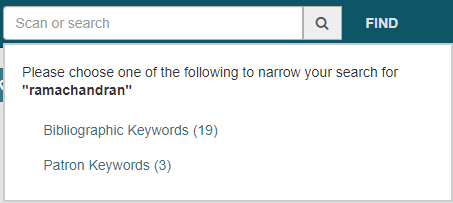
- Enter search criteria in the box. As you type, automatic suggestions are displayed that may include both patron and bibliographic records. If only one patron record matches the entry, it opens immediately. You can select a patron from the list of automatic suggestions. If the search criteria match keywords in both patron and bibliographic records, a total count is displayed for each type of record. Select Patron Keywords to open the Find Tool. Select a patron in the Find Tool results list.
The patron’s record opens to the patron's library account view. Select REGISTRATION to go to the existing patron's registration view.
Note:
If the patron record requires updates, a message appears.

