
Editing Existing Categories
To edit an existing category:
- Access the WebBridge Management menu by either:
- entering http://your_library_[domain]/webbridge/edit in the browser address window
- choosing Admin | WB Edit in an application
The WebBridge Management menu displays: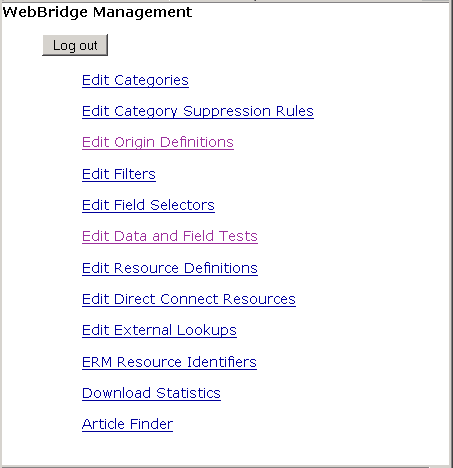
NOTE
Only one user can be logged in to the WebBridge Management menu's edit mode. Other users can access the menus in View Only Mode.
If there is no activity by a login within the timeout period, the user is automatically logged out.
- Choose Edit Category. The WebBridge Management - Categories menu displays:
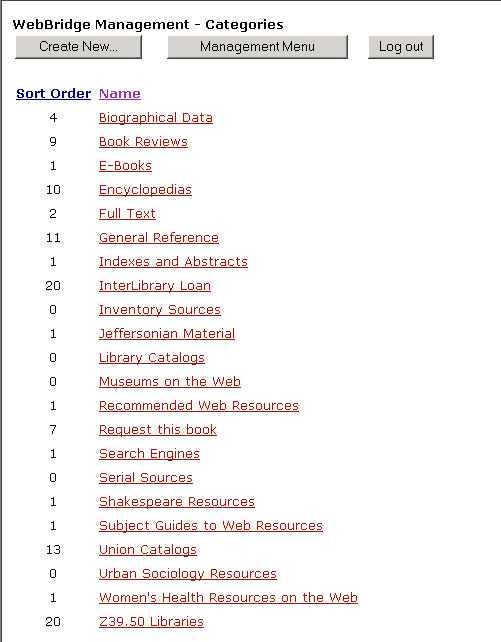
- Choose the category to edit.
The category settings display. For example: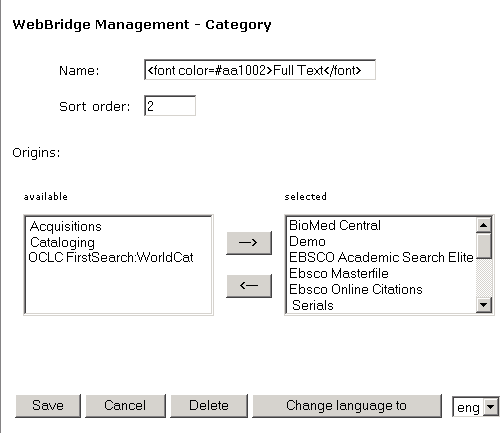
- Edit the settings.
- Choose Save to save the edits.
