
Sending a Borrowing Request
Esta página proporciona una descripción general del envío de solicitudes de préstamo, incluidos los socios de recursos ARTEmail, ISO y CCC GetItNow. For more information on resource sharing including locating items for resource sharing, working with resource sharing partners, managing borrowing and lending requests and contributing to the resource sharing directory, see Resource Sharing.
Sending a Request for an ARTEmail or ISO partner
-
On the Resource Sharing Borrowing Requests Page (Fulfillment > Resource Sharing > Borrowing Requests > Edit), select Send for a request. When sending to an ARTEmail partner, the Parameters tab opens.
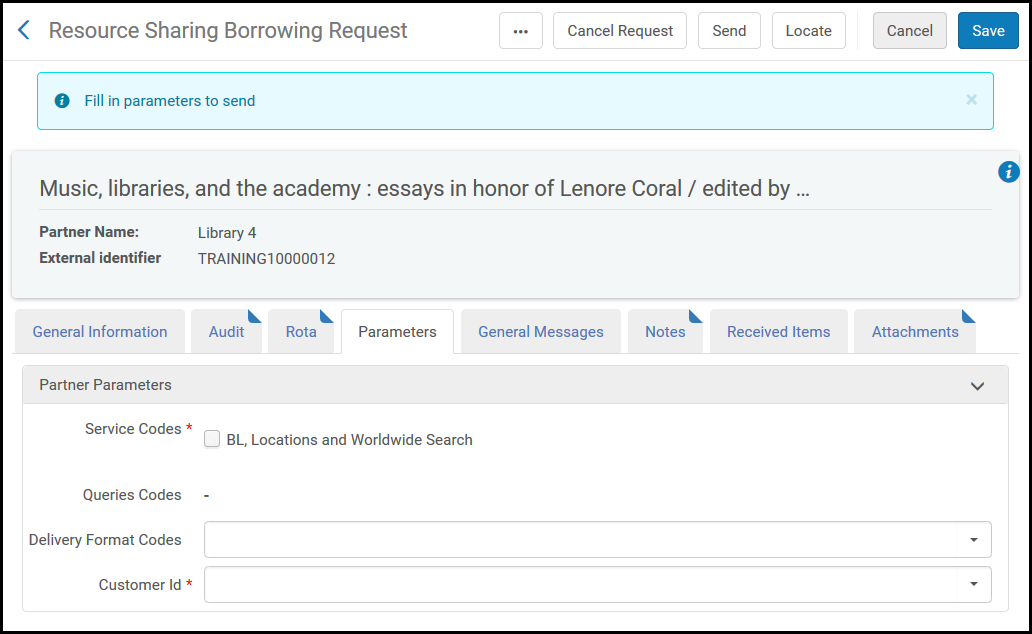
- Seleccionar uno o más parámetros de préstamo en las secciones de Códigos de servicio y Códigos de consulta.The service codes and query codes displayed depend on those configured in Fulfillment Configuration when configuring Resource Sharing Partners (see Resource Sharing Partners). For an explanation of the service and query code values, refer to the British Library's Guide to ARTEmail.
- Select a delivery format code in the Delivery Format Codes field.
- Select the requesting customer in the Customer Id field.
- Select Save to save the request with the selected parameters, or select Send to save the request with the selected parameters and send the request to the ARTEmail or ISO partner.
Sending a Request for a CCC GetItNow Resource
Se puede usar el servicio CCC GetItNow de manera mediada si no desea tenerlo como un servicio abierto a todos los usuarios.
- Activar la colección electrónica relevante de CCC GetItNow que se gestiona en la Zona de la Comunidad.
- Crear un nuevo socio de recursos compartidos para el servicio CCC GetItNow.
- Crear una solicitud de préstamo de recursos compartidos con el servicio CCC GetItNow seleccionado como el socio. Desde el portafolios electrónico, acceder al enlace CCC GetItNow y enviar la solicitud del ejemplar.
- Una vez que CCC GetItNow haya enviado el enlace de acceso del ejemplar, copiar este enlace en un recuadro de diálogo obtenido de forma externa para enviar un correo electrónico al usuario con el enlace del artículo.
To suppress it from the View It tab and make it available only to resource sharing staff, the collection may be activated without externalizing its availability. For more information, see Adding a Local Electronic Collection.
For more information on configuring the CCC GetItNow partner, see Resource Sharing Requests in the Alma Integrations with External Systems Guide.
-
Crear una solicitud de petición de préstamo
There are six required fields for the GetItNow service: Article/Chapter title, Journal title, Volume, Issue, Start page, and Publication date.
-
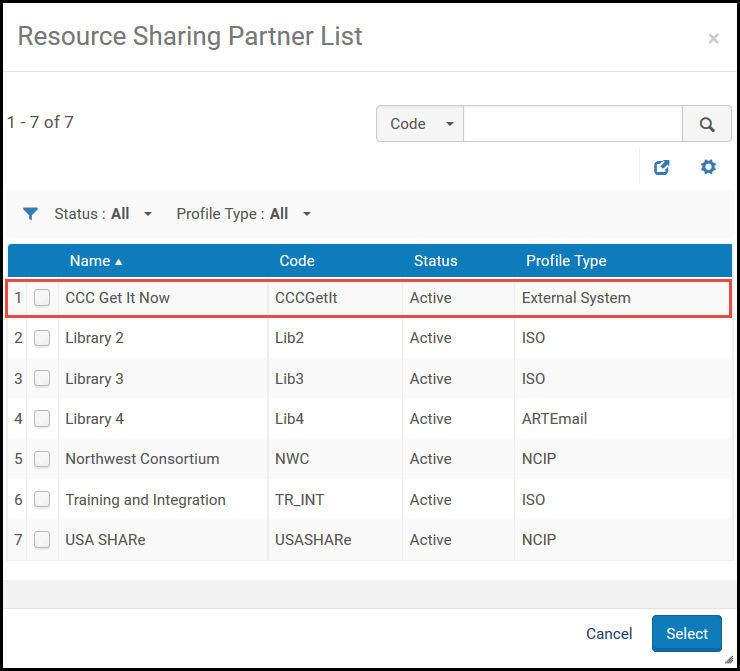
Select Add partners and select a partner with a profile type External System.
-
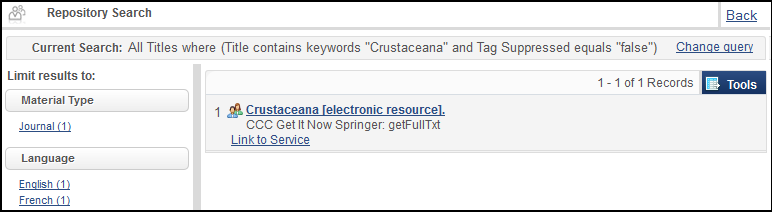
Select Send for the request. Aparece la página del portafolios electrónico.
-
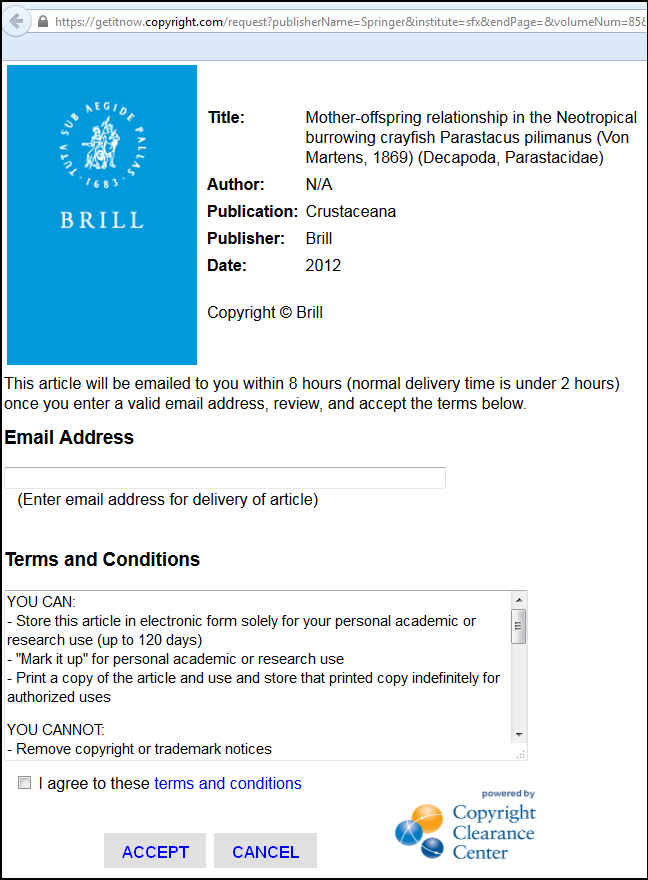
Select Link to Service to display information about the article. El operador usa la interfaz CCC para solicitar el artículo.
-
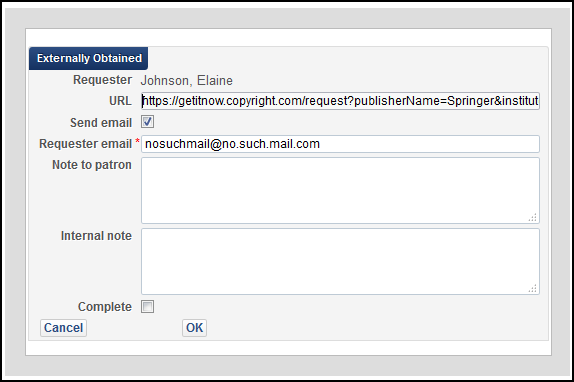
On returning to the resource sharing task list, a new action is available,Externally Obtained. Seleccionar este enlace para desplegar una ventana de envío de correo electrónico. Introducir en esta ventana la URL que proporcionó el servicio GetItNow y envíar el URL al usuario que hizo la petición.
-
Selecting the Complete box marks the request as Completed once you select OK to send this email to the patron. A sample of the Externally Obtained Email Letter follows.
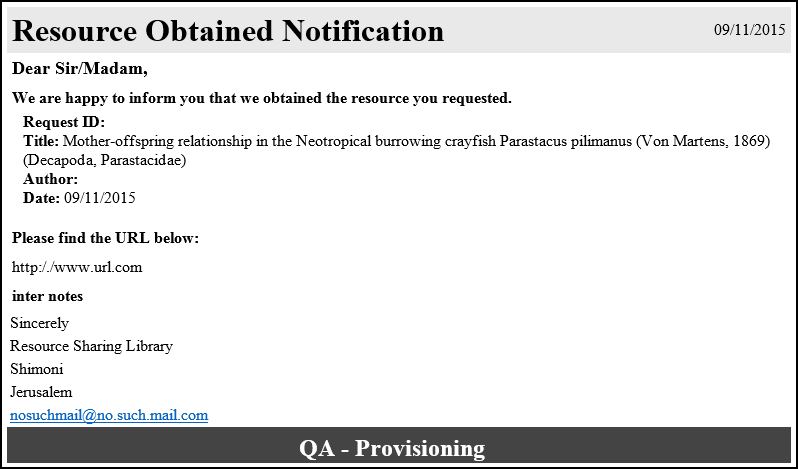
For more information on configuring letters, see Configuring Alma Letters.
For more information on requesting a CCC GetItNow resource, see the Support for CCC GetItNow Service in Resource Sharing video (4:05 min.).
