
Modifica della valuta nelle righe PO
You can change the currency of PO lines that were packaged, in the in the following workflow steps:
- Pronto
- Inviato
- In attesa del Rinnovo Manuale
- Rinnovo ricorrente
- In attesa della fattura
The Change Currency action is only available when viewing PO lines (not when editing).
Per cambiare la valuta:
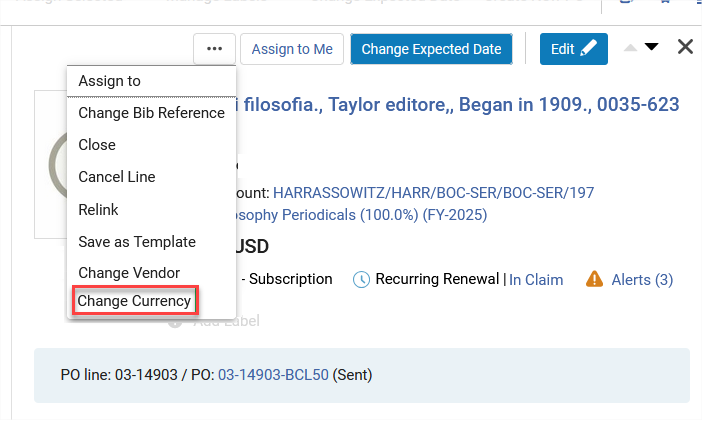
- Select the Change Currency action in the PO line.
- In the Currency field select the new currency.
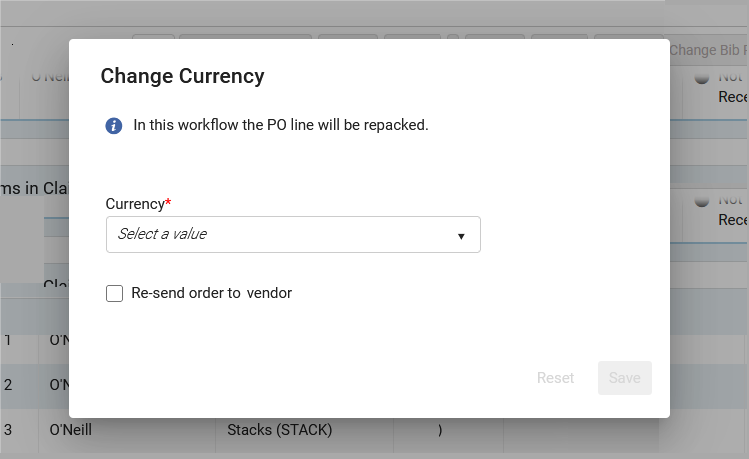
- Selezionando Re-invia Ordine al Fornitore, il nuovo PO viene inviato al Fornitore. The Re-send order to vendor field will not display for PO lines with the workflow step "Ready", and when the Acquisitions method does not include sending the order to the vendor as part of the workflow (for example, "Purchase at Vendor System").
- Seleziona Salva. La linea PO è stata rimossa dal PO originale. Se questa è l'unica linea PO nell'ordine di acquisto, l'ordine di acquisto viene eliminato. Selecting Reset restores the currency to the original value. Lo stato della riga PO cambia in Creazione manuale del pacchetto/Auto creazione del pacchetto e avanza attraverso il flusso di acquisto.
- L'elenco delle Valute disponibili corrisponde alle Valute disponibili per il Fornitore selezionato della riga PO.
- When Re-send order to vendor is not selected, the PO line will be moved to Manual Packaging or Auto Packaging, but when packaged into a PO it will not be sent to the vendor.
Page tags: article:topicproduct:almacontent:Documentationlang:english
