
Distribute Charges
You must distribute charges one type at a time.
To distribute charges on an open invoice
- Find the invoice you want to edit, and open it in the Invoice workform.
- Select ACTIONS > DistributeCharges from the menu bar.
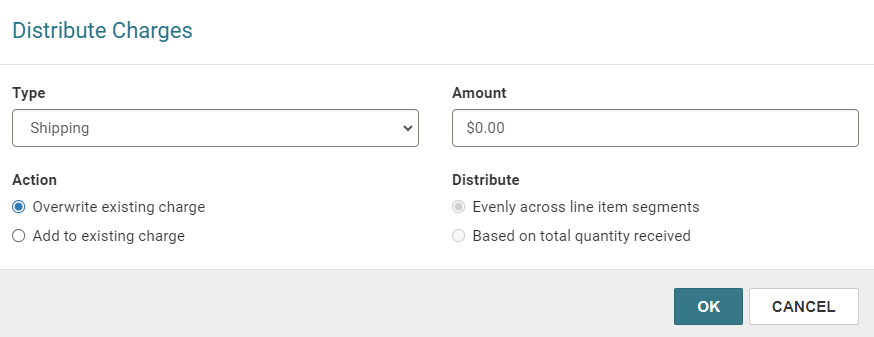
- Select one of the following charge types:
- Cataloging services
- Special handling
- Service
- Shipping
- Binding format
- Select one of the following under Action:
- Overwrite existing charge— replace the charge already entered in the line item. Also select this option if no charge was previously entered.
- Add to existing charge— add the charge to the charges already entered.
- Select one of the following under Distribute:
- Evenly across line item segments— distribute the same charge amount to all the line segments for the invoice.
- Based on total quantity received— apply the charges based on the quantity received in each segment.
- Enter the amount to distribute in Amount.
- Select OK.
The Distribute Charges dialog appears.
To manually adjust distributed charges, go to the Invoice Line Item workform > Segments view > Charges table, and edit a row. For more information, see Edit an Invoice Line Item.
