
Pay an Invoice
You can pay an invoice in Leap if all of the following conditions are true:
- You have the Invoices: Pay, Undo payment, Credit permission in Polaris System Administration (web-based). For more information about invoice permissions, see Acquisitions Permissions Reference.
- The invoice has a status of Open or Credited.
- All invoice line items have been received.
To pay an invoice
- Find the invoice you want to pay, and open it in the Invoice workform.
-
Select ACTIONS > Pay.
The Check / Voucher dialog appears.
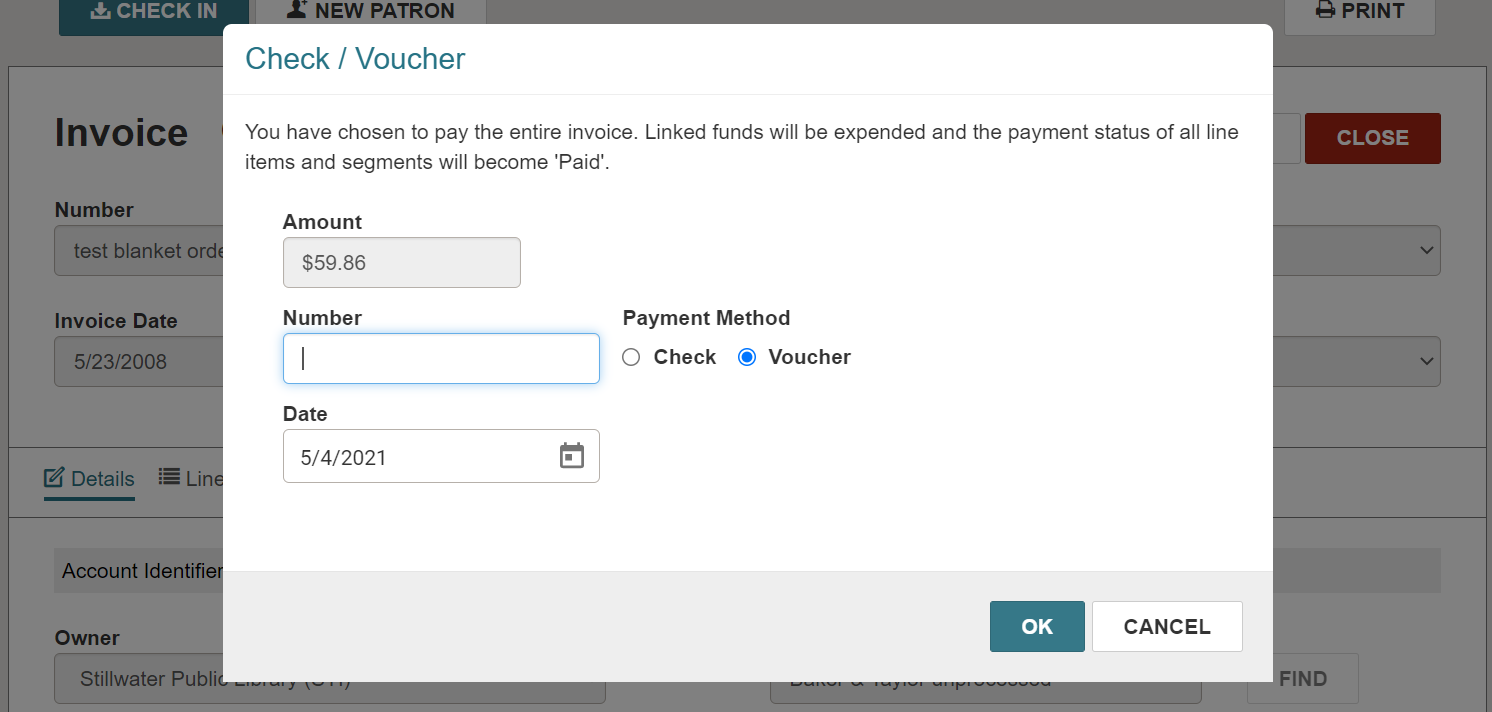
- In the Number field, enter a check or voucher number.
- Select a Payment Method of Check or Voucher.
- Select the current date in the Date field.
-
Select OK.
The funds are expended, and the payment appears in the Payment History section.
